mirror of
https://github.com/dani-garcia/vaultwarden.git
synced 2026-02-05 00:29:40 +03:00
Unable to select collection when cloning to another organization in web vault, but desktop app works fine #950

Reference in New Issue
Block a user
Delete Branch "%!s()"
Deleting a branch is permanent. Although the deleted branch may continue to exist for a short time before it actually gets removed, it CANNOT be undone in most cases. Continue?
Originally created by @yumenoshizuku on GitHub (Feb 23, 2021).
Subject of the issue
In web vault, when cloning from one organization to another, the Collections pane shows
There are no collections to list.when changing organization selection. But the desktop app can show the collections correctly.Your environment
Steps to reproduce
Edit .env, setup Apache reverse proxy on another machine, run bitwarden_rs with
docker-compose up -dCreate two or more organizations, then create a few collections in each organization. Add one or more items to any of the collection. Click the gear icon and choose Clone.
Expected behaviour
When selecting a different organization under Ownership, the Collections pane should show a list of collections in that organization that the user has write access to.
Actual behaviour
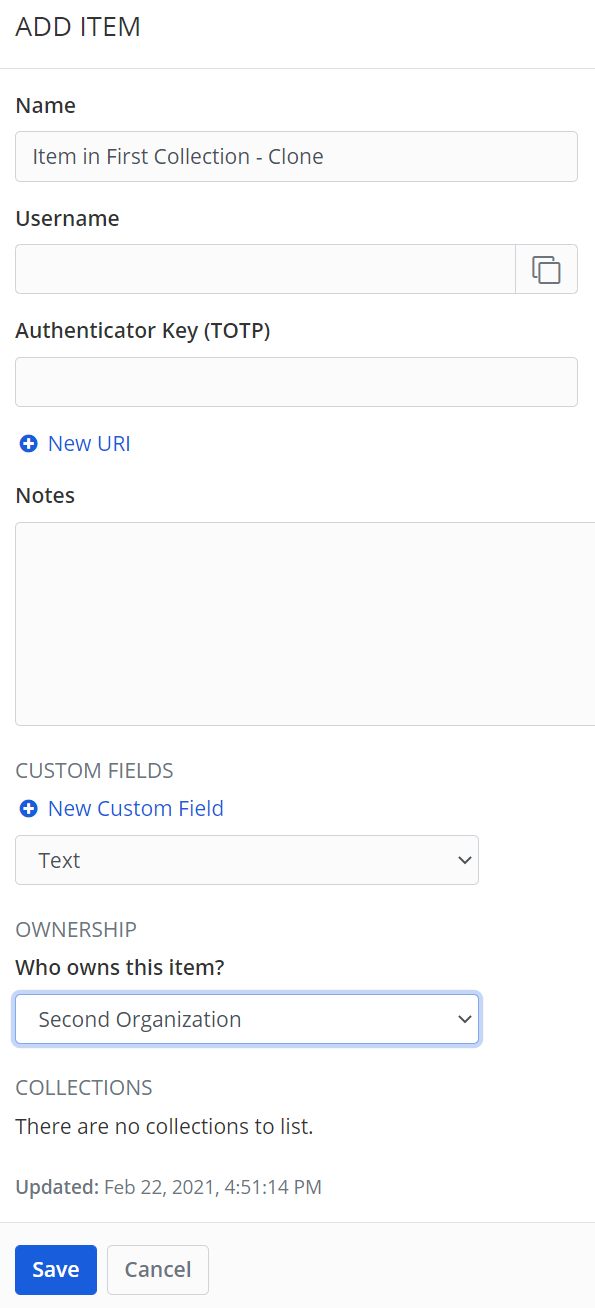
The Collections pane shows
There are no collections to list.Relevant logs
Created an item in First Organization, First Collection
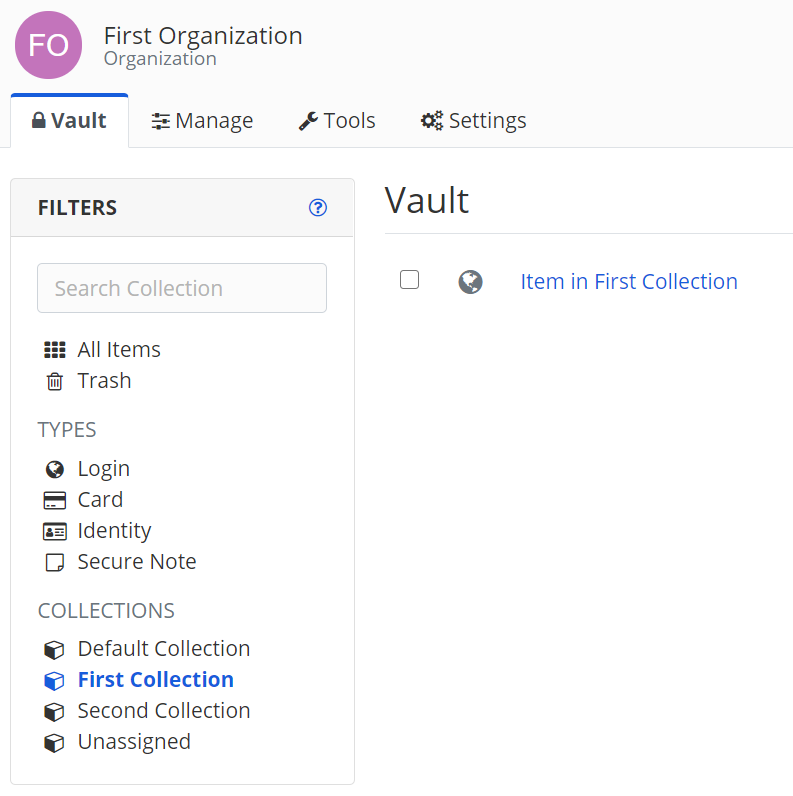
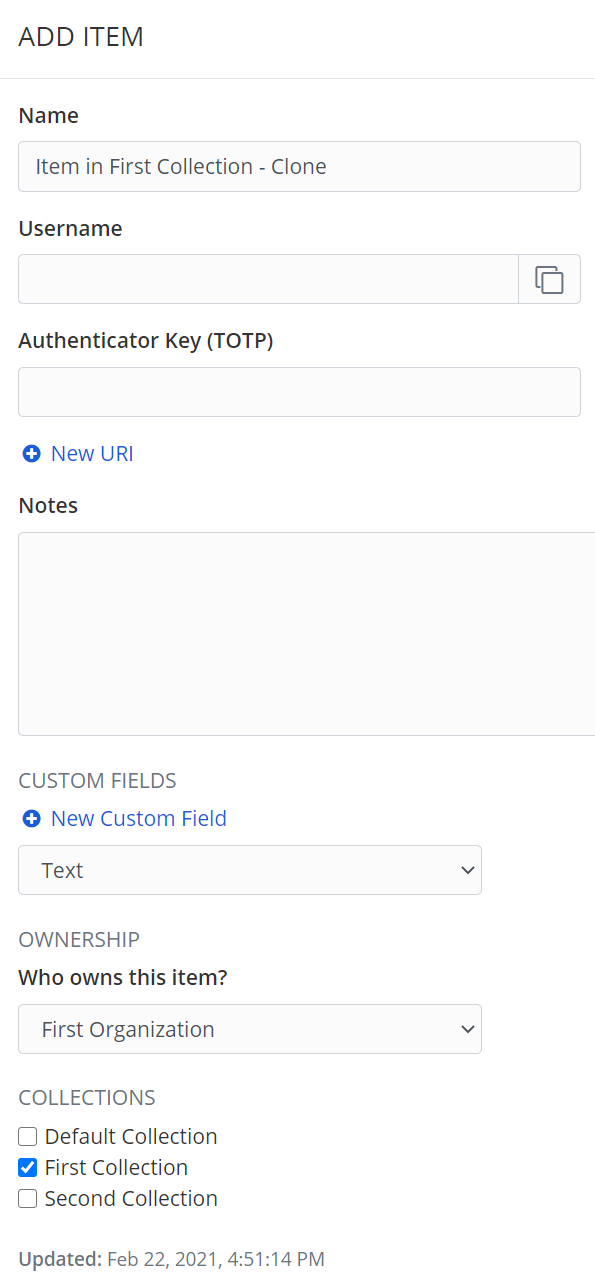
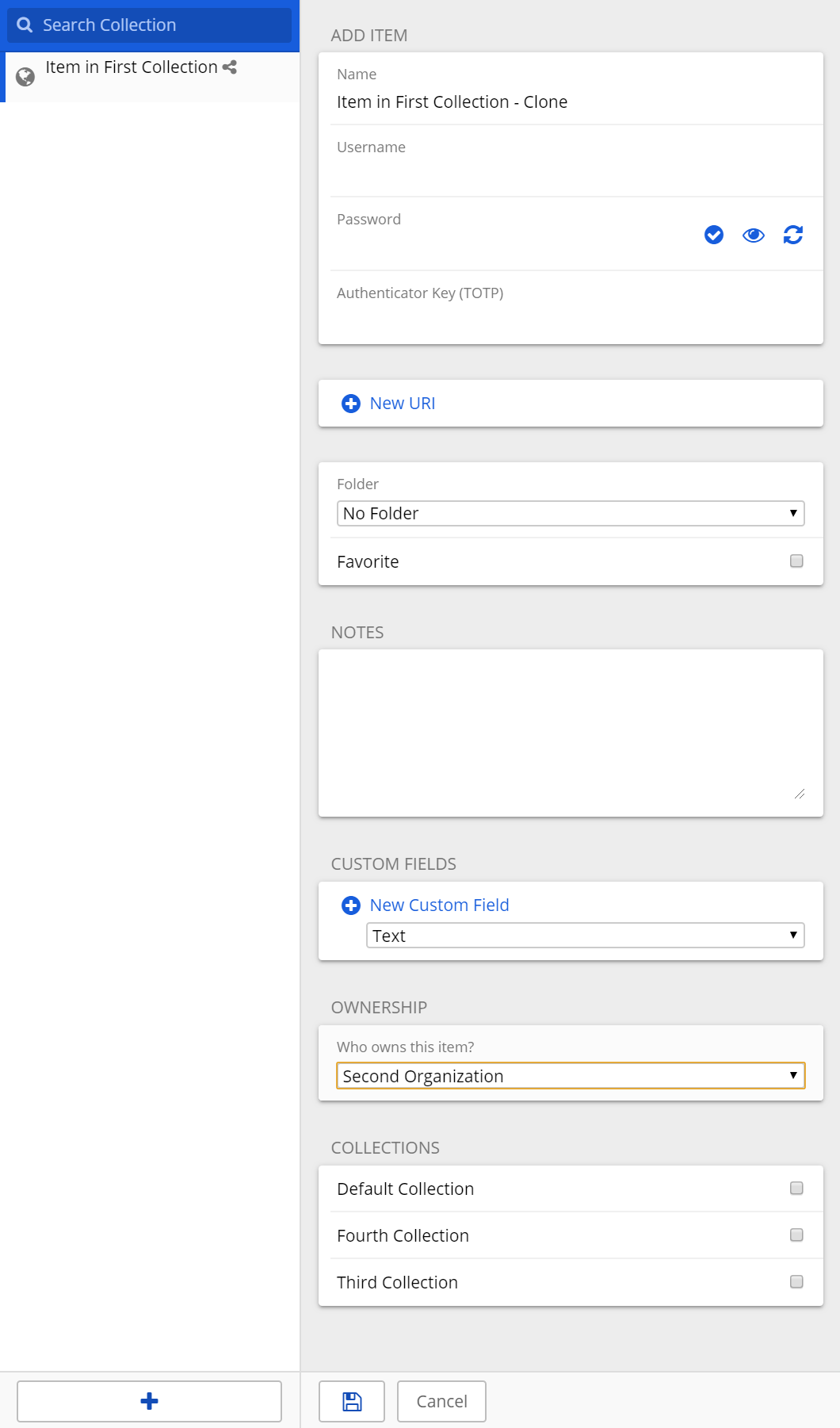
Affter clicking Clone, can choose another collection in the same organization
After choosing another organization, no collections are shown
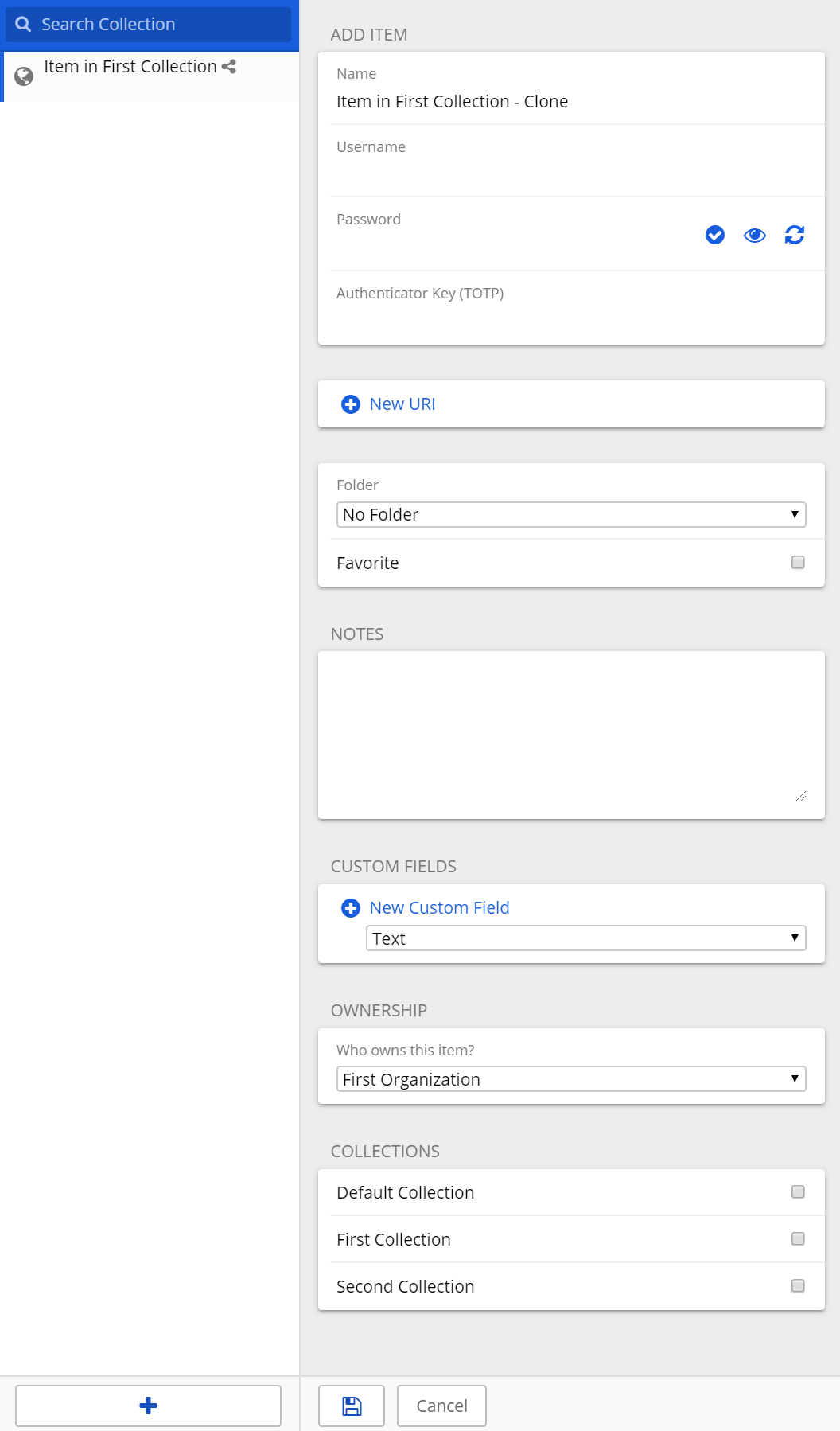
In desktop app, after clicking Clone, can choose another collection in the same organization
In desktop app, after choosing another organization, available collections are shown
@jjlin commented on GitHub (Feb 23, 2021):
Thanks for the detailed report. I was able to reproduce this issue in the bitwarden_rs web vault. However, I was also able to reproduce it at https://vault.bitwarden.com/, so the issue originates in the upstream web vault code. I'd suggest opening an issue at https://github.com/bitwarden/web/issues and providing them the steps to reproduce.
When you open an issue there, I'd suggest that you only mention https://vault.bitwarden.com/, and leave out any mention of bitwarden_rs or your hosting environment to avoid any potential confusion about whether this is a bitwarden_rs issue. Or at least be very clear that the issue does affect https://vault.bitwarden.com/.
@yumenoshizuku commented on GitHub (Feb 24, 2021):
Thanks for the advice!
@vandermark1977 commented on GitHub (Dec 26, 2022):
I have the same problem? Is this resolved?
@BlackDex commented on GitHub (Dec 26, 2022):
See https://github.com/dani-garcia/vaultwarden/discussions/3016
@vandermark1977 commented on GitHub (Dec 26, 2022):
Hmm, I am not using the browser plugin, I am just working inside the vault in the webbrowser. Plugin is active though... Why cant I see any collections when I try to clone to different organization?
@BlackDex commented on GitHub (Dec 26, 2022):
It doesn't matter which client you use. It just isn't supported.
Only way would be to clone it to your personal vault and then move it to the other org afterwards.
@vandermark1977 commented on GitHub (Dec 27, 2022):
Thank you, that makes the issue clear for me. Your suggestion worked fine, tx!