mirror of
https://github.com/dani-garcia/vaultwarden.git
synced 2026-07-16 05:34:10 +03:00
Emergency access: none present but creating shows error 'already invited' #1231

Reference in New Issue
Block a user
Delete Branch "%!s()"
Deleting a branch is permanent. Although the deleted branch may continue to exist for a short time before it actually gets removed, it CANNOT be undone in most cases. Continue?
Originally created by @juriansluiman on GitHub (Mar 16, 2022).
Subject of the issue
My emergency access list is empty. However, I tried creating one several times (this might be related to #2209 where I made an SMTP error during emergency access configuration).
I start with an empty contact list:
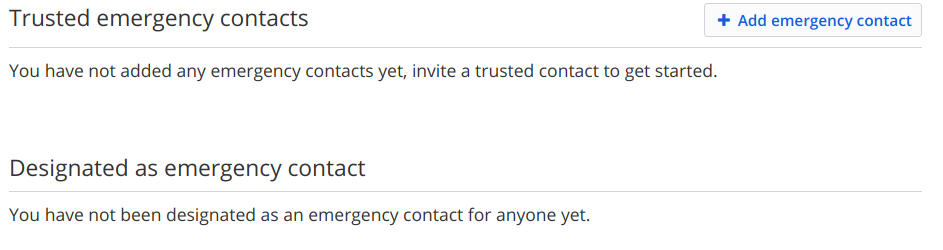
When I have entered all info and submit, vaultwarden says the entry already exists
I think there's a database entry but as info is missing it isn't displayed. If I enter a new address, that mail gets delivered (but still my list remains empty).
Your environment (Generated via diagnostics page)
Config (Generated via diagnostics page)
Show Running Config
Environment settings which are overridden: DOMAIN, SIGNUPS_ALLOWED, SIGNUPS_DOMAINS_WHITELIST, SHOW_PASSWORD_HINT, ADMIN_TOKEN, SMTP_HOST, SMTP_SSL, SMTP_EXPLICIT_TLS, SMTP_PORT, SMTP_FROM, SMTP_USERNAME, SMTP_PASSWORD
Steps to reproduce
Troubleshooting data
Some relevant logs from my docker image:
Note the first error I tried to add account
xxx@example.comwhile already present in database. In the second error (Grantee user not found) I submit a new address and the email got delivered but the web interface still shows nothing.If I open the SQLite file, I see the records in the table emergency_access, but I'm a bit hesitated to clear that table and hope the issue will resolve automatically.
@BlackDex commented on GitHub (Mar 18, 2022):
The strange thing is, i also see a
400 Bad Requestduring the invite.Not sure what that
Bad Requestis returning.In theory you should be able to clear-out the
emergency_accesstable.Also check if that mail address is located within the
invitationstable, and if so, remove it from there too.After that try again.
Also, be sure to make a backup of the database before you continue, in case something goes wrong.