mirror of
https://github.com/dani-garcia/vaultwarden.git
synced 2026-03-01 03:10:51 +03:00
Error 404 when submitting account creation form #1111

Reference in New Issue
Block a user
Delete Branch "%!s()"
Deleting a branch is permanent. Although the deleted branch may continue to exist for a short time before it actually gets removed, it CANNOT be undone in most cases. Continue?
Originally created by @remiflament on GitHub (Sep 13, 2021).
Subject of the issue
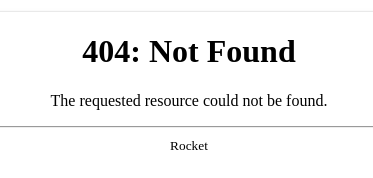
When a user is invited to join an organization he receives an email link and fill the account creation form, it results in a 404 error.
The user can only see
Deployment environment
Install method: Docker container pulled from hub.docker.com
Clients used: Web vault: tested with Chrome 93 & Firefox 92
Reverse proxy and version: No reverse proxy
MySQL/MariaDB or PostgreSQL version: PostgreSQL 12 managed in GCP
Other relevant details: The Vaultwarden app in running on Cloud Run on GCP - Works perfectly since end of 2020. This bug is recent and was initially found on 1.22.0. I updated to check if its fix it, but not.
Steps to reproduce
Here my modified parameters from the defaults values
USER_ATTACHMENT_LIMIT 0
ORG_ATTACHMENT_LIMIT 0
DATABASE_URL postgresql://user:pass@ip:port/bitwardenrs
SMTP_HOST smtp.confidential.com
SMTP_PORT XXX
SMTP_SSL true
SMTP_USERNAME user@confidential.com
SMTP_PASSWORD confidentialpasswordkey
SMTP_FROM bitwardenrs@confidential.com
DOMAIN https://bitwarden.confidential.com/
ADMIN_TOKEN TOKENADMINXXXX
SMTP_FROM_NAME Bitwarden
SIGNUPS_ALLOWED true
SIGNUPS_DOMAINS_WHITELIST confidential.com
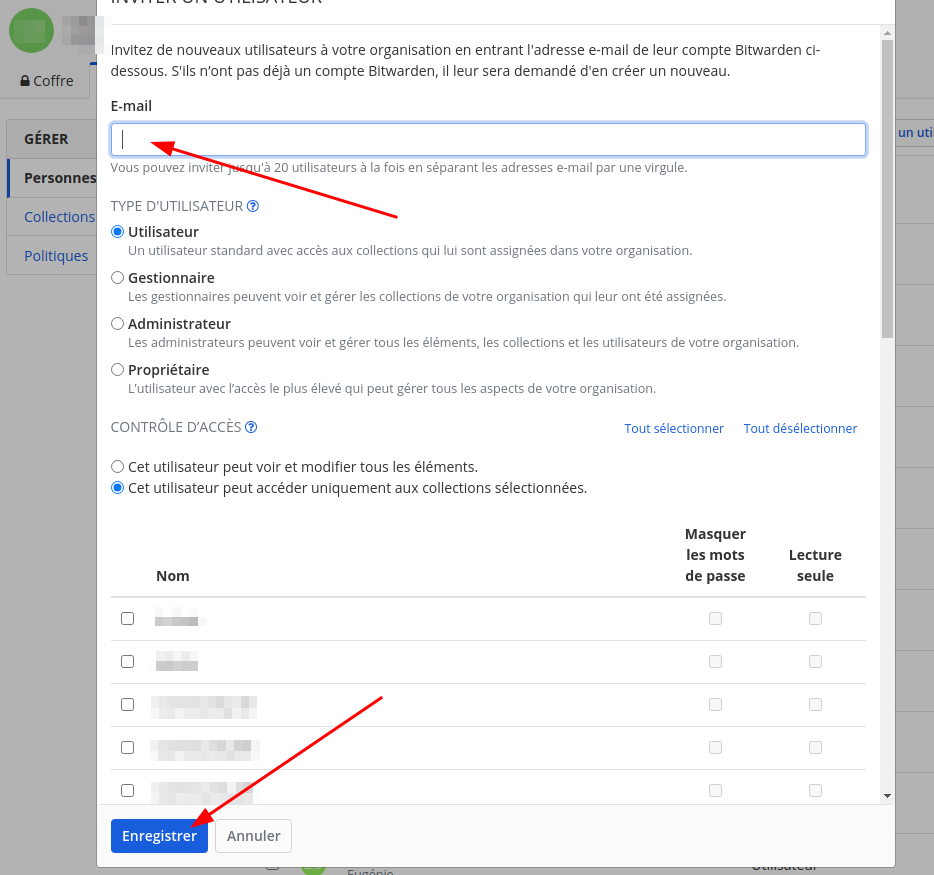
I go to the organization page and invite people to join me.
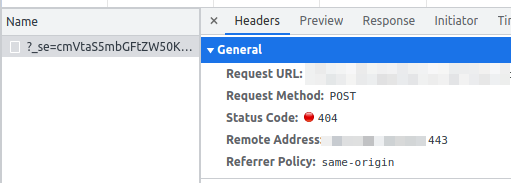
They receive email link to join and click on it. Fill the form and get the 404 message in red, see above of this issue.
Expected behaviour
The form should be sent and the account created.
Actual behaviour
404 error when submitting the account creation form.
Troubleshooting data
Thank you for this project!
@BlackDex commented on GitHub (Sep 13, 2021):
Please provide the
Support Stringyou can generate on the /admin/diagnostics page.Also, could you provide the log lines from vaultwarden when you try to execute this action?
And if possible increase the log_level to debug so that we would have a bit more information available.
Thanks.
@remiflament commented on GitHub (Sep 13, 2021):
Copy paste of
Support StringYour environment (Generated via diagnostics page)
Config (Generated via diagnostics page)
Show Running Config
Environment settings which are overridden:
set the debug_level to
debugI attach the few logs I get, they are all
infolevel, zero debug log output with the action.The action is: re-invite the member. Click on the new link to create account. Fill the form. Submit it.
re-invit

Thank you
@BlackDex commented on GitHub (Sep 13, 2021):
I don't know what you are running which alters the URL's, but that
?_se=part shouldn't be there.So it looks like something is altering your URL's in a non compatible way.
As this does work for me without an issues.
I suggest to try this in an incognito/private browser (without any extensions if possible) and try it again.