mirror of
https://github.com/jellyfin/jellyfin.git
synced 2026-07-16 05:43:54 +03:00
ASS subtitles do not always render correctly #3548

Reference in New Issue
Block a user
Delete Branch "%!s()"
Deleting a branch is permanent. Although the deleted branch may continue to exist for a short time before it actually gets removed, it CANNOT be undone in most cases. Continue?
Originally created by @xyttyxy on GitHub (Jan 17, 2022).
Description of the problem:
I have several issues with subtitles:
In this sentence, 就请从窗口放心地观看吧, 请 and 观 is rendered using the fallback font 'NotoSansCJKsc-Medium.woff2', but the rest are rendered with an unknown font. To me this is very annoying and on the edge of being unusable.
Media Info of the file
Logs
This is only the tail of the server log:
FFmpeg Logs
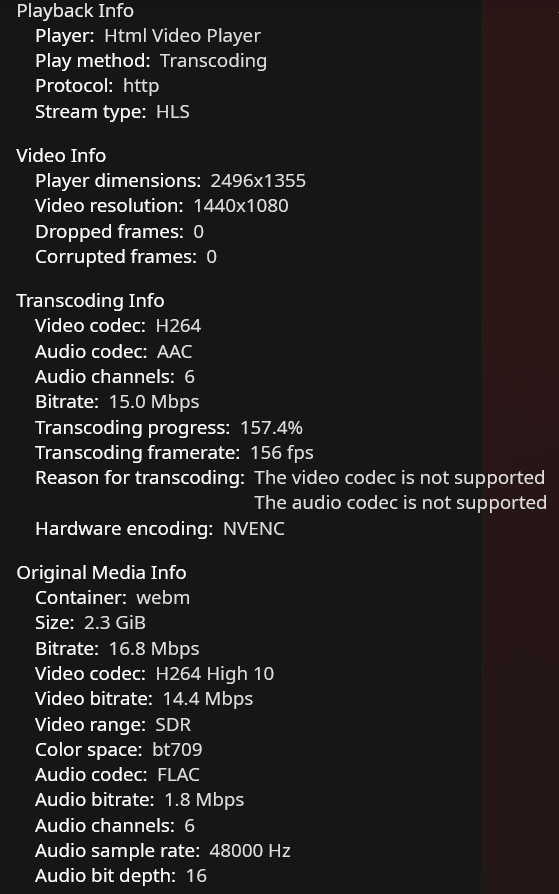
Stats for Nerds Screenshots
Server System (please complete the following information):
Client System (please complete the following information):
@nalsai commented on GitHub (Feb 1, 2022):
When not burning in Subtitles, Jellyfin uses JavascriptSubtitlesOctopus to display subtitles. Which, at least for me, sometimes doesn't load lines, is out of sync and many effects don't work properly.
With burned subtitles everything should work correctly as of 1.8.0.
It seems like the subtitles want to load a custom font, but the font is neither attached to the video (font isn't show in media info), nor installed on the server (font doesn't show when burning) or client (font doesn't show in Jellyfin Media Player).
I've never had an issue when using Jellyfin Media Player, because that uses mpv, which works correctly. If that doesn't display correctly, maybe there's something not right with your video file. Does it play correctly in mpv? Where does mpv get the font from?
@SodaWithoutSparkles commented on GitHub (Feb 22, 2023):
Confirm that the fonts you intend to use contain 请 and 观? Behavious seems similar to that when fonts are missing.
@jellyfin-bot commented on GitHub (Sep 17, 2023):
This issue has gone 120 days without comment. To avoid abandoned issues, it will be closed in 21 days if there are no new comments.
If you're the original submitter of this issue, please comment confirming if this issue still affects you in the latest release or master branch, or close the issue if it has been fixed. If you're another user also affected by this bug, please comment confirming so. Either action will remove the stale label.
This bot exists to prevent issues from becoming stale and forgotten. Jellyfin is always moving forward, and bugs are often fixed as side effects of other changes. We therefore ask that bug report authors remain vigilant about their issues to ensure they are closed if fixed, or re-confirmed - perhaps with fresh logs or reproduction examples - regularly. If you have any questions you can reach us on Matrix or Social Media.
@srcrist commented on GitHub (Oct 6, 2023):
Closing this issue as this specific problem appears to be an issue with the included custom fonts in the source file, and not an actual Jellyfin bug.