mirror of
https://github.com/jellyfin/jellyfin.git
synced 2026-07-16 05:43:54 +03:00
Asks for login on first time install #2236

Reference in New Issue
Block a user
Delete Branch "%!s()"
Deleting a branch is permanent. Although the deleted branch may continue to exist for a short time before it actually gets removed, it CANNOT be undone in most cases. Continue?
Originally created by @Anan5a on GitHub (Nov 5, 2020).
Describe the bug
Jellyfin server is asking to login when it is a fresh install and should show the setup wizard,
I have made a fresh install in a vm in vultr, and created a local port forwarding in my machine to make sure jellyfin thinks I'm in the local network, But still it ask me to login instead of showing setup wizard!
System (please complete the following information):
To Reproduce
ssh user@remoteIP -L 8888:localhost:8096localhost:8888Expected behavior
Setup wizard for first time
Logs
Screenshots
Additional context
Using empty values didn't work either
** Update
*** Wizard is displayed as intended in the stable release
10.6.4@nyanmisaka commented on GitHub (Nov 5, 2020):
Duplicate of https://github.com/jellyfin/jellyfin/issues/4372
To manually start the wizard navigate to {host}/web/index.html#!/wizardstart.html
@Anan5a commented on GitHub (Nov 8, 2020):
@nyanmisaka I get 401 error when the page is loaded,
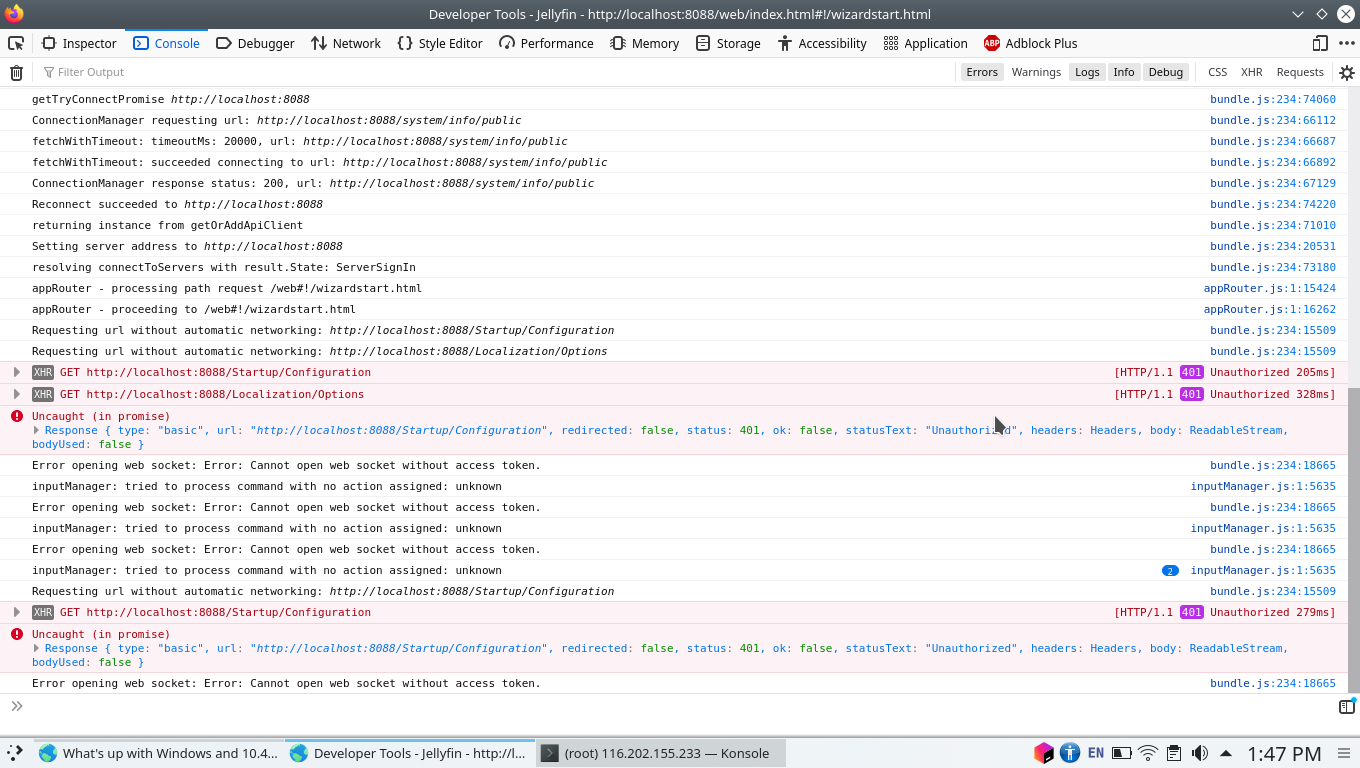
Unable to move forward!
@AleixMT commented on GitHub (Jun 22, 2022):
This is also happening to me: fresh install of jellyfin with a docker container in a x64 Linux and the application is asking for credentials in a login form when accessing it in the browser. I tried what @nyanmisaka suggested but that does not do anything, it does not even change the loaded HTML, is the same login form.
I also tried using the user "jellyfin" and clicking in "forgot my password". But it says that I should try again from my home network for the password reset. I do not know what it means. I followed the documentation and added the "--host=network" parameter but regarding that message it seems like there may be additional steps in the configuration that I'm missing.
Sorry to post this here because I'm not actually sure if it belongs here, but if someone knows what to do to access this wizard or to create a user manually I'd be grateful to hear from them.
@AleixMT commented on GitHub (Jun 22, 2022):
I'm using the jellyfin/jellyfin docker image
@bioblatt commented on GitHub (Aug 28, 2023):
same issue for me, not using docker on linux mint
@Anan5a commented on GitHub (Aug 28, 2023):
you have to manually type the link for the first time