mirror of
https://github.com/jellyfin/jellyfin.git
synced 2026-05-04 18:09:12 +03:00
Playback not working on iOS device when connecting remotely through proxy #2050

Reference in New Issue
Block a user
Delete Branch "%!s()"
Deleting a branch is permanent. Although the deleted branch may continue to exist for a short time before it actually gets removed, it CANNOT be undone in most cases. Continue?
Originally created by @bartvdbraak on GitHub (Aug 17, 2020).
When accessing Jellyfin on iOS through my remote domain, behind a proxy (
https://sub.example.com/web) where Let's Encrypt is used to encrypt the connection, some media will end inPlayback Error. Some videos that play directly do work. Ffmpeg doesn't start transcoding. However, accessing my jellyfin locally withouthttps(through http://192.168.1.6:8096) lets me watch transcoded video streams on iOS (browser/app).Media Info of the file
Logs
https://gist.github.com/bartvdbraak/922b053ec2aa783f27030d7a3e02b860
FFmpeg Logs
ffmpeg-transcodelog createdServer System (please complete the following information):
nginx.conf:Client System (please complete the following information):
Screenshots
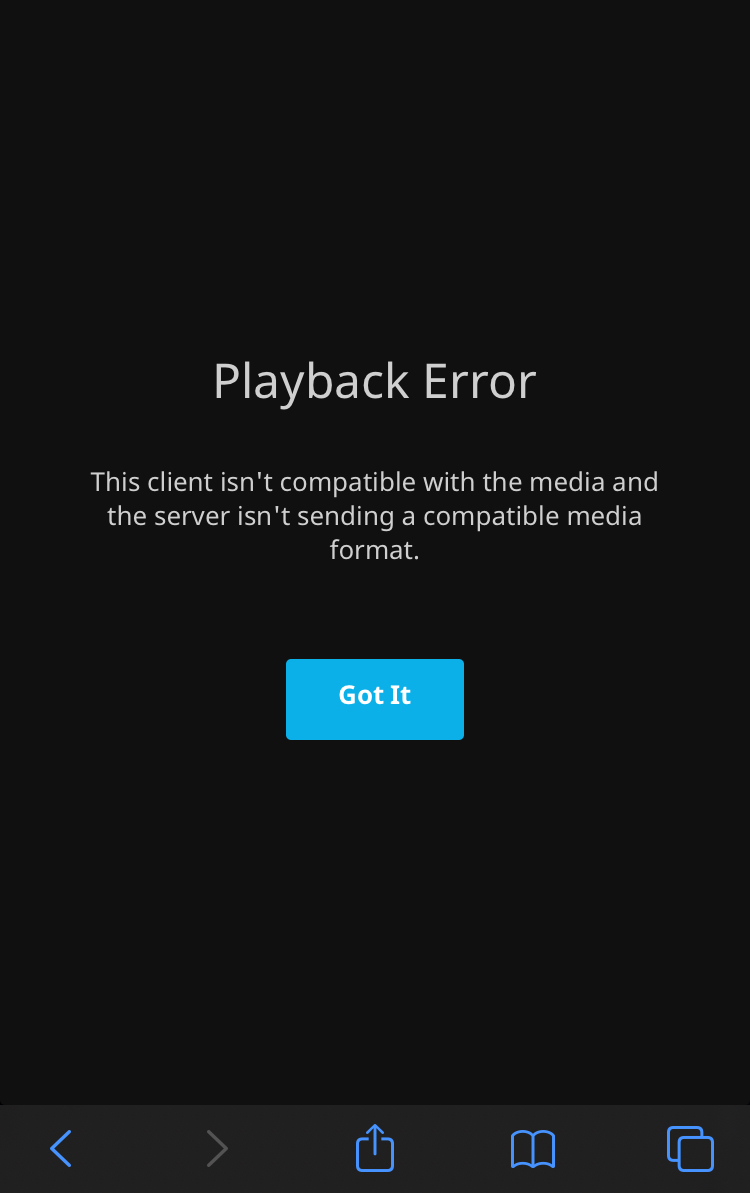
Extra
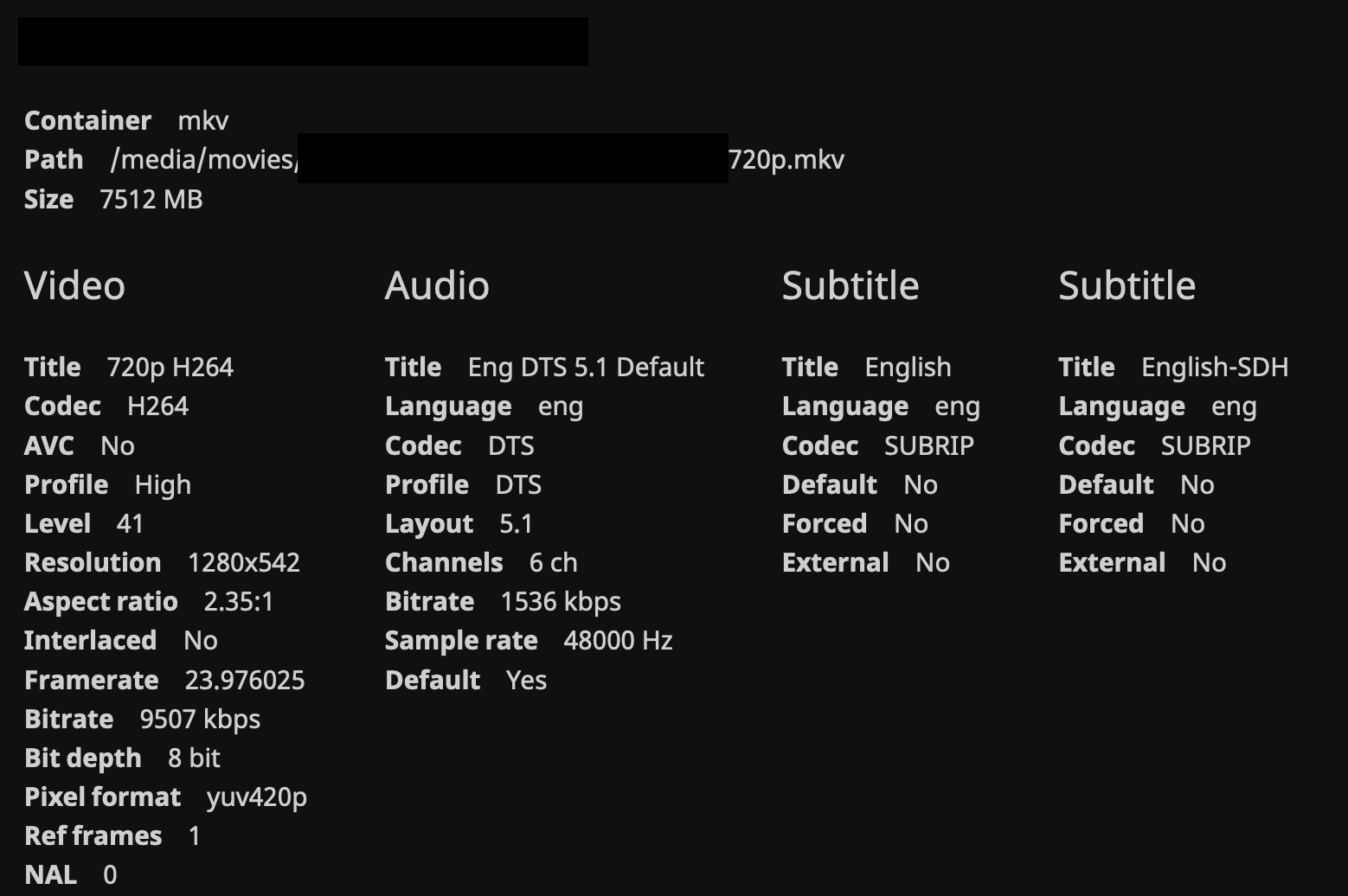
Media info for video where playback fails:
Media info for video where playback does work:
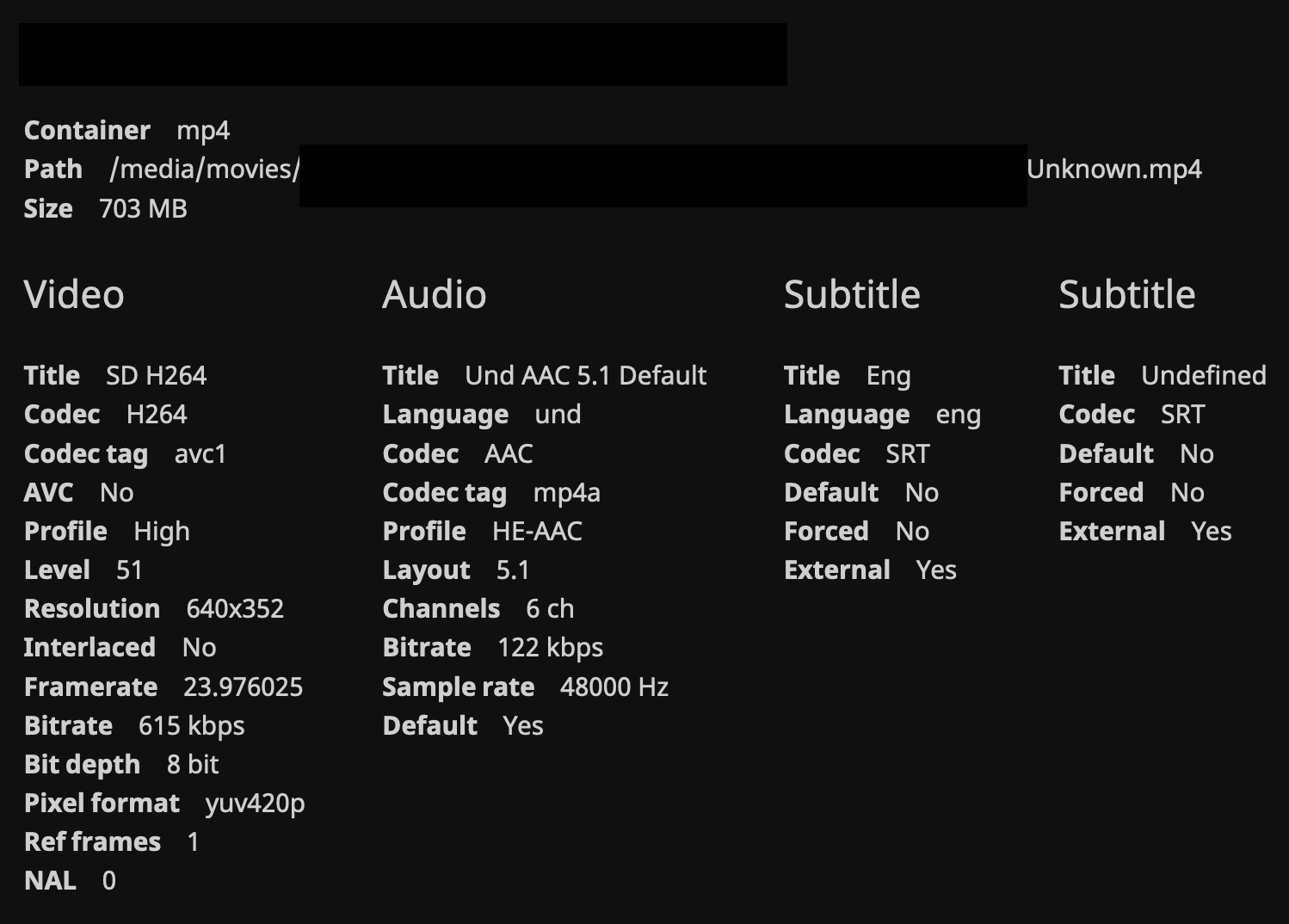
@ghost commented on GitHub (Aug 18, 2020):
According to the documentation here, the websocket options
should be set on the websocket location (
/socket) instead of the root location (/). I'd give that a try.@bartvdbraak commented on GitHub (Aug 18, 2020):
Unfortunately that didn't work :(
@bartvdbraak commented on GitHub (Aug 18, 2020):
I can't understand why I can stream video on iOS when I access Jellyfin through local ip, but when I access it through the domain name (nginx reverse proxy -> cloudfare dns) it won't. Everytime works fine on Linux or MacOS.
@bartvdbraak commented on GitHub (Aug 18, 2020):
Okay, it has to do with not being able to transcode video to iOS device at all, since the video that was being played trough the local access is a directstream video.
@Nazar78 commented on GitHub (Aug 29, 2020):
I have similar issues with Tizen 5.x. Not only the Tizen app, it also exhibit the same issue with the Samsung TV builtin web browser. Browsing through the interface via domain proxy is ok but it will fail to play any video once initiated with no connection trace on any of the nginx nor JF logs.
But if I were to use a reverse proxy with IP based (not using domain) listening on a different port i.e. Public-IP:8097 up-streamed to JF-IP:8096, the media playback will have no issue. Strange... no idea where is the fault as I'm having difficulties debugging the Tizen app with large js files most of the time hanging. @dmitrylyzo has kindly helped to point out a
filescheme error but I have no idea where to look since I've difficulties debugging it.https://github.com/jellyfin/jellyfin-tizen/issues/46
Edited: With regards to using a Public-IP, I also have no issue with the playback using domain name if I open the nginx reverse proxy port directly to the public i.e. http://subdomain.domain.com:8097 but this defeat the purpose of having reverse proxy in the first place :(
@dmitrylyzo commented on GitHub (Aug 29, 2020):
filescheme issue only occurs on bundled clients (Tizen, old Android). ApiClient uses cache which doesn't supportfile.So it is not related.
I've added more info for Tizen https://github.com/jellyfin/jellyfin-tizen/issues/46#issuecomment-683271555
@Nazar78 commented on GitHub (Sep 1, 2020):
@bartvdbraak could you try switch your reverse proxy to HTTP instead of HTTPS then test? I don't have an iOS but on my Samsung Tizen which is having playback issue, switching from HTTPS to HTTP domain reverse proxy the playback works instantly. Details: https://github.com/jellyfin/jellyfin-tizen/issues/46#issuecomment-684663012
My HTTP domain was previously redirected to HTTPS and had no issue at all with browsers and Android clients.
@bartvdbraak commented on GitHub (Sep 1, 2020):
I removed SSL and forcing HTTPS from my Nginx Reverse Proxy as well as Cloudflare Encryption.
Accessing Jellyfin from
http://sub.domain.tldon my iPhone 6s through Safari still gave me a 'Playback Error' icon while trying to play the video.Here's the log from jellyfin (I removed some personal details):
@BaronGreenback commented on GitHub (Sep 5, 2020):
The bad value for ai_flags is an "unable to create scoket error". Have seen this when the process hasn't got enough permissions, and also when broadcast wasn't enabled. That might be 10.6.1.
Just to get my head aound this - your https tunnel finished on 443 on your proxy, and then it's http between the proxy and JF?
@bartvdbraak commented on GitHub (Sep 10, 2020):
I am running Jellyfin in docker, do I have to change permissions for stuff? Check if I can use ffmpeg on the files in the container?
http://192.168.1.6:8096https://sub.domain.tldtohttp://192.168.1.6:8096@BaronGreenback commented on GitHub (Sep 10, 2020):
Sorry - not an expert at docker. If you are on matrix, it might be worth posting on there.
@ChildLearningClub commented on GitHub (Jan 3, 2021):
@bartvdbraak This should fix your issue with requiring you to transcode on ios and allow for you to directly stream your video on your ios device.
From your log:
Bitrate exceeds DirectStream limit: media bitrate: 11043265, max bitrate: 800000
You have two options:
@cvium commented on GitHub (Apr 9, 2021):
BW limit has been removed. Let us know if the issue still persists in 10.7.1+.