Mixed content after SSL certificate / Layout screwed #906

Closed
opened 2026-02-04 22:51:23 +03:00 by OVERLORD · 9 comments
Owner

Originally created by @Romeekk on GitHub (Nov 14, 2018).

Describe the bug
We wanted to start using Https on our BookStack, but after installing everything and adding our SSL certificate we ran into some issues.
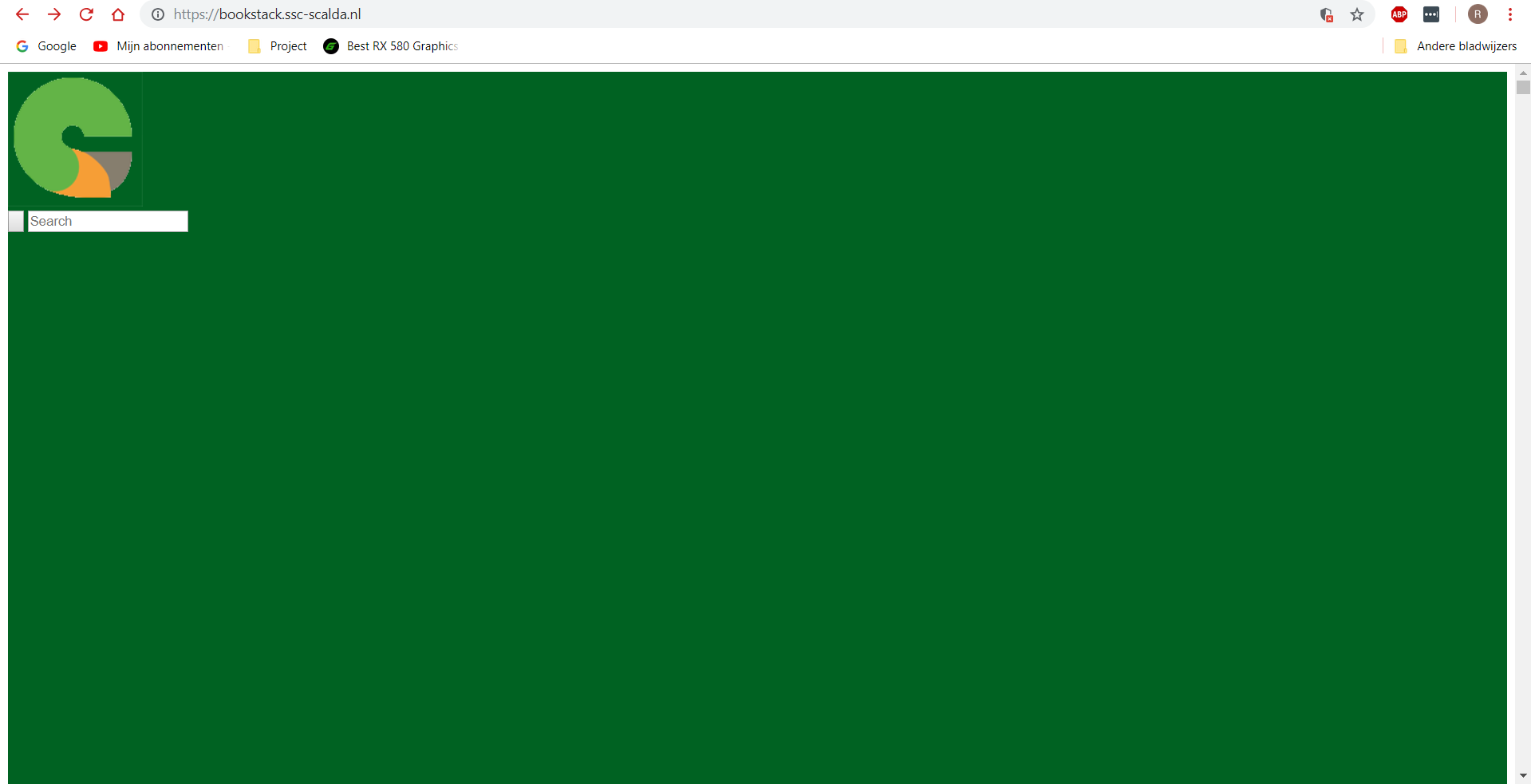
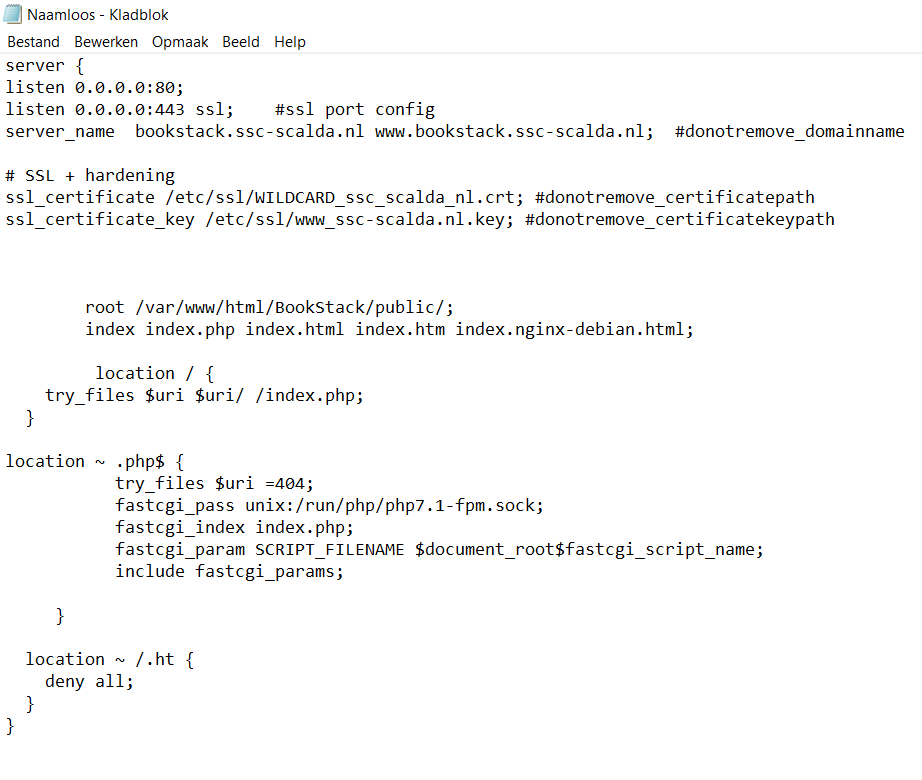
In our working enviroment we have 2 networks we use one is pure for our enviroment (classroom) and the other is the whole school, now if we approach our website using the network that is specifically for our classroom we can use https but, if we use the network of our school we can't approach it with Https it screws up the whole lay-out of our website

Classroom Network:
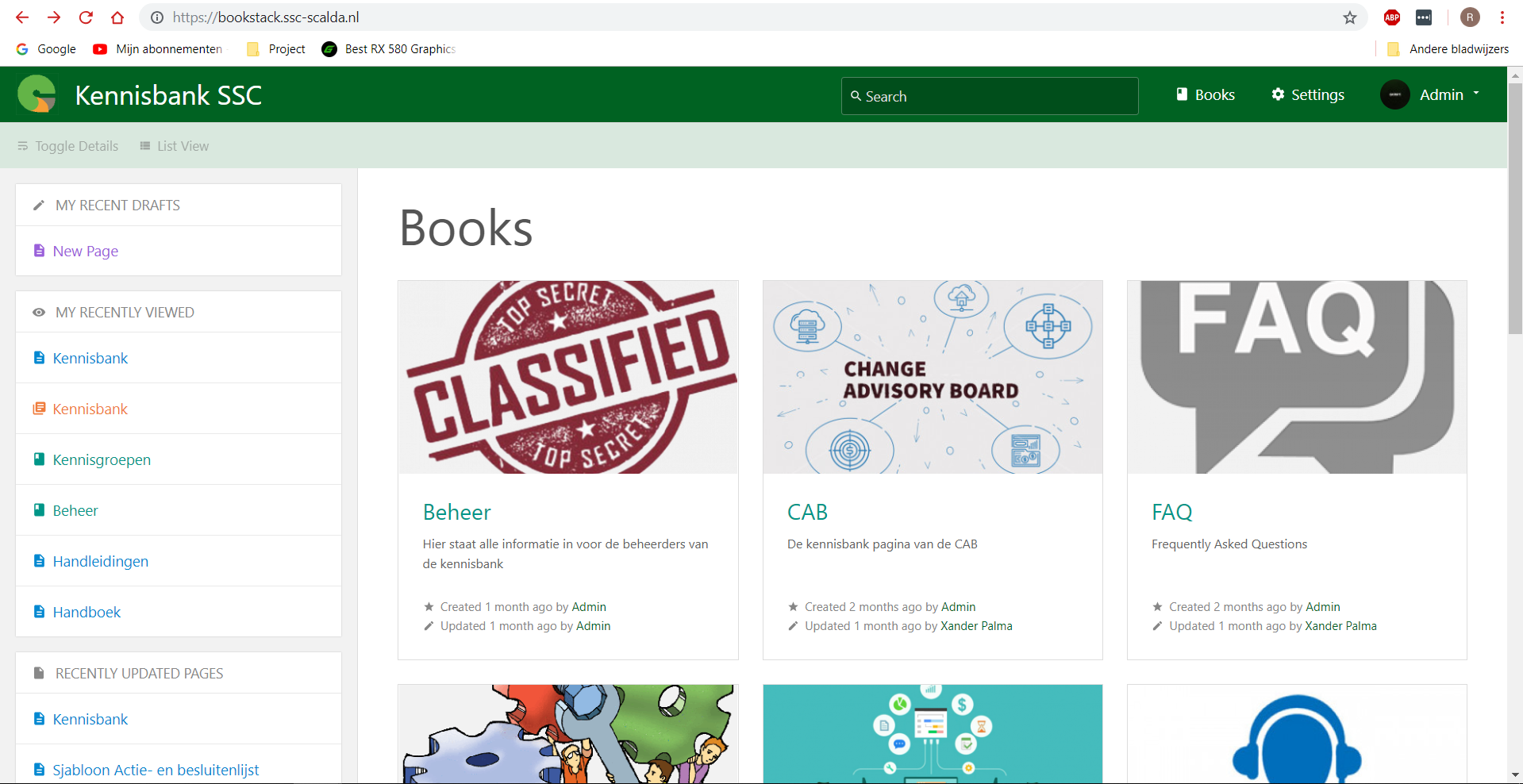
image

School Network:
image

Expected behavior
A website that works with Https

Screenshots
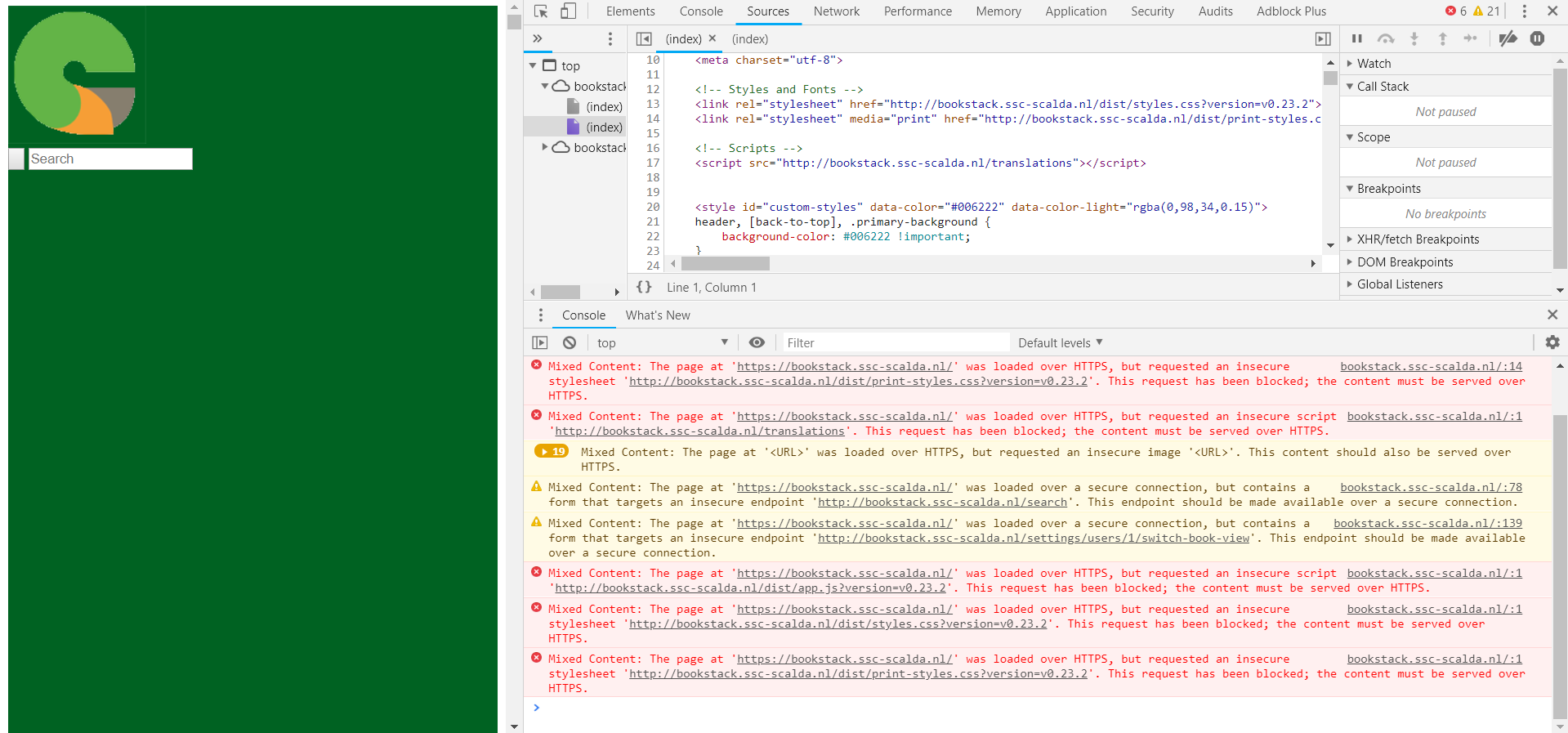
Also you see here that some links are still using Http but we have made it that it should force https
image
Our sites-enabled/available setting
image

Your Configuration (please complete the following information):

  • Exact BookStack Version (Found in settings): 0.23.2
  • PHP Version: 7.1
  • Hosting Method (Nginx/Apache/Docker): Nginx
Originally created by @Romeekk on GitHub (Nov 14, 2018). **Describe the bug** We wanted to start using Https on our BookStack, but after installing everything and adding our SSL certificate we ran into some issues. In our working enviroment we have 2 networks we use one is pure for our enviroment (classroom) and the other is the whole school, now if we approach our website using the network that is specifically for our classroom we can use https but, if we use the network of our school we can't approach it with Https it screws up the whole lay-out of our website Classroom Network: ![image](https://user-images.githubusercontent.com/44465975/48468061-25a98e80-e7eb-11e8-929e-bdc739c25107.png) School Network: ![image](https://user-images.githubusercontent.com/44465975/48468110-4540b700-e7eb-11e8-82bd-6ed7f9428203.png) **Expected behavior** A website that works with Https **Screenshots** Also you see here that some links are still using Http but we have made it that it should force https ![image](https://user-images.githubusercontent.com/44465975/48468220-8e910680-e7eb-11e8-82d2-abce0bbfd9c1.png) Our sites-enabled/available setting ![image](https://user-images.githubusercontent.com/44465975/48468304-c13aff00-e7eb-11e8-91ba-c0cdaf34d95e.png) **Your Configuration (please complete the following information):** - Exact BookStack Version (Found in settings): 0.23.2 - PHP Version: 7.1 - Hosting Method (Nginx/Apache/Docker): Nginx
OVERLORD added the 🐕 Support label 2026-02-04 22:51:23 +03:00
Author
Owner

@ssddanbrown commented on GitHub (Nov 14, 2018):

Hi @Romeekk,

Within the .env file please set the APP_URL value. For example:

APP_URL=https://bookstack.ssc-scalda.nl

This will force the URL used by bookstack.

@ssddanbrown commented on GitHub (Nov 14, 2018): Hi @Romeekk, Within the `.env` file please set the `APP_URL` value. For example: ``` APP_URL=https://bookstack.ssc-scalda.nl ``` This will force the URL used by bookstack.
Author
Owner

@Romeekk commented on GitHub (Nov 14, 2018):

@ssddanbrown Sorry that i did not mention this, but we already changed that.
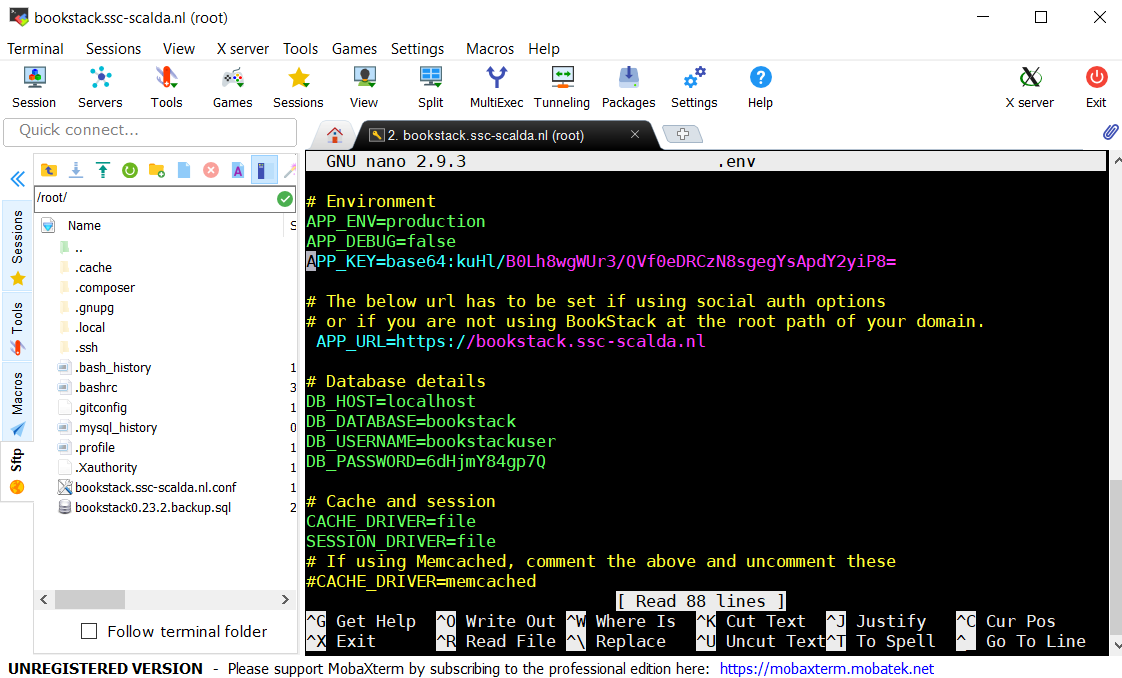
image

@Romeekk commented on GitHub (Nov 14, 2018): @ssddanbrown Sorry that i did not mention this, but we already changed that. ![image](https://user-images.githubusercontent.com/44465975/48471715-d2d4d480-e7f4-11e8-8029-f7693afca03d.png)
Author
Owner

@matt-ttam commented on GitHub (Nov 15, 2018):

Your nginx setup is allowing both connections, you need to setup separate servers with the port 80 one redirecting to the https one. Below is my working config, see #-- comments for where to put in your options. There are three areas that can be migrated to snippets so you can reuse them elsewhere.

server {
    listen 80;
    listen [::]:80;
    server_name  bookstack.example.com www.bookstack.example.com; #--change to URL
    return 302 https://$server_name$request_uri;
}

server {
    listen 443 ssl http2;
    listen [::]:443 ssl http2;
    server_name bookstack.example.com www.bookstack.example.com; #--change to URL
    
    ###the below can go in a certificate snippet for use over multiple sites
    ssl_certificate /etc/ssl/certs/example.com.crt; #--change to cert
    ssl_certificate_key /etc/ssl/private/example.com.key; #--change to private key
    ###
    
    ###the below can go in an encryption snippet for use over multiple sites
    ssl_protocols TLSv1 TLSv1.1 TLSv1.2;
    ssl_prefer_server_ciphers on;
    ssl_ciphers "EECDH+AESGCM:EDH+AESGCM:AES256+EECDH:AES256+EDH";
    ssl_ecdh_curve secp384r1;
    ssl_session_cache shared:SSL:10m;
    ssl_session_tickets off;
    ssl_stapling on;
    ssl_stapling_verify on;
    resolver 8.8.8.8 8.8.4.4 valid=300s; #--change to DNS resolvers
    resolver_timeout 5s;
    # Disable preloading HSTS for now.  You can use the commented out header line that includes
    # the "preload" directive if you understand the implications.
    #add_header Strict-Transport-Security "max-age=63072000; includeSubdomains; preload";
    add_header Strict-Transport-Security "max-age=63072000; includeSubdomains";
    add_header X-Frame-Options DENY;
    add_header X-Content-Type-Options nosniff;
    ssl_dhparam /etc/ssl/certs/dhparam.pem;
    ###

    root /var/www/bookstack/public; #--change to path
    index  index.php index.html index.htm;

    client_max_body_size 100M;

    location / {
        try_files $uri $uri/ /index.php?$query_string;
       }

    location ~ \.php$ {
    
    ###the below can go in a fastcgi snippet for use over multiple sites
    fastcgi_split_path_info ^(.+\.php)(/.+)$;
    try_files $fastcgi_script_name =404;
    set $path_info $fastcgi_path_info;
    fastcgi_param PATH_INFO $path_info;
    fastcgi_index index.php;
    include fastcgi.conf;
    ###
    
    fastcgi_pass unix:/run/php/php7.2-fpm.sock; #--change to socket location
    fastcgi_param SCRIPT_FILENAME $document_root$fastcgi_script_name;
     }
}
@matt-ttam commented on GitHub (Nov 15, 2018): Your nginx setup is allowing both connections, you need to setup separate servers with the port 80 one redirecting to the https one. Below is my working config, see #-- comments for where to put in your options. There are three areas that can be migrated to snippets so you can reuse them elsewhere. ``` server { listen 80; listen [::]:80; server_name bookstack.example.com www.bookstack.example.com; #--change to URL return 302 https://$server_name$request_uri; } server { listen 443 ssl http2; listen [::]:443 ssl http2; server_name bookstack.example.com www.bookstack.example.com; #--change to URL ###the below can go in a certificate snippet for use over multiple sites ssl_certificate /etc/ssl/certs/example.com.crt; #--change to cert ssl_certificate_key /etc/ssl/private/example.com.key; #--change to private key ### ###the below can go in an encryption snippet for use over multiple sites ssl_protocols TLSv1 TLSv1.1 TLSv1.2; ssl_prefer_server_ciphers on; ssl_ciphers "EECDH+AESGCM:EDH+AESGCM:AES256+EECDH:AES256+EDH"; ssl_ecdh_curve secp384r1; ssl_session_cache shared:SSL:10m; ssl_session_tickets off; ssl_stapling on; ssl_stapling_verify on; resolver 8.8.8.8 8.8.4.4 valid=300s; #--change to DNS resolvers resolver_timeout 5s; # Disable preloading HSTS for now. You can use the commented out header line that includes # the "preload" directive if you understand the implications. #add_header Strict-Transport-Security "max-age=63072000; includeSubdomains; preload"; add_header Strict-Transport-Security "max-age=63072000; includeSubdomains"; add_header X-Frame-Options DENY; add_header X-Content-Type-Options nosniff; ssl_dhparam /etc/ssl/certs/dhparam.pem; ### root /var/www/bookstack/public; #--change to path index index.php index.html index.htm; client_max_body_size 100M; location / { try_files $uri $uri/ /index.php?$query_string; } location ~ \.php$ { ###the below can go in a fastcgi snippet for use over multiple sites fastcgi_split_path_info ^(.+\.php)(/.+)$; try_files $fastcgi_script_name =404; set $path_info $fastcgi_path_info; fastcgi_param PATH_INFO $path_info; fastcgi_index index.php; include fastcgi.conf; ### fastcgi_pass unix:/run/php/php7.2-fpm.sock; #--change to socket location fastcgi_param SCRIPT_FILENAME $document_root$fastcgi_script_name; } } ```
Author
Owner

@ssddanbrown commented on GitHub (Nov 15, 2018):

@matt-ttam Thanks for your help but I don't think that's the core of this issue, Since BookStack is still writing the wrong urls if APP_URL has been set.

@Romeekk In your screenshot it does look like there's a space at the start of the APP_URL. You could try removing that?

Only other thing I could think is if you're config is being cached. You could try running:

php artisan config:clear
php artisan cache:clear

on the command line from your BookStack install to try clearing any cached config.

@ssddanbrown commented on GitHub (Nov 15, 2018): @matt-ttam Thanks for your help but I don't think that's the core of this issue, Since BookStack is still writing the wrong urls if `APP_URL` has been set. @Romeekk In your screenshot it does look like there's a space at the start of the APP_URL. You could try removing that? Only other thing I could think is if you're config is being cached. You could try running: ``` php artisan config:clear php artisan cache:clear ``` on the command line from your BookStack install to try clearing any cached config.
Author
Owner

@Romeekk commented on GitHub (Nov 15, 2018):

After trying the above, we still haven't fixed the problem again same as my other issue we don't know what to do anymore.
Is there anything else we can try ?

@Romeekk commented on GitHub (Nov 15, 2018): After trying the above, we still haven't fixed the problem again same as my other issue we don't know what to do anymore. Is there anything else we can try ?
Author
Owner

@ssddanbrown commented on GitHub (Nov 16, 2018):

@Romeekk You could try changing your APP_URL variable to see if it's being taken into account at all. Change it then view the page source to see if any URL's in the head of the page change to use the APP_URL.

@ssddanbrown commented on GitHub (Nov 16, 2018): @Romeekk You could try changing your `APP_URL` variable to see if it's being taken into account at all. Change it then view the page source to see if any URL's in the head of the page change to use the APP_URL.
Author
Owner

@Romeekk commented on GitHub (Nov 16, 2018):

Alright so we changed the App_URL and it did change in the source but this was on the Classroom its network.
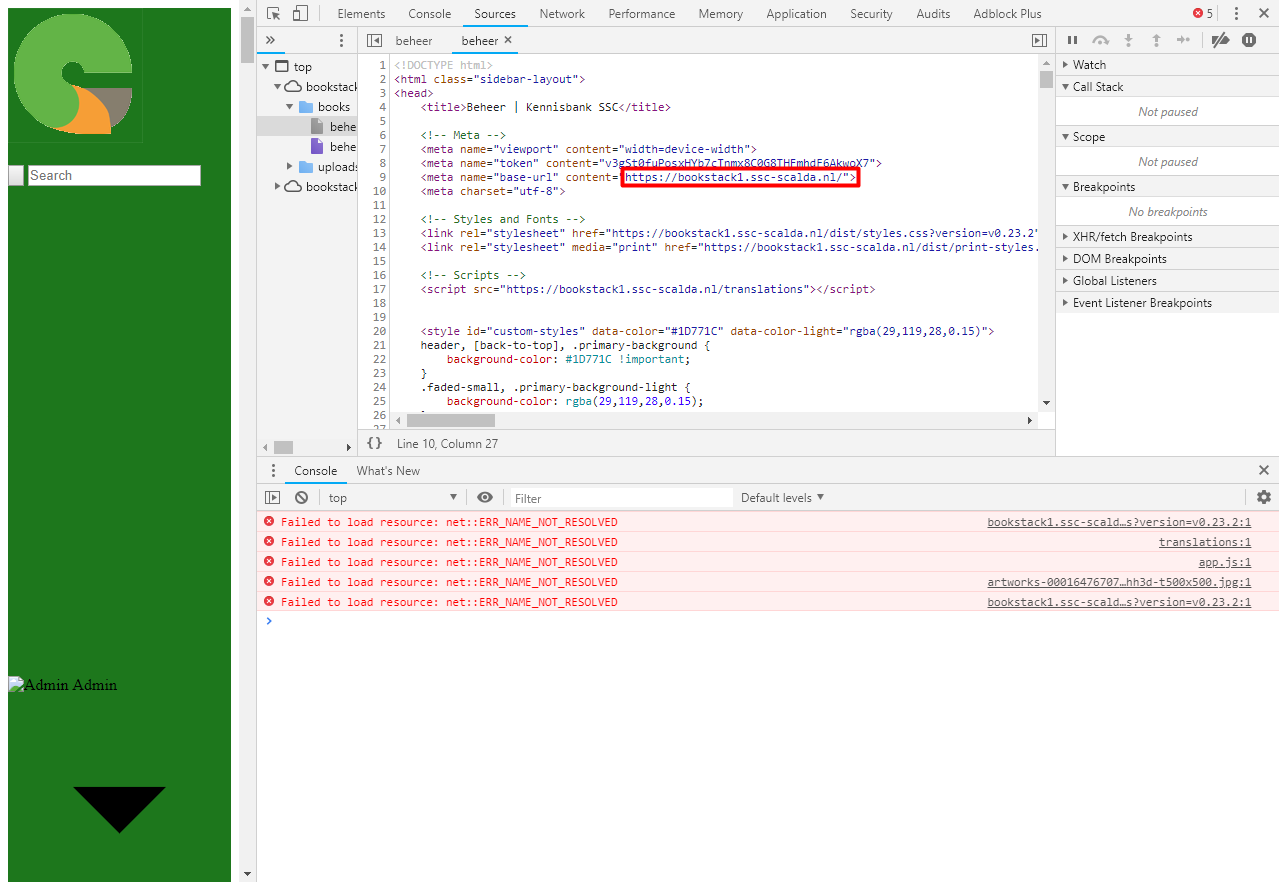
image
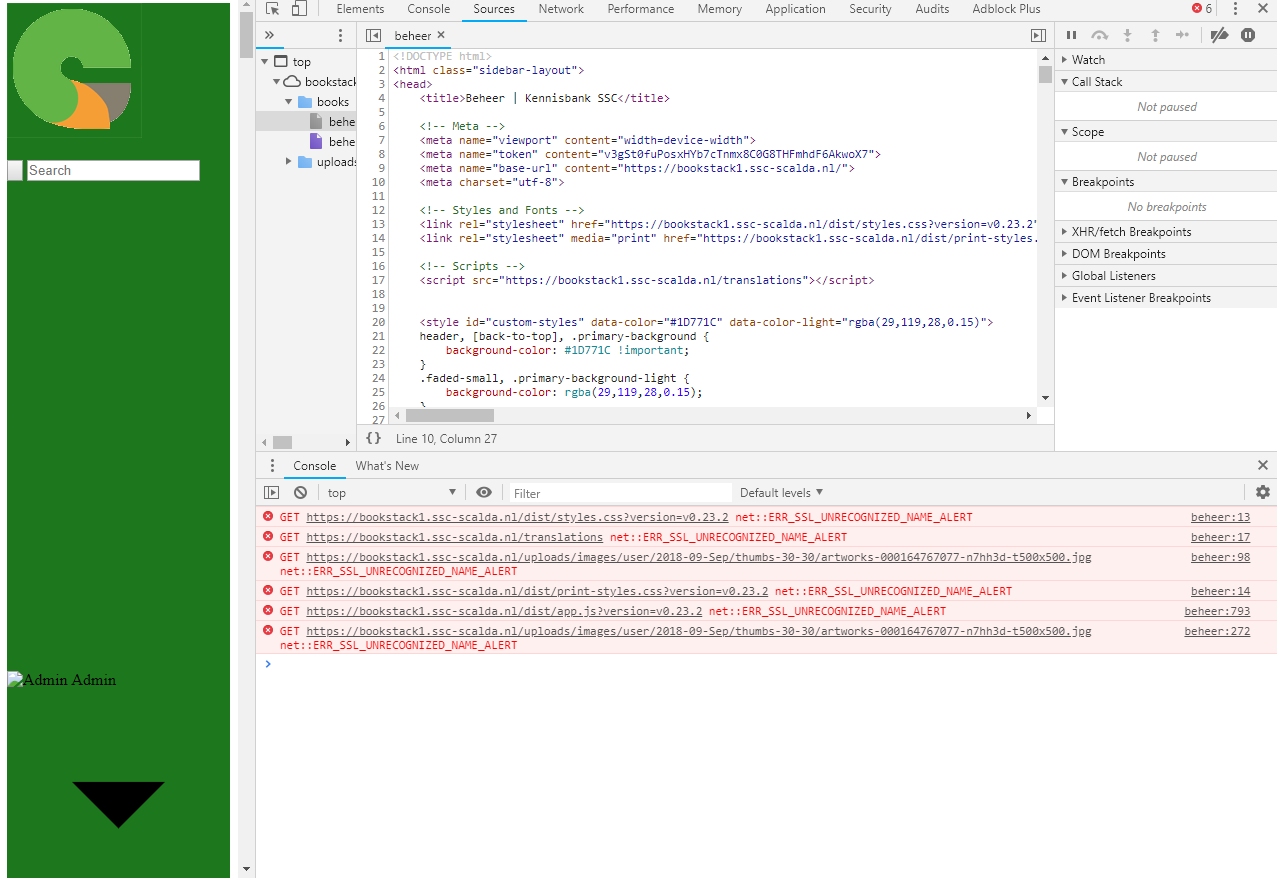
And aswell for the school network it changed.
image
But it is still not as we want it to be ofcourse.

@Romeekk commented on GitHub (Nov 16, 2018): Alright so we changed the App_URL and it did change in the source but this was on the Classroom its network. ![image](https://user-images.githubusercontent.com/44465975/48611854-7fdf5680-e987-11e8-9123-a14a99f74553.png) And aswell for the school network it changed. ![image](https://user-images.githubusercontent.com/44465975/48611906-a9987d80-e987-11e8-86c1-55ab1d121458.png) But it is still not as we want it to be ofcourse.
Author
Owner

@lommes commented on GitHub (Nov 27, 2018):

I can reproduce this error when I call https://bookstack1.ssc-scalda.nl here. I did a scan at ssllabs and it tells me, that no secure protocols are supported, so this seems to be a problem in the nginx configuration. Is nginx configured to serve bookstack1.ssc-scalda.nl? sorry about that.

Did you restart your server in the meantime, or at least php7.1-fpm? I once had similar issues in Homestead until I did a restart. In your last post the URLs seem to be replaced properly, but not in your first post, so this might be a problem here too.

@lommes commented on GitHub (Nov 27, 2018): ~~I can reproduce this error when I call https://bookstack1.ssc-scalda.nl here. I did a scan at ssllabs and it tells me, that no secure protocols are supported, so this seems to be a problem in the nginx configuration. Is nginx configured to serve bookstack**1**.ssc-scalda.nl?~~ sorry about that. Did you restart your server in the meantime, or at least php7.1-fpm? I once had similar issues in Homestead until I did a restart. In your last post the URLs seem to be replaced properly, but not in your first post, so this might be a problem here too.
Author
Owner

@ssddanbrown commented on GitHub (Feb 13, 2019):

Since the last comment on this issue is relatively old I'm going to close this. If the issue remains and is something you still require to be fixed please open a new issue.

@ssddanbrown commented on GitHub (Feb 13, 2019): Since the last comment on this issue is relatively old I'm going to close this. If the issue remains and is something you still require to be fixed please open a new issue.
Sign in to join this conversation.
1 Participants
Notifications
Due Date
No due date set.
Dependencies

No dependencies set.

Reference: starred/BookStack#906