Stored Cross-Site Scripting #484

Closed
opened 2026-02-04 20:31:02 +03:00 by OVERLORD · 10 comments
Owner

Originally created by @prodigysml on GitHub (Oct 26, 2017).

Originally assigned to: @ssddanbrown on GitHub.

For Bug Reports

  • BookStack Version (Found in settings, Please don't put 'latest'): BookStack v0.18.4
  • PHP Version: 7.0
  • MySQL Version: Ver 14.14 Distrib 5.7.20, for Linux (x86_64)
Expected Behavior

Filter out JS code. Any author can write Cross-site scripting payloads and cause issues for the users/

Current Behavior

JS code is not filtered within the page creation

Steps to Reproduce
  1. Create a book
  2. Create a page
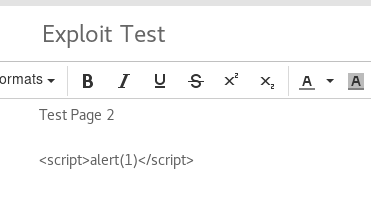
  3. While editing the page, choose to edit the source code and add <script>alert(1)</script>
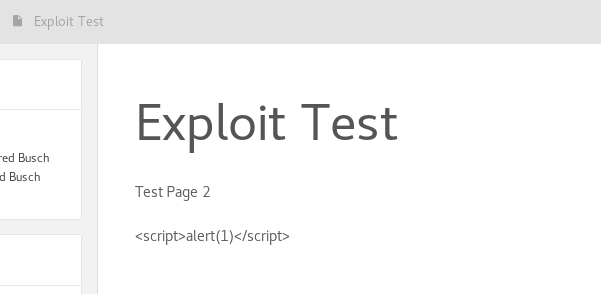
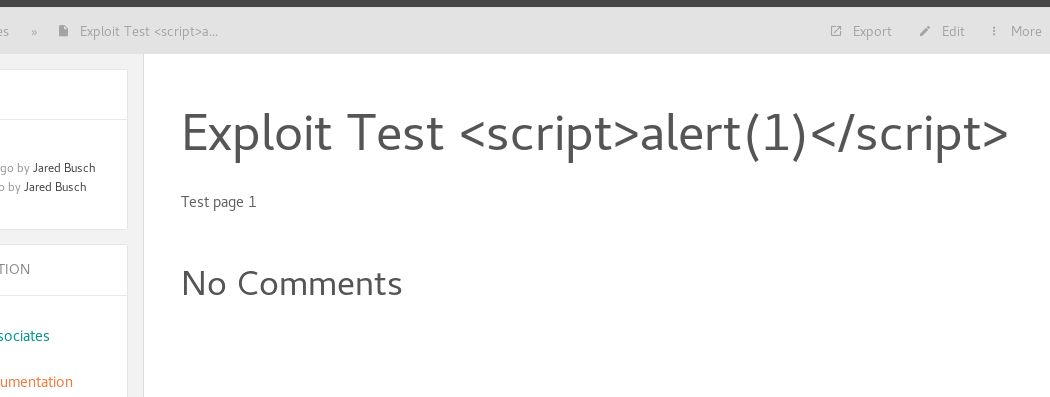
  4. Visit the page (alert box should pop up)
Originally created by @prodigysml on GitHub (Oct 26, 2017). Originally assigned to: @ssddanbrown on GitHub. ### For Bug Reports * BookStack Version *(Found in settings, Please don't put 'latest')*: BookStack v0.18.4 * PHP Version: 7.0 * MySQL Version: Ver 14.14 Distrib 5.7.20, for Linux (x86_64) ##### Expected Behavior Filter out JS code. Any author can write Cross-site scripting payloads and cause issues for the users/ ##### Current Behavior JS code is not filtered within the page creation ##### Steps to Reproduce 1. Create a book 2. Create a page 3. While editing the page, choose to edit the source code and add `<script>alert(1)</script>` 4. Visit the page (alert box should pop up)
OVERLORD added the 🐛 Bug📖 Docs Update labels 2026-02-04 20:31:02 +03:00
Author
Owner

@ibnbay00 commented on GitHub (Nov 1, 2017):

Doesn't work on me... it's fine while I produce ur steps.

@ibnbay00 commented on GitHub (Nov 1, 2017): Doesn't work on me... it's fine while I produce ur steps.
Author
Owner

@ssddanbrown commented on GitHub (Nov 7, 2017):

Hi @ProDigySML, Thanks for opening this issue. Please could you confirm the editor you're using? Markdown or WYSIWYG?

@ssddanbrown commented on GitHub (Nov 7, 2017): Hi @ProDigySML, Thanks for opening this issue. Please could you confirm the editor you're using? Markdown or WYSIWYG?
Author
Owner

@prodigysml commented on GitHub (Nov 21, 2017):

@ssddanbrown The editor shouldn't really matter much to be honest (I think I was using the WYSIWYG one though). There should be some server side sanitisation in place, ensuring such bugs don't occur. Maybe something like HTML encoding the user's input may be a good way to fix it :)

@prodigysml commented on GitHub (Nov 21, 2017): @ssddanbrown The editor shouldn't really matter much to be honest (I think I was using the WYSIWYG one though). There should be some server side sanitisation in place, ensuring such bugs don't occur. Maybe something like HTML encoding the user's input may be a good way to fix it :)
Author
Owner

@ssddanbrown commented on GitHub (Feb 20, 2018):

Huh, Looks like someone filed CVE for this:
https://www.cvedetails.com/cve/CVE-2017-1000462/

@ssddanbrown commented on GitHub (Feb 20, 2018): Huh, Looks like someone filed CVE for this: https://www.cvedetails.com/cve/CVE-2017-1000462/
Author
Owner

@sorvani commented on GitHub (Feb 21, 2018):

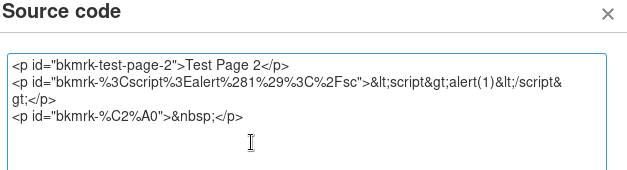
I cannot replicate this with Firefox 58.0.1 and Bookstack v0.20 when using the WYSIWYG editor.

@sorvani commented on GitHub (Feb 21, 2018): I cannot replicate this with Firefox 58.0.1 and Bookstack v0.20 when using the WYSIWYG editor.
Author
Owner

@sorvani commented on GitHub (Feb 21, 2018):

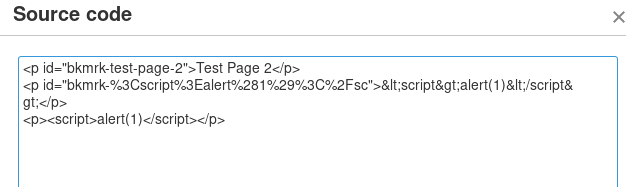
I even tried putting it in the header. and putting it in with the "Source Code" button.
selection_999 659
selection_999 658
selection_999 657
selection_999 656
selection_999 655
selection_999 654
selection_999 653

@sorvani commented on GitHub (Feb 21, 2018): I even tried putting it in the header. and putting it in with the "Source Code" button. ![selection_999 659](https://user-images.githubusercontent.com/3302372/36456838-a04a2628-166c-11e8-904e-da50cf642671.png) ![selection_999 658](https://user-images.githubusercontent.com/3302372/36456839-a0591020-166c-11e8-97d6-c800af65f17f.png) ![selection_999 657](https://user-images.githubusercontent.com/3302372/36456840-a0661dec-166c-11e8-9ae5-9fbf94d6c51e.png) ![selection_999 656](https://user-images.githubusercontent.com/3302372/36456841-a0749016-166c-11e8-8906-616a5928ac09.png) ![selection_999 655](https://user-images.githubusercontent.com/3302372/36456842-a082eec2-166c-11e8-9db2-42ab0d6befd7.png) ![selection_999 654](https://user-images.githubusercontent.com/3302372/36456843-a090f2b0-166c-11e8-93f3-5cf4f112581f.png) ![selection_999 653](https://user-images.githubusercontent.com/3302372/36456844-a09daff0-166c-11e8-8c61-2bd6987e446b.png)
Author
Owner

@lommes commented on GitHub (Feb 21, 2018):

Ok, let's analyze this a little closer ... I tried to reproduce this in version 0.18.0 without success, but it seems that the sanitation is done by javascript in the editor (tiny mce 4.6.2 in BookStack 0.18.0) because the script tags get remove immediately after closing the sourcecode panel. After manually manipulating the editors content before saving does remove the script-tags too, atleast they are not in the page when i edit it again.

Since this is a javascript based sanitation this might fail depending on browser and version, which, in my opinion, is not related to BookStack.

@lommes commented on GitHub (Feb 21, 2018): Ok, let's analyze this a little closer ... I tried to reproduce this in version 0.18.0 without success, but it seems that the sanitation is done by javascript in the editor (tiny mce 4.6.2 in BookStack 0.18.0) because the script tags get remove immediately after closing the sourcecode panel. After manually manipulating the editors content before saving does remove the script-tags too, atleast they are not in the page when i edit it again. Since this is a javascript based sanitation this might fail depending on browser and version, which, in my opinion, is not related to BookStack.
Author
Owner

@ssddanbrown commented on GitHub (Mar 5, 2018):

Thanks everyone for the research above.
It's likely this was raised with the Markdown editor in use since JavaScript is not escaped in that.
Whether this is an issue or not really depends on how someone is using BookStack. For my own uses I quite like the idea of being able to add a little JS if required but I understand it's not ideal for non-trusted environments.

I know the easy answer here is 'Make it an option' but I like to explore all ideas and opinions otherwise 'Make it an option' is always the answer.

@ssddanbrown commented on GitHub (Mar 5, 2018): Thanks everyone for the research above. It's likely this was raised with the Markdown editor in use since JavaScript is not escaped in that. Whether this is an issue or not really depends on how someone is using BookStack. For my own uses I quite like the idea of being able to add a little JS if required but I understand it's not ideal for non-trusted environments. I know the easy answer here is 'Make it an option' but I like to explore all ideas and opinions otherwise 'Make it an option' is always the answer.
Author
Owner

@ssddanbrown commented on GitHub (Mar 12, 2018):

Marked for next release. Plan to have an .env var to toggle <script> tag escaping on page render. Will default to on (Escaped) by default. Will run on render instead of on save to allow option toggling at any point.

@ssddanbrown commented on GitHub (Mar 12, 2018): Marked for next release. Plan to have an `.env` var to toggle `<script>` tag escaping on page render. Will default to on (Escaped) by default. Will run on render instead of on save to allow option toggling at any point.
Author
Owner

@ssddanbrown commented on GitHub (Mar 17, 2018):

For reference, Setting ALLOW_CONTENT_SCRIPTS=true in the .env will prevent escaping.

@ssddanbrown commented on GitHub (Mar 17, 2018): For reference, Setting `ALLOW_CONTENT_SCRIPTS=true` in the `.env` will prevent escaping.
Sign in to join this conversation.
1 Participants
Notifications
Due Date
No due date set.
Dependencies

No dependencies set.

Reference: starred/BookStack#484