Dropdownmenü / Dark-Mode not working #3481

Closed
opened 2026-02-05 06:51:02 +03:00 by OVERLORD · 6 comments
Owner

Originally created by @towerplease on GitHub (Jan 31, 2023).

Describe the Bug

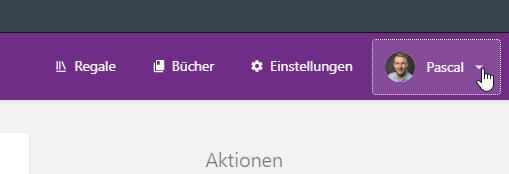
Just noticed, that the Menü which normally appears by clicking on the top right user-panel wont appear, actually just nothing happens.
image

I upgraded to php 8.1 about 2 months ago, but it just happend last weak, so i am not sure if this change is regarded to that issue.

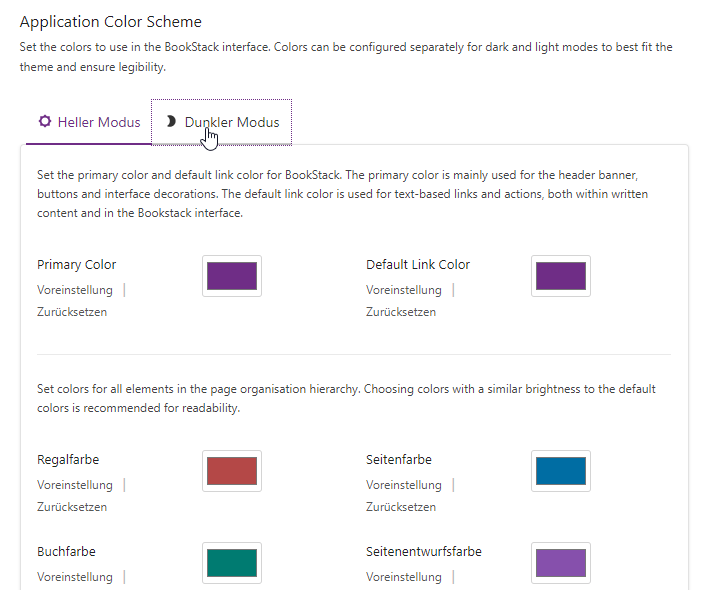
Also, since i updated to latest Version (in hope to fix this issue), i noticed, i cannot switch to the dark-mode setting aswell.
image

This is also not working.

Steps to Reproduce

  1. Log-in to Bookstack

  2. Try open user-menu (top-right corner)

  3. Log-in to Bookstack

  4. Open Settings>Customization

  5. Try to set settings for dark-mode

Expected Behaviour

In Case of the user-menu, i expect that the menu opens, as it always did.

In case of the dark-mode settings, the system should change to darkmode and let me specify the color-options.

Screenshots or Additional Context

As i am not sure, if this is related to the php-upgrade which happend 2 months ago, here is my laravel.log-file. But the latest entry is from december, so i guess this is not helpful.
laravel.zip

Browser Details

Opera (latest version) - Also tried, Firefox, Chrome and Edge -> Same result

Exact BookStack Version

23.01

PHP Version

8.1

Hosting Environment

Ubuntu 22.04
Apache2.4
php8.1

Local VPS, hosted on NAS-System.

Originally created by @towerplease on GitHub (Jan 31, 2023). ### Describe the Bug Just noticed, that the Menü which normally appears by clicking on the top right user-panel wont appear, actually just nothing happens. ![image](https://user-images.githubusercontent.com/21177236/215844857-33a3c82c-bc6c-4033-9ba6-f8f707eaba9c.png) I upgraded to php 8.1 about 2 months ago, but it just happend last weak, so i am not sure if this change is regarded to that issue. Also, since i updated to latest Version (in hope to fix this issue), i noticed, i cannot switch to the dark-mode setting aswell. ![image](https://user-images.githubusercontent.com/21177236/215845097-74b19ba8-c17c-4dce-a6cc-1d0f064d1c33.png) This is also not working. ### Steps to Reproduce 1. Log-in to Bookstack 2. Try open user-menu (top-right corner) 1. Log-in to Bookstack 2. Open Settings>Customization 3. Try to set settings for dark-mode ### Expected Behaviour In Case of the user-menu, i expect that the menu opens, as it always did. In case of the dark-mode settings, the system should change to darkmode and let me specify the color-options. ### Screenshots or Additional Context As i am not sure, if this is related to the php-upgrade which happend 2 months ago, here is my laravel.log-file. But the latest entry is from december, so i guess this is not helpful. [laravel.zip](https://github.com/BookStackApp/BookStack/files/10549495/laravel.zip) ### Browser Details Opera (latest version) - Also tried, Firefox, Chrome and Edge -> Same result ### Exact BookStack Version 23.01 ### PHP Version 8.1 ### Hosting Environment Ubuntu 22.04 Apache2.4 php8.1 Local VPS, hosted on NAS-System.
OVERLORD added the 🐛 Bug label 2026-02-05 06:51:02 +03:00
Author
Owner

@mariushosting commented on GitHub (Feb 1, 2023):

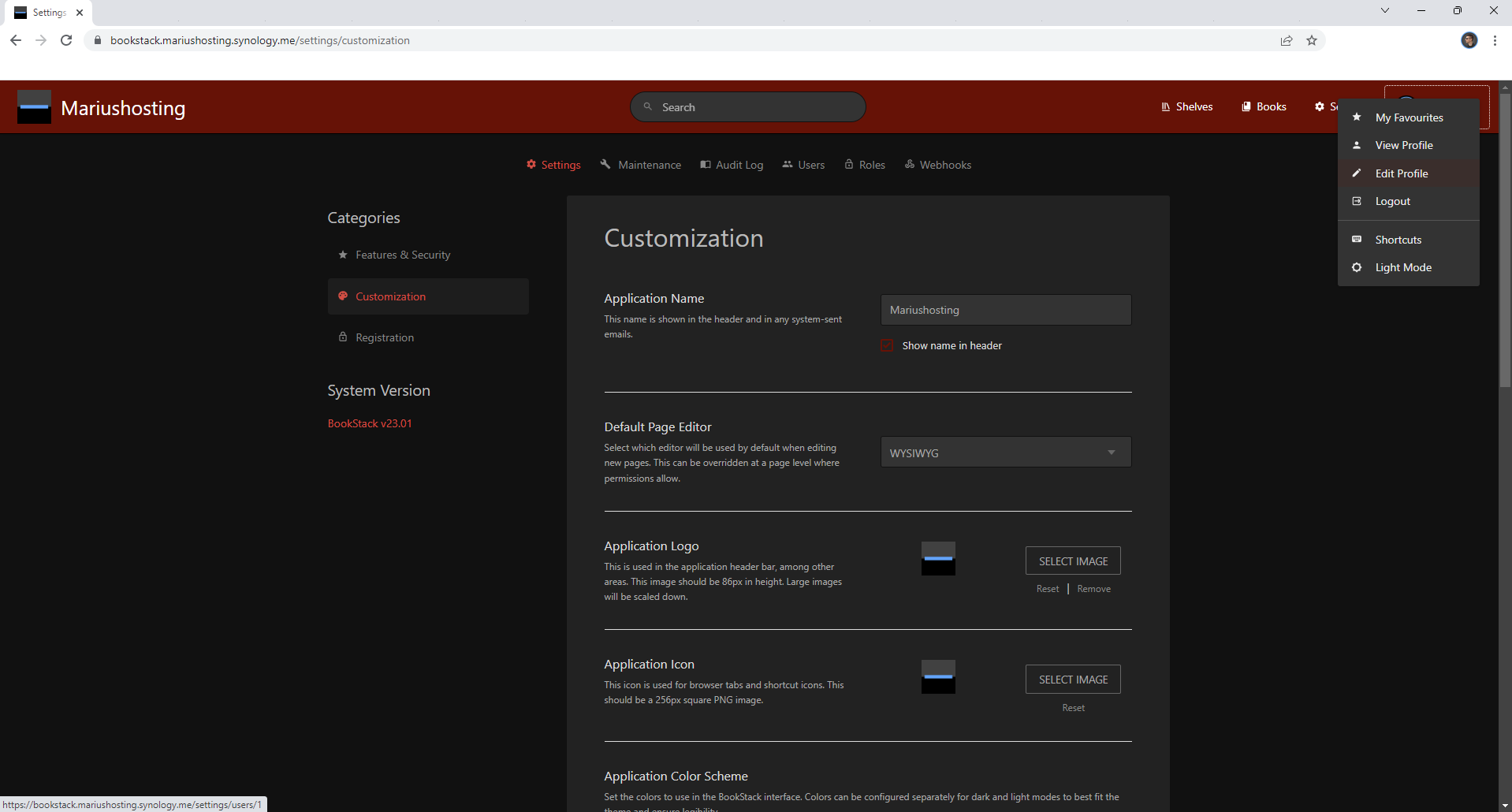
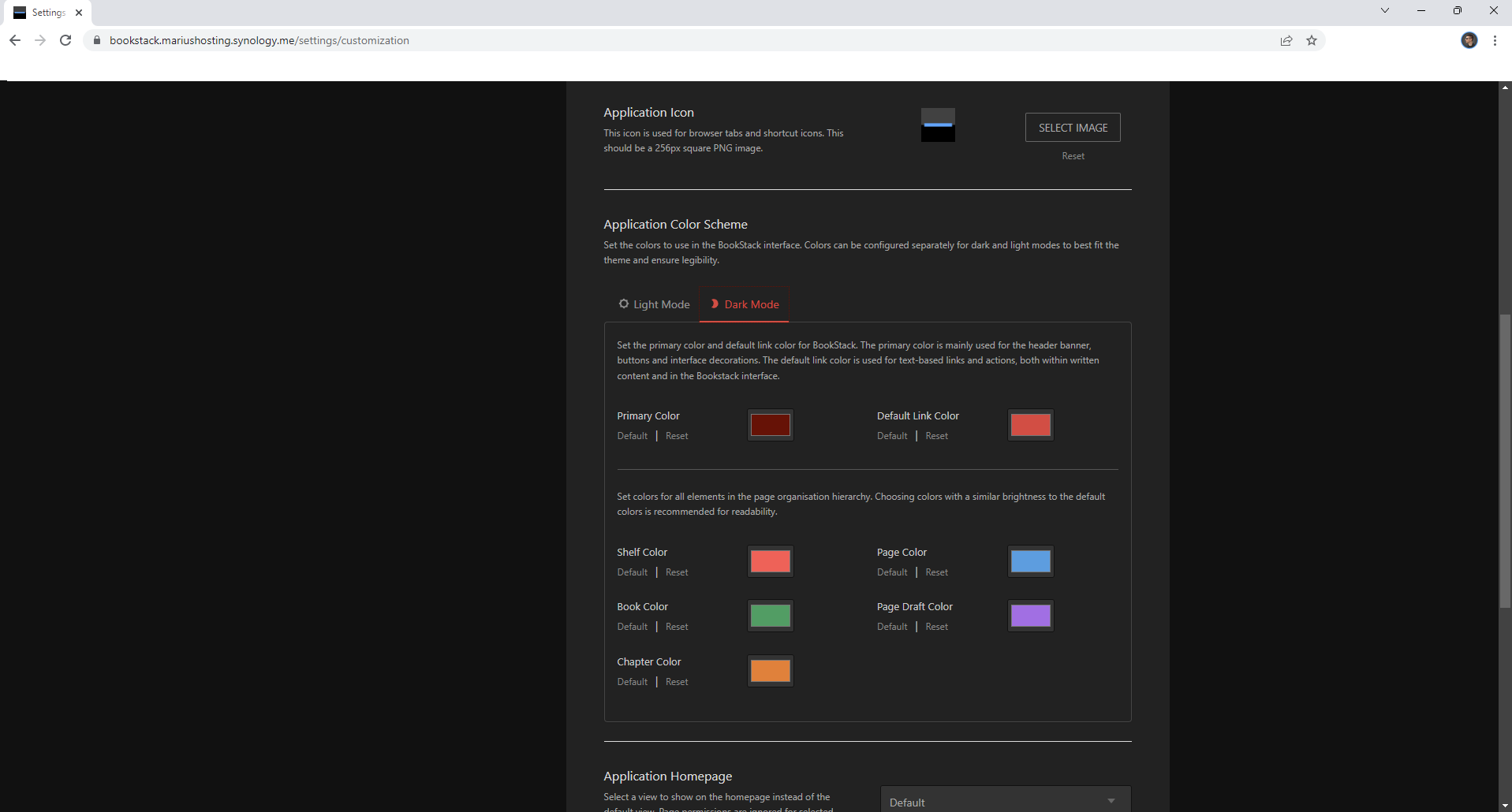
I can't replicate this issue on a Synology NAS.
cant replycate 0
noreplicate

@mariushosting commented on GitHub (Feb 1, 2023): I can't replicate this issue on a Synology NAS. ![cant replycate 0](https://user-images.githubusercontent.com/37554361/215899692-ae82df4f-9d3e-4330-858f-9566220a98cc.png) ![noreplicate](https://user-images.githubusercontent.com/37554361/215899705-4a5b0513-b7dc-4b29-a5e1-5e9cc3fa9235.png)
Author
Owner

@towerplease commented on GitHub (Feb 1, 2023):

Any idea on how to check logs for this issue?

Also: I rebooted the server, issue persists.

May i am missing a php-module. Which are needed (or recommended) for running bockstack?

Currently, i have installed the following:
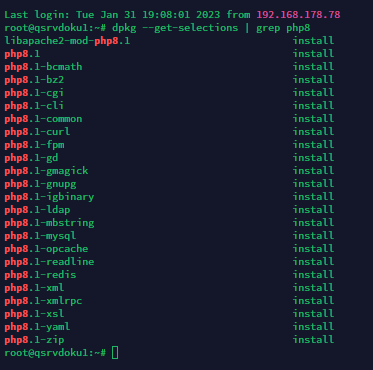
image

image

@towerplease commented on GitHub (Feb 1, 2023): Any idea on how to check logs for this issue? Also: I rebooted the server, issue persists. May i am missing a php-module. Which are needed (or recommended) for running bockstack? Currently, i have installed the following: ![image](https://user-images.githubusercontent.com/21177236/215901894-0ee209f2-c256-4279-916d-f5543325a013.png) --- ![image](https://user-images.githubusercontent.com/21177236/215902112-8c6c0e8f-ca7c-46e0-9531-ae4347b731b0.png)
Author
Owner

@ssddanbrown commented on GitHub (Feb 1, 2023):

@towerplease Any chance your instance is behind Cloudflare?

@ssddanbrown commented on GitHub (Feb 1, 2023): @towerplease Any chance your instance is behind Cloudflare?
Author
Owner

@towerplease commented on GitHub (Feb 1, 2023):

@ssddanbrown Yes, its running behind nginx-proxy-manager and cloudflare proxy.

Known issue with a caching-setting?

@towerplease commented on GitHub (Feb 1, 2023): @ssddanbrown Yes, its running behind nginx-proxy-manager and cloudflare proxy. Known issue with a caching-setting?
Author
Owner

@ssddanbrown commented on GitHub (Feb 1, 2023):

@towerplease In cloudflare try turning off "Rocket loader"

@ssddanbrown commented on GitHub (Feb 1, 2023): @towerplease In cloudflare try turning off "Rocket loader"
Author
Owner

@towerplease commented on GitHub (Feb 1, 2023):

@ssddanbrown Thanks!

I created a page-rule in cloudflare to disable "Rocket loader" on the subdomain i have bookstack running. After clearing cache, the dropdown works fine!

Thank you!
Issue solved.

@towerplease commented on GitHub (Feb 1, 2023): @ssddanbrown Thanks! I created a page-rule in cloudflare to disable "Rocket loader" on the subdomain i have bookstack running. After clearing cache, the dropdown works fine! Thank you! Issue solved.
Sign in to join this conversation.
1 Participants
Notifications
Due Date
No due date set.
Dependencies

No dependencies set.

Reference: starred/BookStack#3481