A bug showing images in the markdown editor #3470

Closed
opened 2026-02-05 06:48:59 +03:00 by OVERLORD · 2 comments
Owner

Originally created by @liuhuanshuo on GitHub (Jan 24, 2023).

Describe the Bug

Hi Dan

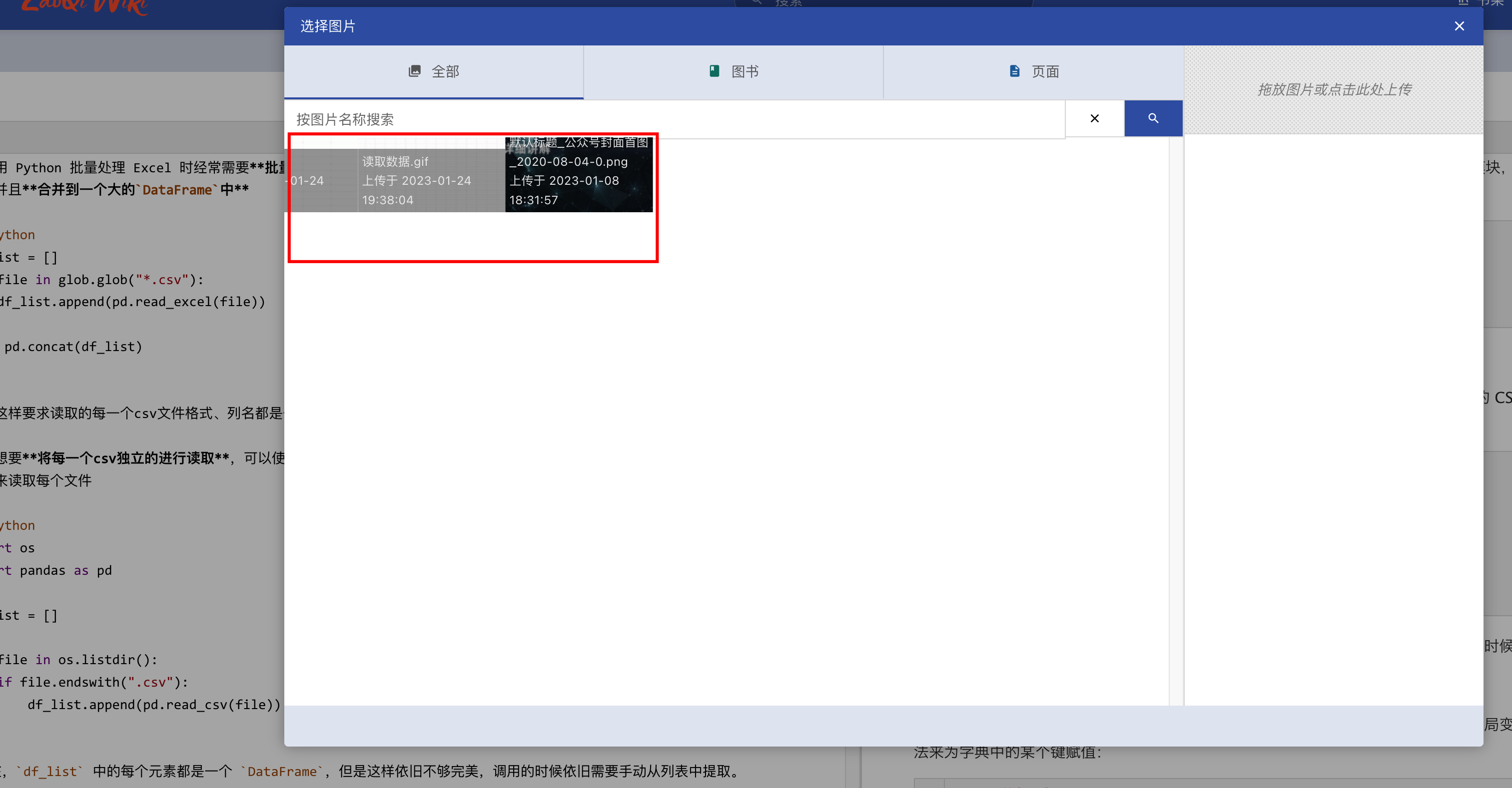
In the latest version I pulled using docker,when selecting the candidate images that have been uploaded, I found that the images are not displayed correctly

They look messed up, part of the image caption is hidden, and the image doesn't have the full reality
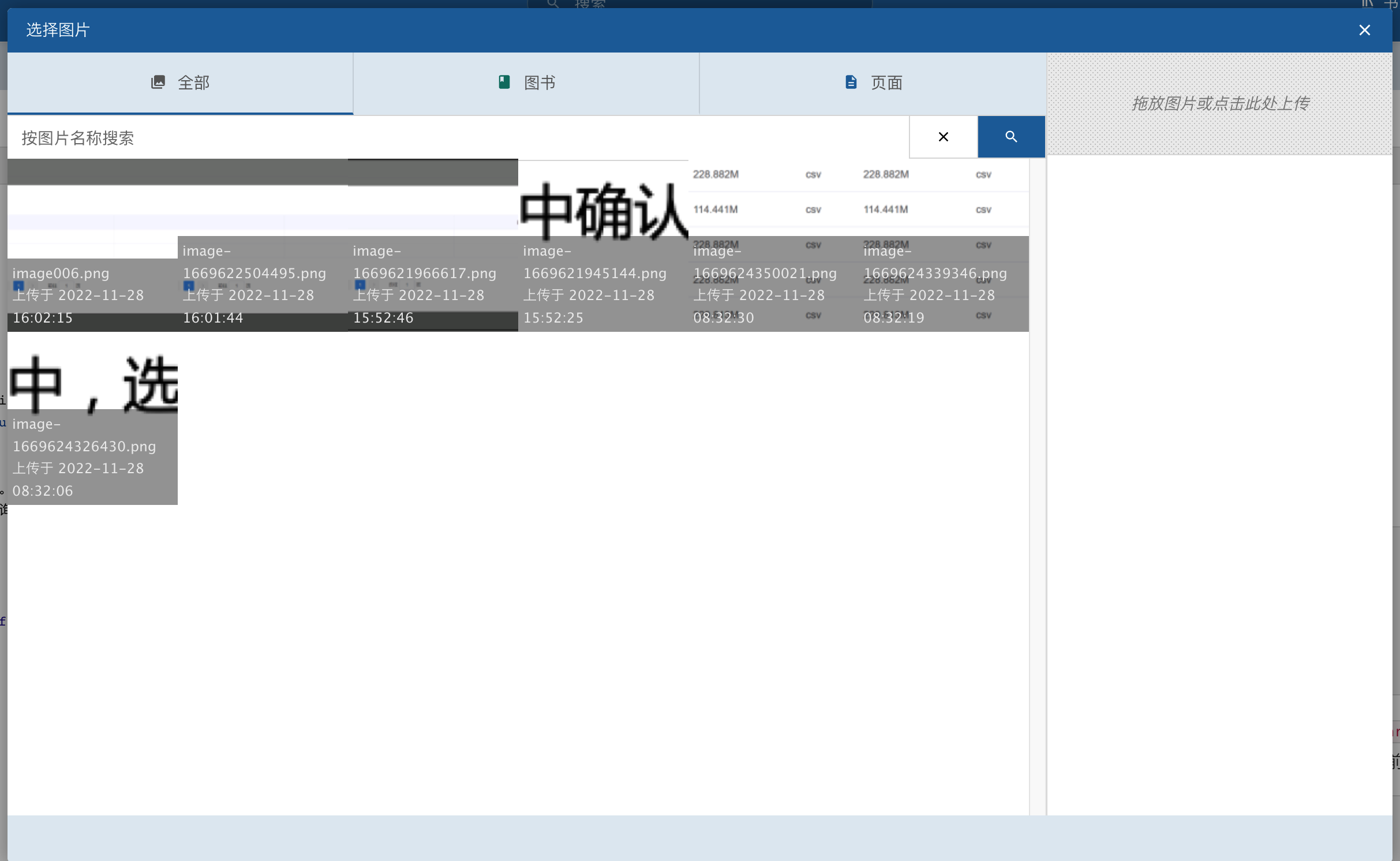
Here is what it looks like in v22.10.2 and it shows fine
Steps to Reproduce

Just open the markdown editor, upload a few images, and then you will find that the candidate image is not displayed correctly, it is messed up, which is bad

I'm sure I didn't modify it on css or js because even if I clear out my custom settings, it still happens!

Expected Behaviour

fix it
And on the latest version, I found that you canceled the text annotation next to the button. I don’t know if this function can be brought back, because for novices, they may not know the meaning of these icons, although the meaning of the icons is obvious.


Screenshots or Additional Context

No response

Browser Details

No response

Exact BookStack Version

21.11.1

PHP Version

No response

Hosting Environment

I use docker compose to deploy because it's the easiest even I don't know php

Originally created by @liuhuanshuo on GitHub (Jan 24, 2023). ### Describe the Bug Hi Dan In the latest version I pulled using docker,when selecting the candidate images that have been uploaded, I found that the images are not displayed correctly They look messed up, part of the image caption is hidden, and the image doesn't have the full reality ![](https://pic.liuzaoqi.com/picgo/202301241952720.png) Here is what it looks like in v22.10.2 and it shows fine ![](https://pic.liuzaoqi.com/picgo/202301241951910.png) ### Steps to Reproduce Just open the markdown editor, upload a few images, and then you will find that the candidate image is not displayed correctly, it is messed up, which is bad I'm sure I didn't modify it on css or js because even if I clear out my custom settings, it still happens! ### Expected Behaviour fix it And on the latest version, I found that you canceled the text annotation next to the button. I don’t know if this function can be brought back, because for novices, they may not know the meaning of these icons, although the meaning of the icons is obvious. ![](https://pic.liuzaoqi.com/picgo/202301241959829.png) ![](https://pic.liuzaoqi.com/picgo/202301241957878.png) ### Screenshots or Additional Context _No response_ ### Browser Details _No response_ ### Exact BookStack Version 21.11.1 ### PHP Version _No response_ ### Hosting Environment I use docker compose to deploy because it's the easiest even I don't know php
OVERLORD added the 🐛 Bug label 2026-02-05 06:48:59 +03:00
Author
Owner

@ssddanbrown commented on GitHub (Jan 24, 2023):

Hi @liuhuanshuo,
Could you share your docker compose file (with any passwords hidden)?
It will help my understand what docker image is being used and how your volume mounts are configured, upon many other things.
Also, it would help to know the exact commands used to upgrade the docker-compose setup to the latest bookstack version.

And on the latest version, I found that you canceled the text annotation next to the button.

The text was not completely removed, it can still be found when you hover over the buttons.

@ssddanbrown commented on GitHub (Jan 24, 2023): Hi @liuhuanshuo, Could you share your docker compose file (with any passwords hidden)? It will help my understand what docker image is being used and how your volume mounts are configured, upon many other things. Also, it would help to know the exact commands used to upgrade the docker-compose setup to the latest bookstack version. > And on the latest version, I found that you canceled the text annotation next to the button. The text was not completely removed, it can still be found when you hover over the buttons.
Author
Owner

@liuhuanshuo commented on GitHub (Jan 25, 2023):

I redeployed the service on a brand new machine and found that there is no problem, so it should not be a problem with the docker image.

So I continued to investigate the problem, and I found that it was indeed not caused by the custom css I set on the web page.

In the theme I created before, there is an animation code in footer.blade.php that affects the image display here

@keyframes fadeIn {
    0% {
        transform: translate(-50%, -100%);
        opacity: 0;
    }
    100% {
        transform: translate(-50%, -50%);
        opacity: 1;
    }
}

@keyframes fadeOut {
    0% {
        transform: translate(-50%, -50%);
        opacity: 1;
    }
    100% {
        transform: translate(-50%, -100%);
        opacity: 0;
    }
}

Although I don't know why this code will affect the correct display of the picture, but I changed the name of this css and it was solved!

Thank you very much for your prompt response!

And I'm still looking forward to bringing the text next to the icon back in the next version

@liuhuanshuo commented on GitHub (Jan 25, 2023): I redeployed the service on a brand new machine and found that there is no problem, so it should not be a problem with the docker image. So I continued to investigate the problem, and I found that it was indeed not caused by the custom css I set on the web page. In the theme I created before, there is an animation code in footer.blade.php that affects the image display here ``` @keyframes fadeIn { 0% { transform: translate(-50%, -100%); opacity: 0; } 100% { transform: translate(-50%, -50%); opacity: 1; } } @keyframes fadeOut { 0% { transform: translate(-50%, -50%); opacity: 1; } 100% { transform: translate(-50%, -100%); opacity: 0; } } ``` Although I don't know why this code will affect the correct display of the picture, but I changed the name of this css and it was solved! Thank you very much for your prompt response! And I'm still looking forward to bringing the text next to the icon back in the next version
Sign in to join this conversation.
1 Participants
Notifications
Due Date
No due date set.
Dependencies

No dependencies set.

Reference: starred/BookStack#3470