mirror of
https://github.com/BookStackApp/BookStack.git
synced 2026-07-16 05:33:49 +03:00
DB Connection don't work #3422

Reference in New Issue
Block a user
Delete Branch "%!s()"
Deleting a branch is permanent. Although the deleted branch may continue to exist for a short time before it actually gets removed, it CANNOT be undone in most cases. Continue?
Originally created by @michaelortnersanube on GitHub (Jan 2, 2023).
Attempted Debugging
Searched GitHub Issues
Describe the Scenario
It looks to me like there was a problem with the database during an update. I have already tried to log into bookstack_db, but without success, as if the user password was not set. In the console I get the following problem. Update was carried out with Watchtower, the image was updated, everything still worked in the previous year, can anyone help me here?
Debug:
Exact BookStack Version
v22.11.1
Log Content
No response
PHP Version
8.0.25
Hosting Environment
Ubuntu 20.04, Docker from Linuxserv
@michaelortnersanube commented on GitHub (Jan 2, 2023):
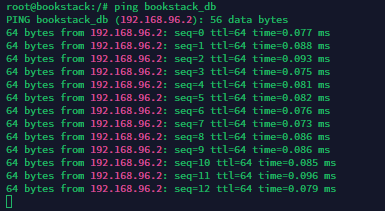
I can ping btw the DB Docker Container:
@ssddanbrown commented on GitHub (Jan 3, 2023):
Hi @michaelortnersanube,
Based upon the error, the database connection is being made okay but it's just the credentials/access failing.
Did recently have something similar from another linuxserver.io image user, I know they added some password handling changes recently, could be related.
Does your BookStack user database password contain special characters at all? If so, would be good to know what those are so I can try to see if their changes would have had an affect.
@ssddanbrown commented on GitHub (Jan 3, 2023):
Also, what database container are you using and was the database container updated at the same time?
@lunatik98 commented on GitHub (Jan 5, 2023):
I have the same issue with the latest version. My password contains a "="
@jhigginson commented on GitHub (Jan 5, 2023):
Same issue here. Password contains special chars.
@ssddanbrown commented on GitHub (Jan 5, 2023):
You can try passing
DB_PASSWORDinstead ofDB_PASSon the bookstack linuxserver container to workaround any linuxserver database password handling logic.There is an active discussion in the linuxserver project, it would help to share the special characters used within that thread.
https://github.com/linuxserver/docker-bookstack/issues/153
Note: If using
DB_PASSWORDworks for you, Please don't go to that linuxserver thread and state that their documentation is incorrect or anything like that, the situation is a little more nuanced than that and I have seen some fairly rude/ignorant comments to their maintainers who are doing their best and spending their own time to help.If you're not sure what to write:
DB_PASSWORDmethod to work around this (To confirm you've found a workaround so a remedy is not urgent).@ssddanbrown commented on GitHub (Jan 6, 2023):
The linuxserver team just deployed a new image to specifically fix some password escaping issues.
Worth attempting a pull down of the latest image and give that a test.
@jhigginson commented on GitHub (Jan 7, 2023):
Even using DB_PASSWORD instead of DB_PASS and DB_USERNAME instead of DB_USER and using the latest image from linuxserver I still had the problem. What did work for me was logging into my mariadb container as root, changing the password manually for the bookstack user and then updating my env to reflect the new change and restarting the containers. I'm not sure what the issue was, but wonder if it's because my root and user passwords were the same.
@lunatik98 commented on GitHub (Jan 17, 2023):
I tried the latest version version but it still doesnt work. I also used the same password for root and user so maybe thats the problem?
@michaelortnersanube commented on GitHub (Jan 17, 2023):
Same here. I have replied to the issue from linuxserv. The issue is still there. I use the build version "Linuxserver.io version:- 10.6.10-r0-ls77 Build-date:- 2022-12-17T06:47:15+01:00"
With this bookstack work. If i repull the image the same issue come again. I have tried it with following env:
DB_USER
DB_PASS
and DB_USERNAME
DB_PASSWORD
@michaelortnersanube commented on GitHub (Jan 31, 2023):
@ssddanbrown any idea of this problem? I have set up a clone of my vm. Same Problem if i repull all images:
@ssddanbrown commented on GitHub (Jan 31, 2023):
@michaelortnersanube No, I'd need a complete compose example to debug further really, as it can come down to specific (Primarily password) values. I suspect that there have been escaping issues that the lsio team have fixed, but the old mis-escaped values were in active use beforehand so now don't match after a fix is applied. Just a guess though, not seeing anything to suggest this is an issue in bookstack itself though.
@michaelortnersanube commented on GitHub (Jan 31, 2023):
`---
version: "2"
services:
bookstack:
hostname: bookstack
image: lscr.io/linuxserver/bookstack:latest
container_name: bookstack
ports:
- 10.1.1.96:8921:80
environment:
- APP_DEBUG=true
- PUID=1000
- PGID=1000
- APP_URL=https://wiki.mydomain.com
- DB_HOST=bookstack_db
- DB_USERNAME=bookstack
- DB_PASSWORD=password
- DB_PORT=3306
- DB_DATABASE=bookstackapp
# Gerneral auth
- AUTH_METHOD=ldap
# LDAP Settings
- LDAP_SERVER=10.1.1.25:389
- LDAP_BASE_DN=OU=user,OU=OUROU,DC=DOMAIN,DC=local
- LDAP_DN=CN=user,CN=Users,DC=DOMAIN,DC=local
- LDAP_PASS=password
#use double $$ since we are using docker
- LDAP_USER_FILTER=(&(sAMAccountName=$${user}))
- LDAP_VERSION=3
# Set the property to use as a unique identifier for this user.
# Stored and used to match LDAP users with existing BookStack users.
# Prefixing the value with 'BIN;' will assume the LDAP service provides the attribute value as
# binary data and BookStack will convert the value to a hexidecimal representation.
# Defaults to 'uid'.
- LDAP_ID_ATTRIBUTE=uid
# Set the property to use for a user's display name. Defaults to 'cn'
- LDAP_DISPLAY_NAME_ATTRIBUTE=cn
# LDAP Group Sync
- LDAP_USER_TO_GROUPS=true
# LDAP user attribute containing groups, Defaults to 'memberOf'.
- LDAP_GROUP_ATTRIBUTE="memberOf"
# Set the default 'email' attribute. Defaults to 'mail'
- LDAP_EMAIL_ATTRIBUTE=mail
- LDAP_ID_ATTRIBUTE=BIN;objectGUID
# Change the below to true if your AD server supports TLS and if your
# BookStack host system will accept the AD provided certificate.
- LDAP_START_TLS=false
- LDAP_THUMBNAIL_ATTRIBUTE=thumbnailPhoto
# Standard Sprache für neue Benutzer
- APP_LANG=de
# Productionsbetrieb
- APP_ENV=production
# Timezone
- APP_TIMEZONE=Europe/Vienna
# Mülleimer zum löschen alle 30 Tage
- RECYCLE_BIN_LIFETIME=30
volumes:
- ./bookstack_data:/config
bookstack_db:
image: lscr.io/linuxserver/mariadb:latest
container_name: bookstack_db
environment:
- PUID=1000
- PGID=1000
- TZ=Europe/Vienna
- MYSQL_DATABASE=bookstackapp
- MYSQL_USER=bookstack
- MYSQL_PASSWORD=password
`
Here is the compose file @ssddanbrown If you want, i can share you the password via direct message. I don't want to share it here, i hope you understand this. If you need more please say it :)
@lunatik98 commented on GitHub (Feb 1, 2023):
I manually changed the bookstack user password on the database. The new version is working now.
Here is a guide how I did it:
sudo docker exec -it bookstack_db bash
mariadb -u root -p
use mysql;
ALTER USER 'bookstack'@'%' IDENTIFIED BY 'NEW_PASSWORD';
FLUSH PRIVILEGES;
Change the DB_PASS to the new password in your .env or docker-compose file.
@ssddanbrown commented on GitHub (Mar 6, 2023):
I'll go ahead and close this off since there's been nothing on the BookStack side that needs to be actioned/addressed as far as I'm aware.