LDAP Group Sync with iRedMail LDAP #2891

Closed
opened 2026-02-05 05:38:15 +03:00 by OVERLORD · 9 comments
Owner

Originally created by @armouredking on GitHub (Jul 4, 2022).

Attempted Debugging

  • I have read the debugging page

Searched GitHub Issues

  • I have searched GitHub for the issue.

Describe the Scenario

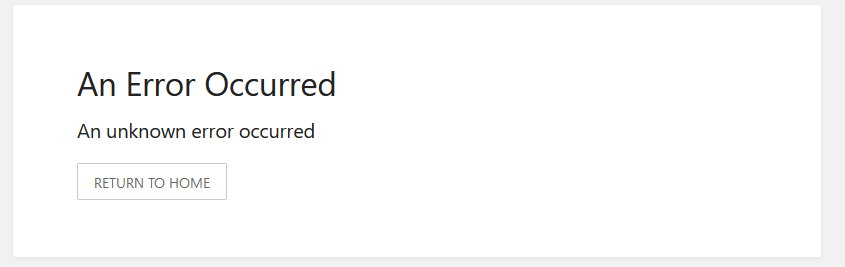
LDAP Sync to iRedMail does not appear to completely work with Bookstack. It is working on some level though. When I initially tried to set things up with default settings, I kept being unable to login for an unspecified error. Additionally, enabling the dump settings in the environment file did not achieve anything.
image

Removing the LDAP group sync part allowed me to login with an iRedMail LDAP user account, so I knew it had to be a group setting issue. Eventually determined it to be the memberOf part, the documentation seems to imply that I should be defining the attribute on the user DN which defines the groups (which for iRedMail the user attribute mapping to groups is memberOfGroup, not memberOf). This however did not work and caused the login for unspecified error issue, which was corrected by changing the attribute to "mailList" (what defines Groups for iRedMail).

With these settings (placed in logs for clear view), I was able to login, and my administrator was mapped to the LDAP user that has the Administration label. Great. The issue is no other user will map. Initially I thought it was because of the usernames having spaces, but I tried every iteration I could of hypens, underscores, capitals, etc after the initial read on the docs and none of them work. Users can login, but they have no role so they cannot see anything, and the role_user table in MySQL is likewise missing an entry for them. The users table does get updated when they login. I tried using new accounts as well, just to see if the sync only applied on initial user creation (though that doesn't seem right) and nadda.

So I turned the dump option back on, and that's when I noticed this:
parsed_direct_user_groups [ ]
parsed_recursive_user_groups [ ]

The thing is, I can see the following as well just above it in the dump:
memberofgroup:
0: "genauth@removed.removed"
count: 1

So Bookstack knows I have groups, but it does not appear to be parsing them, so maybe it can't use them? But then, how does admin work? The LDAP admin group is Administration, not admin, so it's not a 1:1 mapping despite starting the same. Based on the docs, cn=value should be what goes in the External Authentication IDs field but this does not allow for mapping for the other users. Additionally, the docs state we should be able to use the User CN as well for mapping, and this does not provide them roles either. Putting in the user CN values for the role does not allow that user to gain the role, and logging in / out does not change things for them.

Exact BookStack Version

22.06.2

Log Content

AUTH_METHOD=ldap
LDAP_SERVER=removed
LDAP_BASE_DN="o=domains,dc=removed,dc=removed"
LDAP_DN="cn=vmail,dc=removed,dc=removed"
LDAP_PASS="removed"
LDAP_USER_FILTER=(&(uid=${user})(objectClass=mailUser)(enabledService=bookstack)(accountStatus=active))
LDAP_VERSION=3
LDAP_ID_ATTRIBUTE=uid
LDAP_EMAIL_ATTRIBUTE=mail
LDAP_DISPLAY_NAME_ATTRIBUTE=cn
LDAP_THUMBNAIL_ATTRIBUTE=jpegphoto
LDAP_START_TLS=false
LDAP_USER_TO_GROUPS=true
LDAP_GROUP_ATTRIBUTE="mailList"
LDAP_REMOVE_FROM_GROUPS=false

In case it helps, this is my working LDAP configuration for Authelia (which can use TLS because I can specify my servername in the config, otherwise I'm connected locally via an IP address so it would need to turn off TLS verification but given the LDAP connection is an etherstub network with no external access non-SSL should be fine for BSA and others) using iRedMail (maybe this is a search issue, since I can't define filters for group search?):
ldap:
implementation: custom
url: ldap://removed
timeout: 5s
start_tls: true
tls:
server_name: removed
skip_verify: false
minimum_version: TLS1.2
base_dn: o=domains,dc=removed,dc=removed
username_attribute: uid
additional_users_dn: ou=Users,domainName=removed.removed
users_filter: (&({username_attribute}={input})(objectClass=mailUser)(accountStatus=active)(enabledService=authelia))
additional_groups_dn: ou=Groups,domainName=removed.removed
groups_filter: (&(member={dn})(objectClass=mailList)(accountStatus=active)(enabledService=authelia))
group_name_attribute: mailingListID
display_name_attribute: cn
permit_referrals: false
user: cn=vmail,dc=removed,dc=removed
password: removed

PHP Version

LinuxServer Docker Container

Hosting Environment

LinuxServer Docker Container

Originally created by @armouredking on GitHub (Jul 4, 2022). ### Attempted Debugging - [X] I have read the debugging page ### Searched GitHub Issues - [X] I have searched GitHub for the issue. ### Describe the Scenario LDAP Sync to iRedMail does not appear to completely work with Bookstack. It *is* working on some level though. When I initially tried to set things up with default settings, I kept being unable to login for an unspecified error. Additionally, enabling the dump settings in the environment file did not achieve anything. ![image](https://user-images.githubusercontent.com/16038428/177063445-9c31103c-4af7-4e47-8ee9-b82595b08f1e.png) Removing the LDAP group sync part allowed me to login with an iRedMail LDAP user account, so I knew it had to be a group setting issue. Eventually determined it to be the memberOf part, the documentation seems to imply that I should be defining the attribute on the user DN which defines the groups (which for iRedMail the user attribute mapping to groups is memberOfGroup, not memberOf). This however did not work and caused the login for unspecified error issue, which was corrected by changing the attribute to "mailList" (what defines Groups for iRedMail). With these settings (placed in logs for clear view), I was able to login, and my administrator was mapped to the LDAP user that has the Administration label. Great. The issue is no other user will map. Initially I thought it was because of the usernames having spaces, but I tried every iteration I could of hypens, underscores, capitals, etc after the initial read on the docs and none of them work. Users can login, but they have no role so they cannot see anything, and the role_user table in MySQL is likewise missing an entry for them. The users table does get updated when they login. I tried using new accounts as well, just to see if the sync only applied on initial user creation (though that doesn't seem right) and nadda. So I turned the dump option back on, and that's when I noticed this: parsed_direct_user_groups [ ] parsed_recursive_user_groups [ ] The thing is, I can see the following as well just above it in the dump: memberofgroup: 0: "genauth@removed.removed" count: 1 So Bookstack knows I have groups, but it does not appear to be parsing them, so maybe it can't use them? But then, how does admin work? The LDAP admin group is Administration, not admin, so it's not a 1:1 mapping despite starting the same. Based on the docs, cn=value should be what goes in the External Authentication IDs field but this does not allow for mapping for the other users. Additionally, the docs state we should be able to use the User CN as well for mapping, and this does not provide them roles either. Putting in the user CN values for the role does not allow that user to gain the role, and logging in / out does not change things for them. ### Exact BookStack Version 22.06.2 ### Log Content AUTH_METHOD=ldap LDAP_SERVER=removed LDAP_BASE_DN="o=domains,dc=removed,dc=removed" LDAP_DN="cn=vmail,dc=removed,dc=removed" LDAP_PASS="removed" LDAP_USER_FILTER=(&(uid=${user})(objectClass=mailUser)(enabledService=bookstack)(accountStatus=active)) LDAP_VERSION=3 LDAP_ID_ATTRIBUTE=uid LDAP_EMAIL_ATTRIBUTE=mail LDAP_DISPLAY_NAME_ATTRIBUTE=cn LDAP_THUMBNAIL_ATTRIBUTE=jpegphoto LDAP_START_TLS=false LDAP_USER_TO_GROUPS=true LDAP_GROUP_ATTRIBUTE="mailList" LDAP_REMOVE_FROM_GROUPS=false In case it helps, this is my working LDAP configuration for Authelia (which can use TLS because I can specify my servername in the config, otherwise I'm connected locally via an IP address so it would need to turn off TLS verification but given the LDAP connection is an etherstub network with no external access non-SSL should be fine for BSA and others) using iRedMail (maybe this is a search issue, since I can't define filters for group search?): ldap: implementation: custom url: ldap://removed timeout: 5s start_tls: true tls: server_name: removed skip_verify: false minimum_version: TLS1.2 base_dn: o=domains,dc=removed,dc=removed username_attribute: uid additional_users_dn: ou=Users,domainName=removed.removed users_filter: (&({username_attribute}={input})(objectClass=mailUser)(accountStatus=active)(enabledService=authelia)) additional_groups_dn: ou=Groups,domainName=removed.removed groups_filter: (&(member={dn})(objectClass=mailList)(accountStatus=active)(enabledService=authelia)) group_name_attribute: mailingListID display_name_attribute: cn permit_referrals: false user: cn=vmail,dc=removed,dc=removed password: removed ### PHP Version LinuxServer Docker Container ### Hosting Environment LinuxServer Docker Container
OVERLORD added the 🐕 Support label 2026-02-05 05:38:15 +03:00
Author
Owner

@ssddanbrown commented on GitHub (Jul 4, 2022):

Hi @armouredking,

unspecified error issue

Such error views can be debugged via the error log file mentioned on our debugging page: https://www.bookstackapp.com/docs/admin/debugging/#error-log-file

Eventually determined it to be the memberOf part, the documentation seems to imply that I should be defining the attribute on the user DN which defines the groups (which for iRedMail the user attribute mapping to groups is memberOfGroup, not memberOf). This however did not work and caused the login for unspecified error issue, which was corrected by changing the attribute to "mailList" (what defines Groups for iRedMail).

BookStack LDAP group sync will only work when provided with memberOf style group data. I believe that both the memberOfGroup and mailList properties have different structures/value-types which would make them incompatible.

But then, how does admin work? The LDAP admin group is Administration, not admin, so it's not a 1:1 mapping despite starting the same.

I would assume that no group sync is active, and this admin account was simply already assigned to the admin role.

@ssddanbrown commented on GitHub (Jul 4, 2022): Hi @armouredking, > unspecified error issue Such error views can be debugged via the error log file mentioned on our debugging page: https://www.bookstackapp.com/docs/admin/debugging/#error-log-file > Eventually determined it to be the memberOf part, the documentation seems to imply that I should be defining the attribute on the user DN which defines the groups (which for iRedMail the user attribute mapping to groups is memberOfGroup, not memberOf). This however did not work and caused the login for unspecified error issue, which was corrected by changing the attribute to "mailList" (what defines Groups for iRedMail). BookStack LDAP group sync will only work when provided with `memberOf` style group data. I believe that both the `memberOfGroup` and `mailList` properties have different structures/value-types which would make them incompatible. > But then, how does admin work? The LDAP admin group is Administration, not admin, so it's not a 1:1 mapping despite starting the same. I would assume that no group sync is active, and this admin account was simply already assigned to the admin role.
Author
Owner

@armouredking commented on GitHub (Jul 4, 2022):

Hi @armouredking,

Such error views can be debugged via the error log file mentioned on our debugging page: https://www.bookstackapp.com/docs/admin/debugging/#error-log-file

Ah, well that'd be the first issue then. The doc files state it being missing is a permission issue, but in the LinuxServer docker it simply isn't presented to persistent storage. As such, any time the container is recreated, it is lost. Is there an ENV attribute I can set to move this to the LinuxServer logs folder on the persistent storage volume? I can map it of course via Docker, but I would prefer to keep as much configuration as possible in the ENV file. I did not see an example in the complete file.

BookStack LDAP group sync will only work when provided with memberOf style group data. I believe that both the memberOfGroup and mailList properties have different structures/value-types which would make them incompatible.

memberOfGroup for iRedMail LDAP is in the form of an email address, which is the name of the mailList. mailList contains both cn and member service data (where member is a repeated entry matching the assigned group user's dn). What should memberOf data look like that would make it incompatible with using an email address to match?

I do not get any errors in laravel.log with LDAP_GROUP_ATTRIBUTE set to mailList, but when set to memberOfGroup I get the following error when attempting login:

[2022-07-04 12:28:11] production.ERROR: Trying to access array offset on value of type bool {"exception":"[object] (ErrorException(code: 0): Trying to access array offset on value of type bool at /var/www/html/app/Auth/Access/LdapService.php:375)
[stacktrace]
#0 /var/www/html/app/Auth/Access/LdapService.php(375): Illuminate\\Foundation\\Bootstrap\\HandleExceptions->handleError()
#1 /var/www/html/app/Auth/Access/LdapService.php(293): BookStack\\Auth\\Access\\LdapService->groupFilter()
#2 /var/www/html/app/Auth/Access/LdapService.php(391): BookStack\\Auth\\Access\\LdapService->getUserGroups()
#3 /var/www/html/app/Auth/Access/Guards/LdapSessionGuard.php(95): BookStack\\Auth\\Access\\LdapService->syncGroups()
#4 /var/www/html/vendor/laravel/framework/src/Illuminate/Auth/AuthManager.php(336): BookStack\\Auth\\Access\\Guards\\LdapSessionGuard->attempt()
#5 /var/www/html/app/Auth/Access/LoginService.php(155): Illuminate\\Auth\\AuthManager->__call()
#6 /var/www/html/app/Http/Controllers/Auth/LoginController.php(156): BookStack\\Auth\\Access\\LoginService->attempt()
#7 /var/www/html/app/Http/Controllers/Auth/LoginController.php(125): BookStack\\Http\\Controllers\\Auth\\LoginController->attemptLogin()
#8 /var/www/html/vendor/laravel/framework/src/Illuminate/Routing/Controller.php(54): BookStack\\Http\\Controllers\\Auth\\LoginController->login()
#9 /var/www/html/vendor/laravel/framework/src/Illuminate/Routing/ControllerDispatcher.php(45): Illuminate\\Routing\\Controller->callAction()
#10 /var/www/html/vendor/laravel/framework/src/Illuminate/Routing/Route.php(262): Illuminate\\Routing\\ControllerDispatcher->dispatch()
#11 /var/www/html/vendor/laravel/framework/src/Illuminate/Routing/Route.php(205): Illuminate\\Routing\\Route->runController()
#12 /var/www/html/vendor/laravel/framework/src/Illuminate/Routing/Router.php(721): Illuminate\\Routing\\Route->run()
#13 /var/www/html/vendor/laravel/framework/src/Illuminate/Pipeline/Pipeline.php(128): Illuminate\\Routing\\Router->Illuminate\\Routing\\{closure}()
#14 /var/www/html/app/Http/Middleware/CheckGuard.php(27): Illuminate\\Pipeline\\Pipeline->Illuminate\\Pipeline\\{closure}()
#15 /var/www/html/vendor/laravel/framework/src/Illuminate/Pipeline/Pipeline.php(167): BookStack\\Http\\Middleware\\CheckGuard->handle()
#16 /var/www/html/app/Http/Middleware/RedirectIfAuthenticated.php(31): Illuminate\\Pipeline\\Pipeline->Illuminate\\Pipeline\\{closure}()
#17 /var/www/html/vendor/laravel/framework/src/Illuminate/Pipeline/Pipeline.php(167): BookStack\\Http\\Middleware\\RedirectIfAuthenticated->handle()
#18 /var/www/html/app/Http/Middleware/Localization.php(84): Illuminate\\Pipeline\\Pipeline->Illuminate\\Pipeline\\{closure}()
#19 /var/www/html/vendor/laravel/framework/src/Illuminate/Pipeline/Pipeline.php(167): BookStack\\Http\\Middleware\\Localization->handle()
#20 /var/www/html/app/Http/Middleware/RunThemeActions.php(26): Illuminate\\Pipeline\\Pipeline->Illuminate\\Pipeline\\{closure}()
#21 /var/www/html/vendor/laravel/framework/src/Illuminate/Pipeline/Pipeline.php(167): BookStack\\Http\\Middleware\\RunThemeActions->handle()
#22 /var/www/html/app/Http/Middleware/CheckEmailConfirmed.php(47): Illuminate\\Pipeline\\Pipeline->Illuminate\\Pipeline\\{closure}()
#23 /var/www/html/vendor/laravel/framework/src/Illuminate/Pipeline/Pipeline.php(167): BookStack\\Http\\Middleware\\CheckEmailConfirmed->handle()
#24 /var/www/html/app/Http/Middleware/PreventAuthenticatedResponseCaching.php(21): Illuminate\\Pipeline\\Pipeline->Illuminate\\Pipeline\\{closure}()
#25 /var/www/html/vendor/laravel/framework/src/Illuminate/Pipeline/Pipeline.php(167): BookStack\\Http\\Middleware\\PreventAuthenticatedResponseCaching->handle()
#26 /var/www/html/vendor/laravel/framework/src/Illuminate/Foundation/Http/Middleware/VerifyCsrfToken.php(78): Illuminate\\Pipeline\\Pipeline->Illuminate\\Pipeline\\{closure}()
#27 /var/www/html/vendor/laravel/framework/src/Illuminate/Pipeline/Pipeline.php(167): Illuminate\\Foundation\\Http\\Middleware\\VerifyCsrfToken->handle()
#28 /var/www/html/vendor/laravel/framework/src/Illuminate/View/Middleware/ShareErrorsFromSession.php(49): Illuminate\\Pipeline\\Pipeline->Illuminate\\Pipeline\\{closure}()
#29 /var/www/html/vendor/laravel/framework/src/Illuminate/Pipeline/Pipeline.php(167): Illuminate\\View\\Middleware\\ShareErrorsFromSession->handle()
#30 /var/www/html/vendor/laravel/framework/src/Illuminate/Session/Middleware/StartSession.php(121): Illuminate\\Pipeline\\Pipeline->Illuminate\\Pipeline\\{closure}()
#31 /var/www/html/vendor/laravel/framework/src/Illuminate/Session/Middleware/StartSession.php(64): Illuminate\\Session\\Middleware\\StartSession->handleStatefulRequest()
#32 /var/www/html/vendor/laravel/framework/src/Illuminate/Pipeline/Pipeline.php(167): Illuminate\\Session\\Middleware\\StartSession->handle()
#33 /var/www/html/vendor/laravel/framework/src/Illuminate/Cookie/Middleware/AddQueuedCookiesToResponse.php(37): Illuminate\\Pipeline\\Pipeline->Illuminate\\Pipeline\\{closure}()
#34 /var/www/html/vendor/laravel/framework/src/Illuminate/Pipeline/Pipeline.php(167): Illuminate\\Cookie\\Middleware\\AddQueuedCookiesToResponse->handle()
#35 /var/www/html/vendor/laravel/framework/src/Illuminate/Cookie/Middleware/EncryptCookies.php(67): Illuminate\\Pipeline\\Pipeline->Illuminate\\Pipeline\\{closure}()
#36 /var/www/html/vendor/laravel/framework/src/Illuminate/Pipeline/Pipeline.php(167): Illuminate\\Cookie\\Middleware\\EncryptCookies->handle()
#37 /var/www/html/app/Http/Middleware/ApplyCspRules.php(33): Illuminate\\Pipeline\\Pipeline->Illuminate\\Pipeline\\{closure}()
#38 /var/www/html/vendor/laravel/framework/src/Illuminate/Pipeline/Pipeline.php(167): BookStack\\Http\\Middleware\\ApplyCspRules->handle()
#39 /var/www/html/vendor/laravel/framework/src/Illuminate/Pipeline/Pipeline.php(103): Illuminate\\Pipeline\\Pipeline->Illuminate\\Pipeline\\{closure}()
#40 /var/www/html/vendor/laravel/framework/src/Illuminate/Routing/Router.php(723): Illuminate\\Pipeline\\Pipeline->then()
#41 /var/www/html/vendor/laravel/framework/src/Illuminate/Routing/Router.php(698): Illuminate\\Routing\\Router->runRouteWithinStack()
#42 /var/www/html/vendor/laravel/framework/src/Illuminate/Routing/Router.php(662): Illuminate\\Routing\\Router->runRoute()
#43 /var/www/html/vendor/laravel/framework/src/Illuminate/Routing/Router.php(651): Illuminate\\Routing\\Router->dispatchToRoute()
#44 /var/www/html/vendor/laravel/framework/src/Illuminate/Foundation/Http/Kernel.php(167): Illuminate\\Routing\\Router->dispatch()
#45 /var/www/html/vendor/laravel/framework/src/Illuminate/Pipeline/Pipeline.php(128): Illuminate\\Foundation\\Http\\Kernel->Illuminate\\Foundation\\Http\\{closure}()
#46 /var/www/html/vendor/laravel/framework/src/Illuminate/Http/Middleware/TrustProxies.php(39): Illuminate\\Pipeline\\Pipeline->Illuminate\\Pipeline\\{closure}()
#47 /var/www/html/app/Http/Middleware/TrustProxies.php(41): Illuminate\\Http\\Middleware\\TrustProxies->handle()
#48 /var/www/html/vendor/laravel/framework/src/Illuminate/Pipeline/Pipeline.php(167): BookStack\\Http\\Middleware\\TrustProxies->handle()
#49 /var/www/html/vendor/laravel/framework/src/Illuminate/Foundation/Http/Middleware/TransformsRequest.php(21): Illuminate\\Pipeline\\Pipeline->Illuminate\\Pipeline\\{closure}()
#50 /var/www/html/vendor/laravel/framework/src/Illuminate/Foundation/Http/Middleware/TrimStrings.php(40): Illuminate\\Foundation\\Http\\Middleware\\TransformsRequest->handle()
#51 /var/www/html/vendor/laravel/framework/src/Illuminate/Pipeline/Pipeline.php(167): Illuminate\\Foundation\\Http\\Middleware\\TrimStrings->handle()
#52 /var/www/html/vendor/laravel/framework/src/Illuminate/Foundation/Http/Middleware/ValidatePostSize.php(27): Illuminate\\Pipeline\\Pipeline->Illuminate\\Pipeline\\{closure}()
#53 /var/www/html/vendor/laravel/framework/src/Illuminate/Pipeline/Pipeline.php(167): Illuminate\\Foundation\\Http\\Middleware\\ValidatePostSize->handle()
#54 /var/www/html/vendor/laravel/framework/src/Illuminate/Foundation/Http/Middleware/PreventRequestsDuringMaintenance.php(86): Illuminate\\Pipeline\\Pipeline->Illuminate\\Pipeline\\{closure}()
#55 /var/www/html/vendor/laravel/framework/src/Illuminate/Pipeline/Pipeline.php(167): Illuminate\\Foundation\\Http\\Middleware\\PreventRequestsDuringMaintenance->handle()
#56 /var/www/html/vendor/laravel/framework/src/Illuminate/Pipeline/Pipeline.php(103): Illuminate\\Pipeline\\Pipeline->Illuminate\\Pipeline\\{closure}()
#57 /var/www/html/vendor/laravel/framework/src/Illuminate/Foundation/Http/Kernel.php(142): Illuminate\\Pipeline\\Pipeline->then()
#58 /var/www/html/vendor/laravel/framework/src/Illuminate/Foundation/Http/Kernel.php(111): Illuminate\\Foundation\\Http\\Kernel->sendRequestThroughRouter()
#59 /var/www/html/public/index.php(53): Illuminate\\Foundation\\Http\\Kernel->handle()
#60 {main}
"}

So, with mailList it seems like some part of the data is in a form that it can understand. This is what mailList has for data in the table:

image

I would assume that no group sync is active, and this admin account was simply already assigned to the admin role.

It wasn't assigned that I can recall, as the user was created upon login, same as the others. Though it does sound like sync is not working still.

@armouredking commented on GitHub (Jul 4, 2022): > Hi @armouredking, > > Such error views can be debugged via the error log file mentioned on our debugging page: https://www.bookstackapp.com/docs/admin/debugging/#error-log-file Ah, well that'd be the first issue then. The doc files state it being missing is a permission issue, but in the LinuxServer docker it simply isn't presented to persistent storage. As such, any time the container is recreated, it is lost. Is there an ENV attribute I can set to move this to the LinuxServer logs folder on the persistent storage volume? I can map it of course via Docker, but I would prefer to keep as much configuration as possible in the ENV file. I did not see an example in the complete file. > BookStack LDAP group sync will only work when provided with `memberOf` style group data. I believe that both the `memberOfGroup` and `mailList` properties have different structures/value-types which would make them incompatible. memberOfGroup for iRedMail LDAP is in the form of an email address, which is the name of the mailList. mailList contains both `cn` and `member` service data (where member is a repeated entry matching the assigned group user's `dn`). What should `memberOf` data look like that would make it incompatible with using an email address to match? I do not get any errors in laravel.log with LDAP_GROUP_ATTRIBUTE set to `mailList`, but when set to `memberOfGroup` I get the following error when attempting login: <details> ``` [2022-07-04 12:28:11] production.ERROR: Trying to access array offset on value of type bool {"exception":"[object] (ErrorException(code: 0): Trying to access array offset on value of type bool at /var/www/html/app/Auth/Access/LdapService.php:375) [stacktrace] #0 /var/www/html/app/Auth/Access/LdapService.php(375): Illuminate\\Foundation\\Bootstrap\\HandleExceptions->handleError() #1 /var/www/html/app/Auth/Access/LdapService.php(293): BookStack\\Auth\\Access\\LdapService->groupFilter() #2 /var/www/html/app/Auth/Access/LdapService.php(391): BookStack\\Auth\\Access\\LdapService->getUserGroups() #3 /var/www/html/app/Auth/Access/Guards/LdapSessionGuard.php(95): BookStack\\Auth\\Access\\LdapService->syncGroups() #4 /var/www/html/vendor/laravel/framework/src/Illuminate/Auth/AuthManager.php(336): BookStack\\Auth\\Access\\Guards\\LdapSessionGuard->attempt() #5 /var/www/html/app/Auth/Access/LoginService.php(155): Illuminate\\Auth\\AuthManager->__call() #6 /var/www/html/app/Http/Controllers/Auth/LoginController.php(156): BookStack\\Auth\\Access\\LoginService->attempt() #7 /var/www/html/app/Http/Controllers/Auth/LoginController.php(125): BookStack\\Http\\Controllers\\Auth\\LoginController->attemptLogin() #8 /var/www/html/vendor/laravel/framework/src/Illuminate/Routing/Controller.php(54): BookStack\\Http\\Controllers\\Auth\\LoginController->login() #9 /var/www/html/vendor/laravel/framework/src/Illuminate/Routing/ControllerDispatcher.php(45): Illuminate\\Routing\\Controller->callAction() #10 /var/www/html/vendor/laravel/framework/src/Illuminate/Routing/Route.php(262): Illuminate\\Routing\\ControllerDispatcher->dispatch() #11 /var/www/html/vendor/laravel/framework/src/Illuminate/Routing/Route.php(205): Illuminate\\Routing\\Route->runController() #12 /var/www/html/vendor/laravel/framework/src/Illuminate/Routing/Router.php(721): Illuminate\\Routing\\Route->run() #13 /var/www/html/vendor/laravel/framework/src/Illuminate/Pipeline/Pipeline.php(128): Illuminate\\Routing\\Router->Illuminate\\Routing\\{closure}() #14 /var/www/html/app/Http/Middleware/CheckGuard.php(27): Illuminate\\Pipeline\\Pipeline->Illuminate\\Pipeline\\{closure}() #15 /var/www/html/vendor/laravel/framework/src/Illuminate/Pipeline/Pipeline.php(167): BookStack\\Http\\Middleware\\CheckGuard->handle() #16 /var/www/html/app/Http/Middleware/RedirectIfAuthenticated.php(31): Illuminate\\Pipeline\\Pipeline->Illuminate\\Pipeline\\{closure}() #17 /var/www/html/vendor/laravel/framework/src/Illuminate/Pipeline/Pipeline.php(167): BookStack\\Http\\Middleware\\RedirectIfAuthenticated->handle() #18 /var/www/html/app/Http/Middleware/Localization.php(84): Illuminate\\Pipeline\\Pipeline->Illuminate\\Pipeline\\{closure}() #19 /var/www/html/vendor/laravel/framework/src/Illuminate/Pipeline/Pipeline.php(167): BookStack\\Http\\Middleware\\Localization->handle() #20 /var/www/html/app/Http/Middleware/RunThemeActions.php(26): Illuminate\\Pipeline\\Pipeline->Illuminate\\Pipeline\\{closure}() #21 /var/www/html/vendor/laravel/framework/src/Illuminate/Pipeline/Pipeline.php(167): BookStack\\Http\\Middleware\\RunThemeActions->handle() #22 /var/www/html/app/Http/Middleware/CheckEmailConfirmed.php(47): Illuminate\\Pipeline\\Pipeline->Illuminate\\Pipeline\\{closure}() #23 /var/www/html/vendor/laravel/framework/src/Illuminate/Pipeline/Pipeline.php(167): BookStack\\Http\\Middleware\\CheckEmailConfirmed->handle() #24 /var/www/html/app/Http/Middleware/PreventAuthenticatedResponseCaching.php(21): Illuminate\\Pipeline\\Pipeline->Illuminate\\Pipeline\\{closure}() #25 /var/www/html/vendor/laravel/framework/src/Illuminate/Pipeline/Pipeline.php(167): BookStack\\Http\\Middleware\\PreventAuthenticatedResponseCaching->handle() #26 /var/www/html/vendor/laravel/framework/src/Illuminate/Foundation/Http/Middleware/VerifyCsrfToken.php(78): Illuminate\\Pipeline\\Pipeline->Illuminate\\Pipeline\\{closure}() #27 /var/www/html/vendor/laravel/framework/src/Illuminate/Pipeline/Pipeline.php(167): Illuminate\\Foundation\\Http\\Middleware\\VerifyCsrfToken->handle() #28 /var/www/html/vendor/laravel/framework/src/Illuminate/View/Middleware/ShareErrorsFromSession.php(49): Illuminate\\Pipeline\\Pipeline->Illuminate\\Pipeline\\{closure}() #29 /var/www/html/vendor/laravel/framework/src/Illuminate/Pipeline/Pipeline.php(167): Illuminate\\View\\Middleware\\ShareErrorsFromSession->handle() #30 /var/www/html/vendor/laravel/framework/src/Illuminate/Session/Middleware/StartSession.php(121): Illuminate\\Pipeline\\Pipeline->Illuminate\\Pipeline\\{closure}() #31 /var/www/html/vendor/laravel/framework/src/Illuminate/Session/Middleware/StartSession.php(64): Illuminate\\Session\\Middleware\\StartSession->handleStatefulRequest() #32 /var/www/html/vendor/laravel/framework/src/Illuminate/Pipeline/Pipeline.php(167): Illuminate\\Session\\Middleware\\StartSession->handle() #33 /var/www/html/vendor/laravel/framework/src/Illuminate/Cookie/Middleware/AddQueuedCookiesToResponse.php(37): Illuminate\\Pipeline\\Pipeline->Illuminate\\Pipeline\\{closure}() #34 /var/www/html/vendor/laravel/framework/src/Illuminate/Pipeline/Pipeline.php(167): Illuminate\\Cookie\\Middleware\\AddQueuedCookiesToResponse->handle() #35 /var/www/html/vendor/laravel/framework/src/Illuminate/Cookie/Middleware/EncryptCookies.php(67): Illuminate\\Pipeline\\Pipeline->Illuminate\\Pipeline\\{closure}() #36 /var/www/html/vendor/laravel/framework/src/Illuminate/Pipeline/Pipeline.php(167): Illuminate\\Cookie\\Middleware\\EncryptCookies->handle() #37 /var/www/html/app/Http/Middleware/ApplyCspRules.php(33): Illuminate\\Pipeline\\Pipeline->Illuminate\\Pipeline\\{closure}() #38 /var/www/html/vendor/laravel/framework/src/Illuminate/Pipeline/Pipeline.php(167): BookStack\\Http\\Middleware\\ApplyCspRules->handle() #39 /var/www/html/vendor/laravel/framework/src/Illuminate/Pipeline/Pipeline.php(103): Illuminate\\Pipeline\\Pipeline->Illuminate\\Pipeline\\{closure}() #40 /var/www/html/vendor/laravel/framework/src/Illuminate/Routing/Router.php(723): Illuminate\\Pipeline\\Pipeline->then() #41 /var/www/html/vendor/laravel/framework/src/Illuminate/Routing/Router.php(698): Illuminate\\Routing\\Router->runRouteWithinStack() #42 /var/www/html/vendor/laravel/framework/src/Illuminate/Routing/Router.php(662): Illuminate\\Routing\\Router->runRoute() #43 /var/www/html/vendor/laravel/framework/src/Illuminate/Routing/Router.php(651): Illuminate\\Routing\\Router->dispatchToRoute() #44 /var/www/html/vendor/laravel/framework/src/Illuminate/Foundation/Http/Kernel.php(167): Illuminate\\Routing\\Router->dispatch() #45 /var/www/html/vendor/laravel/framework/src/Illuminate/Pipeline/Pipeline.php(128): Illuminate\\Foundation\\Http\\Kernel->Illuminate\\Foundation\\Http\\{closure}() #46 /var/www/html/vendor/laravel/framework/src/Illuminate/Http/Middleware/TrustProxies.php(39): Illuminate\\Pipeline\\Pipeline->Illuminate\\Pipeline\\{closure}() #47 /var/www/html/app/Http/Middleware/TrustProxies.php(41): Illuminate\\Http\\Middleware\\TrustProxies->handle() #48 /var/www/html/vendor/laravel/framework/src/Illuminate/Pipeline/Pipeline.php(167): BookStack\\Http\\Middleware\\TrustProxies->handle() #49 /var/www/html/vendor/laravel/framework/src/Illuminate/Foundation/Http/Middleware/TransformsRequest.php(21): Illuminate\\Pipeline\\Pipeline->Illuminate\\Pipeline\\{closure}() #50 /var/www/html/vendor/laravel/framework/src/Illuminate/Foundation/Http/Middleware/TrimStrings.php(40): Illuminate\\Foundation\\Http\\Middleware\\TransformsRequest->handle() #51 /var/www/html/vendor/laravel/framework/src/Illuminate/Pipeline/Pipeline.php(167): Illuminate\\Foundation\\Http\\Middleware\\TrimStrings->handle() #52 /var/www/html/vendor/laravel/framework/src/Illuminate/Foundation/Http/Middleware/ValidatePostSize.php(27): Illuminate\\Pipeline\\Pipeline->Illuminate\\Pipeline\\{closure}() #53 /var/www/html/vendor/laravel/framework/src/Illuminate/Pipeline/Pipeline.php(167): Illuminate\\Foundation\\Http\\Middleware\\ValidatePostSize->handle() #54 /var/www/html/vendor/laravel/framework/src/Illuminate/Foundation/Http/Middleware/PreventRequestsDuringMaintenance.php(86): Illuminate\\Pipeline\\Pipeline->Illuminate\\Pipeline\\{closure}() #55 /var/www/html/vendor/laravel/framework/src/Illuminate/Pipeline/Pipeline.php(167): Illuminate\\Foundation\\Http\\Middleware\\PreventRequestsDuringMaintenance->handle() #56 /var/www/html/vendor/laravel/framework/src/Illuminate/Pipeline/Pipeline.php(103): Illuminate\\Pipeline\\Pipeline->Illuminate\\Pipeline\\{closure}() #57 /var/www/html/vendor/laravel/framework/src/Illuminate/Foundation/Http/Kernel.php(142): Illuminate\\Pipeline\\Pipeline->then() #58 /var/www/html/vendor/laravel/framework/src/Illuminate/Foundation/Http/Kernel.php(111): Illuminate\\Foundation\\Http\\Kernel->sendRequestThroughRouter() #59 /var/www/html/public/index.php(53): Illuminate\\Foundation\\Http\\Kernel->handle() #60 {main} "} ``` </details> So, with `mailList` it seems like some part of the data is in a form that it can understand. This is what `mailList` has for data in the table: ![image](https://user-images.githubusercontent.com/16038428/177155413-a1912930-3d8d-48c9-9140-538f650f8a85.png) > I would assume that no group sync is active, and this admin account was simply already assigned to the admin role. It wasn't assigned that I can recall, as the user was created upon login, same as the others. Though it does sound like sync is not working still.
Author
Owner

@ssddanbrown commented on GitHub (Jul 4, 2022):

but in the LinuxServer docker it simply isn't presented to persistent storage. As such, any time the container is recreated, it is lost.

The linuxserver image specific provides this log in the mounted config file, it should be at www/laravel.log within the volume mounted to /config.

What should memberOf data look like that would make it incompatible with using an email address to match?

memberOf is a list of groups that the user is a member of, referenced by the group's full DN.

@ssddanbrown commented on GitHub (Jul 4, 2022): > but in the LinuxServer docker it simply isn't presented to persistent storage. As such, any time the container is recreated, it is lost. The linuxserver image [specific provides](https://github.com/linuxserver/docker-bookstack/blob/1253e76f12d93c696d32d10c2f0685bd35e005a6/root/etc/cont-init.d/50-config#L28) this log in the mounted config file, it should be at `www/laravel.log` within the volume mounted to `/config`. > What should memberOf data look like that would make it incompatible with using an email address to match? `memberOf` is a list of groups that the user is a member of, referenced by the group's full DN.
Author
Owner

@armouredking commented on GitHub (Jul 4, 2022):

Well that's sort of an odd decision. I would expect it to be located at /config/log with the other log files. I guess I can deal with it being odd.

So is the issue then that memberOf is looking for every group on one line, and memberOfGroup is repeated lines with one entry per line? That seems to be the case with array/bool in the throw. Why does assigning mailList as the group attribute not cause an error, though? Is it because BSA never actually queries / searches the groups DN, and just relies on the user DN to provide all the information?

@armouredking commented on GitHub (Jul 4, 2022): Well that's sort of an odd decision. I would expect it to be located at /config/log with the other log files. I guess I can deal with it being odd. So is the issue then that memberOf is looking for every group on one line, and memberOfGroup is repeated lines with one entry per line? That seems to be the case with array/bool in the throw. Why does assigning `mailList` as the group attribute not cause an error, though? Is it because BSA never actually queries / searches the groups DN, and just relies on the user DN to provide all the information?
Author
Owner

@ssddanbrown commented on GitHub (Jul 4, 2022):

So is the issue then that memberOf is looking for every group on one line, and memberOfGroup is repeated lines with one entry per line?

I don't know the specifics of each but yeah, likely expecting on format/type of data but getting another.

Why does assigning mailList as the group attribute not cause an error, though? Is it because BSA never actually queries / searches the groups DN, and just relies on the user DN to provide all the information?

It's likely that the format of this data is similar enough to that of memberOf so now error is thrown. BookStack may do some further lookups, to get nested groups if I recall, but it may be treating the values directly as CNs, othwerwise yes, The memberOf DNs could provide enough alone since they provide group names.

@ssddanbrown commented on GitHub (Jul 4, 2022): > So is the issue then that memberOf is looking for every group on one line, and memberOfGroup is repeated lines with one entry per line? I don't know the specifics of each but yeah, likely expecting on format/type of data but getting another. > Why does assigning mailList as the group attribute not cause an error, though? Is it because BSA never actually queries / searches the groups DN, and just relies on the user DN to provide all the information? It's likely that the format of this data is similar enough to that of `memberOf` so now error is thrown. BookStack may do some further lookups, to get nested groups if I recall, but it may be treating the values directly as CNs, othwerwise yes, The `memberOf` DNs could provide enough alone since they provide group names.
Author
Owner

@armouredking commented on GitHub (Jul 4, 2022):

Ah, so, no. mailList is not a user parameter, it's the attribute for how groups are defined in iRedMail LDAP. I assume then that you were correct with your initial statement, no mapping is being done as no data is returned that BSA understands. Not sure how the admin got mapped then as I don't remember doing it, but meh.

Example: the group object definition attribute is mailList, with the DN being mail=genauth@domain.tld,ou=Groups,domainName=domain.tld,o=domains,dc=domain,dc=tld. Users are mapped to groups via the memberOfGroup attribute in the user DN and the member attribute in the group DN, where multiple users/groups are defined as a new member or memberOfGroup attribute for each user/group (ie one line per, not an array).

I assume it throws no errors because mailList is not an attribute type of the user DN, and BSA is not doing a group filter query. None of the information returned by the group dump is coming from the group DN mailList associated with any user group listed by memberOfGroup in the dump, only the user DN attributes. So my presumption is that BSA simply finds no groups and throws no error, because mailList is not a user attribute. Indeed, this appears to be the case, as changing LDAP_GROUP_ATTRIBUTE to the attribute makebelieve allows you to login without error as well.

Here for example is a cleaned group dump:

``` {"details_from_ldap":{"objectclass":{"count":4,"0":"inetOrgPerson","1":"mailUser","2":"shadowAccount","3":"amavisAccount"},"0":"objectclass","mail":{"count":1,"0":"redacted"},"1":"mail","shadowaddress":{"count":2,"0":"redacted","1":"redacted"},"2":"shadowaddress","cn":{"count":1,"0":"redacted"},"3":"cn","accountstatus":{"count":1,"0":"active"},"4":"accountstatus","enabledservice":{"count":37,"0":"internal","1":"doveadm","2":"lib-storage","3":"indexer-worker","4":"dsync","5":"quota-status","6":"mail","7":"smtp","8":"smtpsecured","9":"smtptls","10":"pop3","11":"pop3secured","12":"pop3tls","13":"imap","14":"imapsecured","15":"imaptls","16":"managesieve","17":"managesievesecured","18":"managesievetls","19":"sieve","20":"sievesecured","21":"sievetls","22":"deliver","23":"lda","24":"lmtp","25":"recipientbcc","26":"senderbcc","27":"forward","28":"shadowaddress","29":"displayedInGlobalAddressBook","30":"sogo","31":"sogowebmail","32":"sogocalendar","33":"sogoactivesync","34":"nextcloud","35":"authelia","36":"bookstack"},"5":"enabledservice","accountsetting":{"count":1,"0":"timezone:America\/Phoenix"},"6":"accountsetting","memberofgroup":{"count":2,"0":"announce@domain.tld","1":"genauth@domain.tld"},"7":"memberofgroup","count":8,"dn":"mail=redacted,ou=Users,domainName=dpcs.xyz,o=domains,dc=dpcs,dc=xyz"},"parsed_direct_user_groups":[],"parsed_recursive_user_groups":[]} ```

The iRedMail LDAP does not have a defined attribute for memberOf so I cannot manually insert it either, not without risking unintended consequences by changing the schema. Without BSA being able to read memberOfGroup, the only two options I see is to find an unused attribute in schema to manually recreate the memberOf entry and feed that to BSA via the user attribute definition in the env file, or to give up on group sync.

Should I close this, since it's support/question, and request memberOfGroup read as a feature?

@armouredking commented on GitHub (Jul 4, 2022): Ah, so, no. `mailList` is not a user parameter, it's the attribute for how groups are defined in iRedMail LDAP. I assume then that you were correct with your initial statement, no mapping is being done as no data is returned that BSA understands. Not sure how the admin got mapped then as I don't remember doing it, but meh. Example: the group object definition attribute is `mailList`, with the `DN` being mail=genauth@domain.tld,ou=Groups,domainName=domain.tld,o=domains,dc=domain,dc=tld. Users are mapped to groups via the `memberOfGroup` attribute in the user DN and the `member` attribute in the group DN, where multiple users/groups are defined as a new `member` or `memberOfGroup` attribute for each user/group (ie one line per, not an array). I assume it throws no errors because mailList is not an attribute type of the user DN, and BSA is not doing a group filter query. None of the information returned by the group dump is coming from the group DN `mailList` associated with any user group listed by `memberOfGroup` in the dump, only the user DN attributes. So my presumption is that BSA simply finds no groups and throws no error, because `mailList` is not a user attribute. Indeed, this appears to be the case, as changing LDAP_GROUP_ATTRIBUTE to the attribute `makebelieve` allows you to login without error as well. Here for example is a cleaned group dump: <details> ``` {"details_from_ldap":{"objectclass":{"count":4,"0":"inetOrgPerson","1":"mailUser","2":"shadowAccount","3":"amavisAccount"},"0":"objectclass","mail":{"count":1,"0":"redacted"},"1":"mail","shadowaddress":{"count":2,"0":"redacted","1":"redacted"},"2":"shadowaddress","cn":{"count":1,"0":"redacted"},"3":"cn","accountstatus":{"count":1,"0":"active"},"4":"accountstatus","enabledservice":{"count":37,"0":"internal","1":"doveadm","2":"lib-storage","3":"indexer-worker","4":"dsync","5":"quota-status","6":"mail","7":"smtp","8":"smtpsecured","9":"smtptls","10":"pop3","11":"pop3secured","12":"pop3tls","13":"imap","14":"imapsecured","15":"imaptls","16":"managesieve","17":"managesievesecured","18":"managesievetls","19":"sieve","20":"sievesecured","21":"sievetls","22":"deliver","23":"lda","24":"lmtp","25":"recipientbcc","26":"senderbcc","27":"forward","28":"shadowaddress","29":"displayedInGlobalAddressBook","30":"sogo","31":"sogowebmail","32":"sogocalendar","33":"sogoactivesync","34":"nextcloud","35":"authelia","36":"bookstack"},"5":"enabledservice","accountsetting":{"count":1,"0":"timezone:America\/Phoenix"},"6":"accountsetting","memberofgroup":{"count":2,"0":"announce@domain.tld","1":"genauth@domain.tld"},"7":"memberofgroup","count":8,"dn":"mail=redacted,ou=Users,domainName=dpcs.xyz,o=domains,dc=dpcs,dc=xyz"},"parsed_direct_user_groups":[],"parsed_recursive_user_groups":[]} ``` </details> The iRedMail LDAP does not have a defined attribute for `memberOf` so I cannot manually insert it either, not without risking unintended consequences by changing the schema. Without BSA being able to read `memberOfGroup`, the only two options I see is to find an unused attribute in schema to manually recreate the `memberOf` entry and feed that to BSA via the user attribute definition in the env file, or to give up on group sync. Should I close this, since it's support/question, and request `memberOfGroup` read as a feature?
Author
Owner

@ssddanbrown commented on GitHub (Jul 4, 2022):

Should I close this, since it's support/question, and request memberOfGroup read as a feature?

To be honest, my response to such a feature request would be much the same this similar issue: https://github.com/BookStackApp/BookStack/issues/2380#issuecomment-861802262

I saw that iRedMail is somewhat backed by OpenLDAP. I know I've gotten a memberOf overlay working before, not sure how viable that would be here.

Alternatively, our logical theme system does provide access to handling certain events including login/registration. If handy with hackery, you might be able to use such events and run any required queries to emulate role sync.

@ssddanbrown commented on GitHub (Jul 4, 2022): > Should I close this, since it's support/question, and request memberOfGroup read as a feature? To be honest, my response to such a feature request would be much the same this similar issue: https://github.com/BookStackApp/BookStack/issues/2380#issuecomment-861802262 I saw that iRedMail is somewhat backed by OpenLDAP. I know I've gotten a `memberOf` overlay working before, not sure how viable that would be here. Alternatively, our [logical theme system](https://github.com/BookStackApp/BookStack/blob/development/dev/docs/logical-theme-system.md) does provide access to handling certain events including login/registration. If handy with hackery, you might be able to use such events and run any required queries to emulate role sync.
Author
Owner

@armouredking commented on GitHub (Jul 4, 2022):

I saw that iRedMail is somewhat backed by OpenLDAP. I know I've gotten a memberOf overlay working before, not sure how viable that would be here.

iRedMail is using OpenLDAP, but its own schema system for definition. I'm not sure why memberOf is not one of the attributes, I just know that you cannot select it from the default configuration. I can try and see if the module is included with iRedMail (I think it should be, given that they are using slapd from upstream and just adding their own schema to it) and go from there.

For now, I will leave this open as "Support" in the event that I can get it working so I can add on the method for how, because I do think it is something people will run across. NextCloud configurations for iRedMail are also not "standard" but there is documentation in the iRedMail forums for getting it to work, hopefully can do something similar here for anyone else running this environment. NextCloud has a greater userbase than BSA, which is probably why it has not come up before.

@armouredking commented on GitHub (Jul 4, 2022): > I saw that iRedMail is somewhat backed by OpenLDAP. I know I've gotten a `memberOf` overlay working before, not sure how viable that would be here. iRedMail is using OpenLDAP, but its [own schema system](https://docs.iredmail.org/openldap.intro.html) for definition. I'm not sure why `memberOf` is not one of the attributes, I just know that you cannot select it from the default configuration. I can try and see if the module is included with iRedMail (I think it *should* be, given that they are using slapd from upstream and just adding their own schema to it) and go from there. For now, I will leave this open as "Support" in the event that I can get it working so I can add on the method for how, because I do think it is something people will run across. NextCloud configurations for iRedMail are also not "standard" but there is documentation in the iRedMail forums for getting it to work, hopefully can do something similar here for anyone else running this environment. NextCloud has a greater userbase than BSA, which is probably why it has not come up before.
Author
Owner

@armouredking commented on GitHub (Jul 6, 2022):

Ok. So this is how to get iRedMail LDAP working with BSA:

Add moduleload memberof after the other moduleloads already in the /etc/ldap/slapd.conf file:

argsfile /var/run/slapd/slapd.args

modulepath /usr/lib/ldap
moduleload back_mdb
moduleload back_monitor
moduleload memberof

Add the following to the very end of your /etc/ldap/slapd.conf file (I put a comment with mine, but I can't stop GitHub from turning it into a header here so just the lines):

overlay memberof

memberof-group-oc mailList

If you have not already added users to mailing lists, do so now. They should show up with an ldapsearch for memberOf (remember, memberOf is an optional parameter so you must specify it for it to show up in ldapsearch). If your members are already assigned to mailing lists, I had to unassign them and then assign them again before the memberOf mapping occurred. It didn't just work for me, which resulted in a lot of hair pulling since it looked as if it wasn't working with just updating the slapd.conf file.

To setup the sync in BSA, you need to use the mailing list's email address as the group name for External Authentication ID. BSA's grouping for iRedMail LDAP does not appear to use the CN attribute (at least it did not work for me) for EAIDs field (which can be seen be using the LDAP_DUMP_USER_GROUPS=true option and logging in as a user, preferably one that has all the groups assigned you intend to use so you can use it as a reference for setting up the EAIDs).

I was also never able to get the user mapping working for assigning group sync (the docs group sync section says you can use account or group for this, but I attempted user CN, user DN name, and user email and could not get the user to have the desired role, even logging in and out. The instant I added the user to a group that was mapped in the EAID field and logged out/in, it worked just fine).

@armouredking commented on GitHub (Jul 6, 2022): Ok. So this is how to get iRedMail LDAP working with BSA: Add moduleload memberof after the other moduleloads already in the /etc/ldap/slapd.conf file: <details> argsfile /var/run/slapd/slapd.args modulepath /usr/lib/ldap moduleload back_mdb moduleload back_monitor moduleload memberof </details> Add the following to the very end of your /etc/ldap/slapd.conf file (I put a comment with mine, but I can't stop GitHub from turning it into a header here so just the lines): <details> overlay memberof memberof-group-oc mailList </details> If you have not already added users to mailing lists, do so now. They should show up with an ldapsearch for memberOf (remember, memberOf is an optional parameter so you _must_ specify it for it to show up in ldapsearch). If your members are already assigned to mailing lists, I had to unassign them and then assign them again before the memberOf mapping occurred. It didn't just work for me, which resulted in a lot of hair pulling since it looked as if it wasn't working with just updating the slapd.conf file. To setup the sync in BSA, you need to use the mailing list's email address as the group name for External Authentication ID. BSA's grouping for iRedMail LDAP does not appear to use the CN attribute (at least it did not work for me) for EAIDs field (which can be seen be using the LDAP_DUMP_USER_GROUPS=true option and logging in as a user, preferably one that has all the groups assigned you intend to use so you can use it as a reference for setting up the EAIDs). I was also never able to get the user mapping working for assigning group sync (the docs group sync section says you can use account or group for this, but I attempted user CN, user DN name, and user email and could not get the user to have the desired role, even logging in and out. The instant I added the user to a group that was mapped in the EAID field and logged out/in, it worked just fine).
Sign in to join this conversation.
1 Participants
Notifications
Due Date
No due date set.
Dependencies

No dependencies set.

Reference: starred/BookStack#2891