Iframe works on desktop but not on mobile #2850

Closed
opened 2026-02-05 05:27:25 +03:00 by OVERLORD · 2 comments
Owner

Originally created by @thomasmoors on GitHub (Jun 14, 2022).

Describe the Bug

With the risk this is some browser specific bug.

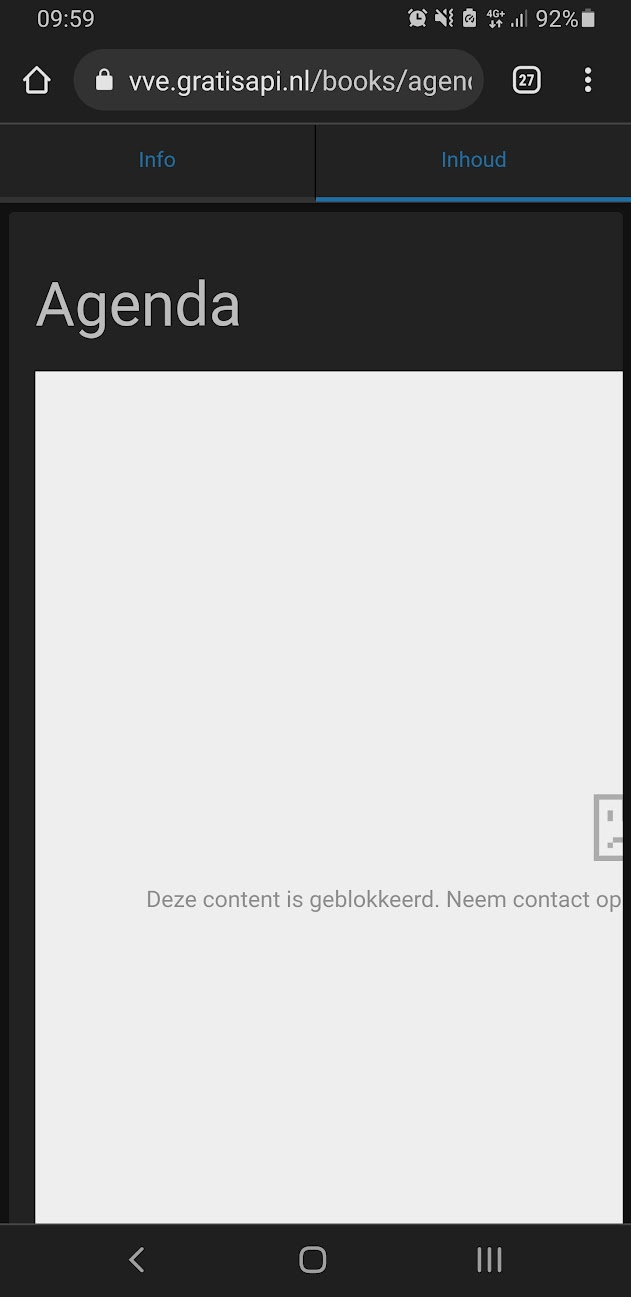
I embedded a google calendar through an iframe. I had to add the google calendar domain to ALLOWED_IFRAME_SOURCES. Now it works on desktop (Chrome, windows) but not on mobile (Chrome, android). Any idea what this might be? If not I will tak some time in the future to debug the mobile browser through debugging tools, but it's a big hassle to set up.

Desktop
image

Mobile
image

Steps to Reproduce

  1. add to ALLOWED_IFRAME_SOURCES https://calendar.google.com
  2. add a iframe to a page with google calendar
  3. visit on mobile

Expected Behaviour

To show the content of the iframe on the page on mobile

Screenshots or Additional Context

No response

Browser Details

chrome mobile

Exact BookStack Version

BookStack v22.04.2

PHP Version

No response

Hosting Environment

shared

Originally created by @thomasmoors on GitHub (Jun 14, 2022). ### Describe the Bug With the risk this is some browser specific bug. I embedded a google calendar through an iframe. I had to add the google calendar domain to `ALLOWED_IFRAME_SOURCES`. Now it works on desktop (Chrome, windows) but not on mobile (Chrome, android). Any idea what this might be? If not I will tak some time in the future to debug the mobile browser through debugging tools, but it's a big hassle to set up. Desktop ![image](https://user-images.githubusercontent.com/486765/173525359-3eab0f94-090b-46e4-aba1-9327c6197194.png) Mobile ![image](https://user-images.githubusercontent.com/486765/173525447-3a1b56cc-bb7c-4aa3-a491-3408b7fdd64c.png) ### Steps to Reproduce 1. add to `ALLOWED_IFRAME_SOURCES` https://calendar.google.com 2. add a iframe to a page with google calendar 3. visit on mobile ### Expected Behaviour To show the content of the iframe on the page on mobile ### Screenshots or Additional Context _No response_ ### Browser Details chrome mobile ### Exact BookStack Version BookStack v22.04.2 ### PHP Version _No response_ ### Hosting Environment shared
OVERLORD added the 🐛 Bug label 2026-02-05 05:27:25 +03:00
Author
Owner

@ssddanbrown commented on GitHub (Jun 14, 2022):

Hi @thomasmoors,
Does this also occur in a private/incognito window on desktop?

I have a feeling this may occur if the iframe attempts to go through the authentication process, and hence go across a different domain or go to the google accounts domain which may not allow embedding.

You could update your ALLOWED_IFRAME_SOURCES to instead contain https://*.google.com to allow all google subdomains but it may not help if it's the subdomain site itself which is preventing use within an iframe.

@ssddanbrown commented on GitHub (Jun 14, 2022): Hi @thomasmoors, Does this also occur in a private/incognito window on desktop? I have a feeling this may occur if the iframe attempts to go through the authentication process, and hence go across a different domain or go to the google accounts domain which may not allow embedding. You could update your `ALLOWED_IFRAME_SOURCES` to instead contain `https://*.google.com` to allow all google subdomains but it may not help if it's the subdomain site itself which is preventing use within an iframe.
Author
Owner

@thomasmoors commented on GitHub (Jun 15, 2022):

Adding the wildcard fixed it. Good thinking, for me it's weird the iframe behaves differently.

@thomasmoors commented on GitHub (Jun 15, 2022): Adding the wildcard fixed it. Good thinking, for me it's weird the iframe behaves differently.
Sign in to join this conversation.
1 Participants
Notifications
Due Date
No due date set.
Dependencies

No dependencies set.

Reference: starred/BookStack#2850