Google authentication #2849

Closed
opened 2026-02-05 05:27:22 +03:00 by OVERLORD · 3 comments
Owner

Originally created by @bbenson29 on GitHub (Jun 13, 2022).

Attempted Debugging

  • I have read the debugging page

Searched GitHub Issues

  • I have searched GitHub for the issue.

Describe the Scenario

Local Login works
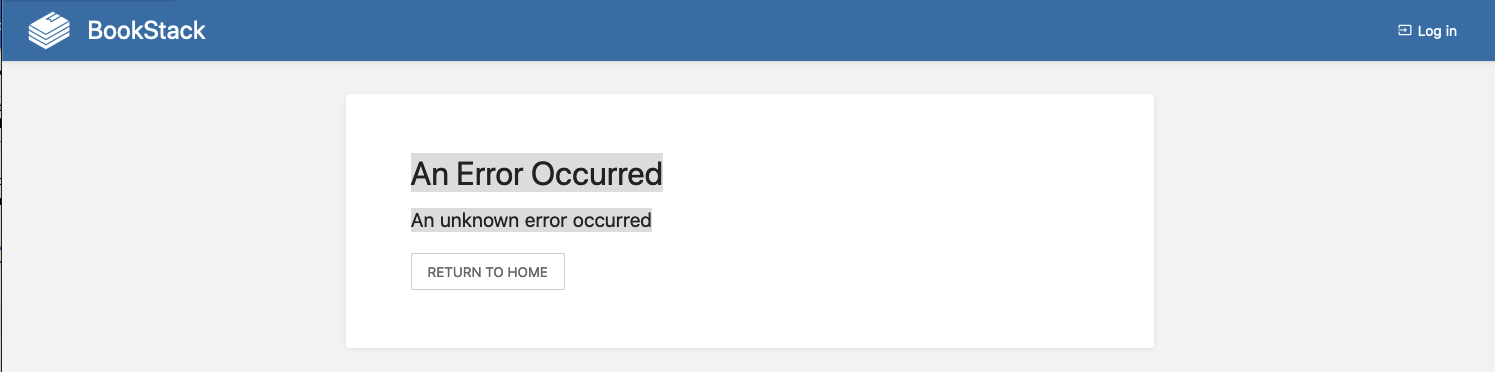
Login with a google org account doesn't seem work
Screenshot 2022-06-13 at 05 33 35

My Kubernetes yaml file

`---
apiVersion: apps/v1
kind: Deployment
metadata:
namespace: bookstack-test
name: bookstack-test
labels:
app: bookstack-test
spec:
replicas: 1
strategy:
type: Recreate
selector:
matchLabels:
app: bookstack-test
template:
metadata:
labels:
app: bookstack-test
spec:
initContainers:
- name: init-db
image: busybox:1.31
command: ['sh', '-c', 'echo -e "Checking for the availability of MySQL Server deployment"; while ! nc -z mysql 3306; do sleep 1; printf "-"; done; echo -e " >> MySQL DB Server has started";']
containers:
- name: bookstack

        image: solidnerd/bookstack:22.04.02
        ports:
        - name: http
          containerPort: 8080
        # readinessProbe:
        #   httpGet:
        #     path: /login
        #     port: 8080
        resources:
          requests:
            memory: "128Mi"
            cpu: "250m"
          limits:
            memory: "1024Mi"
            cpu: "1"
        env:
        - name: APP_NAME
          value: "IT Operations Docs"
        - name: APP_URL
          value: "https://docs-test.company.example"
        - name: ADMIN_EMAIL
          value: bob.benson@company.example
        - name: DB_HOST
          value: "mysql" 
        - name: DB_USERNAME
          value: bookstack
        - name: DB_PASSWORD
          valueFrom:
            secretKeyRef:
              name: bookstack-creds-test
              key: DB_PASSWORD
        - name: DB_DATABASE
          value: bookstack
        - name: STORAGE_TYPE
          value: s3
        - name: STORAGE_S3_BUCKET
          value: sn-bookstack-dev
        - name: STORAGE_S3_REGION
          value: eu-west-1
        - name: STORAGE_S3_KEY
          valueFrom:
            secretKeyRef:
              name: bookstack-creds-test
              key: STORAGE_S3_KEY
        - name: STORAGE_S3_SECRET
          valueFrom:
            secretKeyRef:
              name: bookstack-creds-test
              key: STORAGE_S3_SECRET
        - name: GOOGLE_APP_ID
          value: "<snip>"
        - name: GOOGLE_APP_SECRET
          valueFrom:
            secretKeyRef:
              name: bookstack-creds-test
              key: GOOGLE_APP_SECRET
        - name: GOOGLE_AUTO_REGISTER
          value: "false"
        - name: PASSWORD_LOGIN
          value: "true"
        - name: APP_DEBUG
          value: "false"
---
apiVersion: v1
kind: Service
metadata:
  namespace: bookstack-test
  name: bookstack-svc
  labels:
    app: bookstack-svc
spec:
  ports:
  - port: 8080
    targetPort: 8080
  selector:
    app: bookstack-test
  type: NodePort
---
apiVersion: networking.k8s.io/v1
kind: Ingress
metadata:
  namespace: bookstack-test
  annotations:
    alb.ingress.kubernetes.io/load-balancer-name: ingress-basics
    alb.ingress.kubernetes.io/success-codes: '200'
    alb.ingress.kubernetes.io/healthcheck-path: /login
    alb.ingress.kubernetes.io/healthcheck-protocol: HTTP 
    alb.ingress.kubernetes.io/scheme: internet-facing
    alb.ingress.kubernetes.io/healthcheck-port: traffic-port
    alb.ingress.kubernetes.io/listen-ports: '[{"HTTPS":443}, {"HTTP":80}]'
    external-dns.alpha.kubernetes.io/hostname: docs-test.company.example
    
  name: bookstack-ingress
spec:
  defaultBackend:
    service:
      name: bookstack-svc
      port:
        number: 8080                        
  ingressClassName: alb # Ingress Class
  rules:
  - host: docs-test.company.example
    http:
      paths:
      - backend:
          service:
            name: bookstack-svc
            port: 
              number: 8080
        path: /
        pathType: Prefix
    ---
    apiVersion: v1
    data:
      DB_PASSWORD: <snip>
      GOOGLE_APP_SECRET: "<snip>"
      STORAGE_S3_KEY: <snip>
      STORAGE_S3_SECRET: <snip>
    kind: Secret
    metadata:
      creationTimestamp: null
      name: bookstack-creds-test
      namespace: bookstack-test

`

Exact BookStack Version

v22.04.2

Log Content

GuzzleHttp\Exception\ClientException Client error: POST https://www.googleapis.com/oauth2/v4/tokenresulted in a401 Unauthorizedresponse: { "error": "invalid_client", "error_description": "Unauthorized" }

I have even tried using a client_id from another application which I know works.

PHP Version

No response

Hosting Environment

AWS EKS and GKE

Originally created by @bbenson29 on GitHub (Jun 13, 2022). ### Attempted Debugging - [X] I have read the debugging page ### Searched GitHub Issues - [X] I have searched GitHub for the issue. ### Describe the Scenario Local Login works Login with a google org account doesn't seem work ![Screenshot 2022-06-13 at 05 33 35](https://user-images.githubusercontent.com/11907163/173280279-4ec793f1-cdbd-4e7d-b2c1-b0d5e8a8e4ec.png) My Kubernetes yaml file `--- apiVersion: apps/v1 kind: Deployment metadata: namespace: bookstack-test name: bookstack-test labels: app: bookstack-test spec: replicas: 1 strategy: type: Recreate selector: matchLabels: app: bookstack-test template: metadata: labels: app: bookstack-test spec: initContainers: - name: init-db image: busybox:1.31 command: ['sh', '-c', 'echo -e "Checking for the availability of MySQL Server deployment"; while ! nc -z mysql 3306; do sleep 1; printf "-"; done; echo -e " >> MySQL DB Server has started";'] containers: - name: bookstack image: solidnerd/bookstack:22.04.02 ports: - name: http containerPort: 8080 # readinessProbe: # httpGet: # path: /login # port: 8080 resources: requests: memory: "128Mi" cpu: "250m" limits: memory: "1024Mi" cpu: "1" env: - name: APP_NAME value: "IT Operations Docs" - name: APP_URL value: "https://docs-test.company.example" - name: ADMIN_EMAIL value: bob.benson@company.example - name: DB_HOST value: "mysql" - name: DB_USERNAME value: bookstack - name: DB_PASSWORD valueFrom: secretKeyRef: name: bookstack-creds-test key: DB_PASSWORD - name: DB_DATABASE value: bookstack - name: STORAGE_TYPE value: s3 - name: STORAGE_S3_BUCKET value: sn-bookstack-dev - name: STORAGE_S3_REGION value: eu-west-1 - name: STORAGE_S3_KEY valueFrom: secretKeyRef: name: bookstack-creds-test key: STORAGE_S3_KEY - name: STORAGE_S3_SECRET valueFrom: secretKeyRef: name: bookstack-creds-test key: STORAGE_S3_SECRET - name: GOOGLE_APP_ID value: "<snip>" - name: GOOGLE_APP_SECRET valueFrom: secretKeyRef: name: bookstack-creds-test key: GOOGLE_APP_SECRET - name: GOOGLE_AUTO_REGISTER value: "false" - name: PASSWORD_LOGIN value: "true" - name: APP_DEBUG value: "false" --- apiVersion: v1 kind: Service metadata: namespace: bookstack-test name: bookstack-svc labels: app: bookstack-svc spec: ports: - port: 8080 targetPort: 8080 selector: app: bookstack-test type: NodePort --- apiVersion: networking.k8s.io/v1 kind: Ingress metadata: namespace: bookstack-test annotations: alb.ingress.kubernetes.io/load-balancer-name: ingress-basics alb.ingress.kubernetes.io/success-codes: '200' alb.ingress.kubernetes.io/healthcheck-path: /login alb.ingress.kubernetes.io/healthcheck-protocol: HTTP alb.ingress.kubernetes.io/scheme: internet-facing alb.ingress.kubernetes.io/healthcheck-port: traffic-port alb.ingress.kubernetes.io/listen-ports: '[{"HTTPS":443}, {"HTTP":80}]' external-dns.alpha.kubernetes.io/hostname: docs-test.company.example name: bookstack-ingress spec: defaultBackend: service: name: bookstack-svc port: number: 8080 ingressClassName: alb # Ingress Class rules: - host: docs-test.company.example http: paths: - backend: service: name: bookstack-svc port: number: 8080 path: / pathType: Prefix --- apiVersion: v1 data: DB_PASSWORD: <snip> GOOGLE_APP_SECRET: "<snip>" STORAGE_S3_KEY: <snip> STORAGE_S3_SECRET: <snip> kind: Secret metadata: creationTimestamp: null name: bookstack-creds-test namespace: bookstack-test ` ### Exact BookStack Version v22.04.2 ### Log Content `GuzzleHttp\Exception\ClientException Client error: `POST https://www.googleapis.com/oauth2/v4/token` resulted in a `401 Unauthorized` response: { "error": "invalid_client", "error_description": "Unauthorized" } ` I have even tried using a client_id from another application which I know works. ### PHP Version _No response_ ### Hosting Environment AWS EKS and GKE
OVERLORD added the 🐕 Support label 2026-02-05 05:27:22 +03:00
Author
Owner

@ssddanbrown commented on GitHub (Jun 13, 2022):

Hi @bbenson29,
I think my help may limited here as I'm not really familiar with Kubernetes environments.
Typically this will be due to invalid API ID or secrets being used.
I'm not sure though how about formatting or special characters within k8s configuration.
Any special characters in those values that could cause trouble?

@ssddanbrown commented on GitHub (Jun 13, 2022): Hi @bbenson29, I think my help may limited here as I'm not really familiar with Kubernetes environments. Typically this will be due to invalid API ID or secrets being used. I'm not sure though how about formatting or special characters within k8s configuration. Any special characters in those values that could cause trouble?
Author
Owner

@bbenson29 commented on GitHub (Jun 13, 2022):

@ssddanbrown, Thanks for responding,
I found the problem based on your reply. It was because of newlines or white spaces when encoding secrets into base64. A quick google search lead me to the following links

https://www.funkypenguin.co.nz/blog/beware-the-hidden-newlines-in-kubernetes-secrets/

https://github.com/kubernetes/kubernetes/issues/23404

Will close the issue.

@bbenson29 commented on GitHub (Jun 13, 2022): @ssddanbrown, Thanks for responding, I found the problem based on your reply. It was because of newlines or white spaces when encoding secrets into base64. A quick google search lead me to the following links https://www.funkypenguin.co.nz/blog/beware-the-hidden-newlines-in-kubernetes-secrets/ https://github.com/kubernetes/kubernetes/issues/23404 Will close the issue.
Author
Owner

@ssddanbrown commented on GitHub (Jun 13, 2022):

Ah, Happy to hear you found the cause and a solution!

@ssddanbrown commented on GitHub (Jun 13, 2022): Ah, Happy to hear you found the cause and a solution!
Sign in to join this conversation.
1 Participants
Notifications
Due Date
No due date set.
Dependencies

No dependencies set.

Reference: starred/BookStack#2849