Embed Google Slide presentation - Black screen #2796

Closed
opened 2026-02-05 05:13:47 +03:00 by OVERLORD · 2 comments
Owner

Originally created by @s0p4LiN on GitHub (May 16, 2022).

Attempted Debugging

  • I have read the debugging page

Searched GitHub Issues

  • I have searched GitHub for the issue.

Describe the Scenario

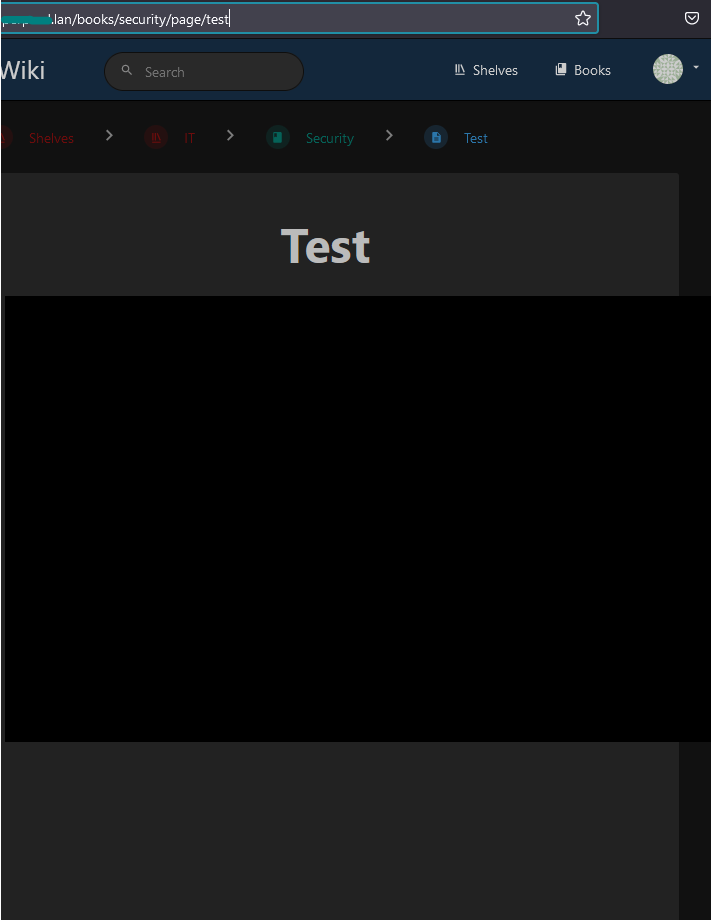
I am trying to embed Google Slide presentation on Bootstack page but it keep showing a dark screen.
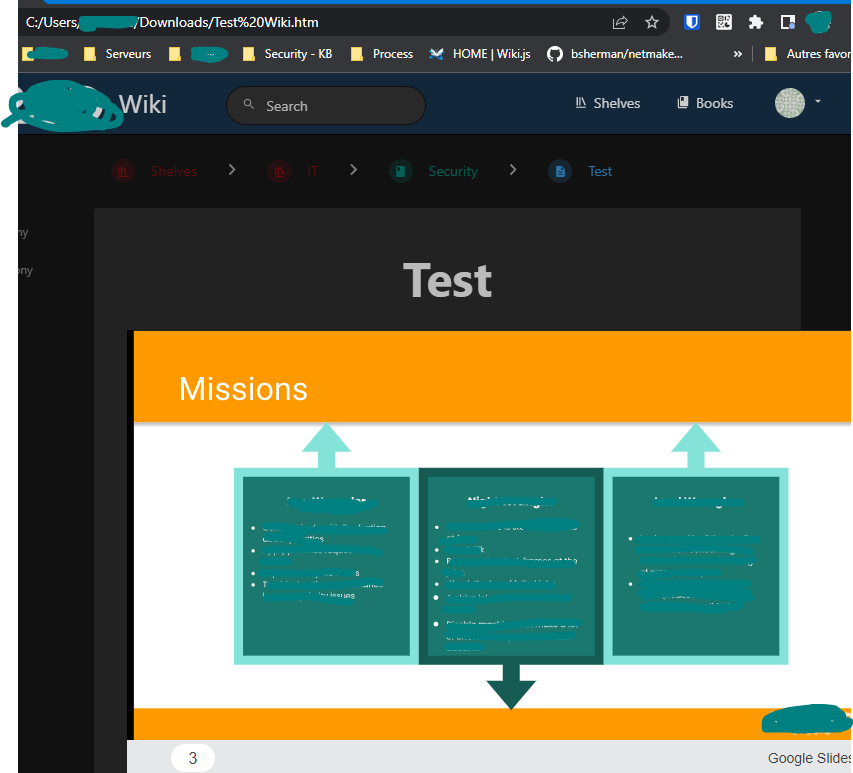
If I download the static HTML page and open it, it works.

source iframe were allowed for:

  • https://*.draw.io
  • https://*.diagrams.net
  • https://*.youtube.com
  • https://*.youtube-nocookie.com
  • https://*.vimeo.com
  • https://*.google.com

The result is like this
image

On the .html downloaded page:
image

  • Source code:

<iframe src="https://docs.google.com/presentation/d/e/2PACX-1vR5_Dnam3ZfdfefefzjdzodojdizbfioajsoansabduvauzbaiiainDqKL/embed?start=false&loop=false&delayms=3000" frameborder="0" width="960" height="569" allowfullscreen="true" mozallowfullscreen="true" webkitallowfullscreen="true"></iframe>

Is there something I need to do ?

Exact BookStack Version

4.6.1

Log Content

No response

PHP Version

No response

Hosting Environment

Ubuntu 20.04

Originally created by @s0p4LiN on GitHub (May 16, 2022). ### Attempted Debugging - [X] I have read the debugging page ### Searched GitHub Issues - [X] I have searched GitHub for the issue. ### Describe the Scenario I am trying to embed Google Slide presentation on Bootstack page but it keep showing a dark screen. If I download the static HTML page and open it, it works. source iframe were allowed for: - [https://*.draw.io](https://%2A.draw.io/) - [https://*.diagrams.net](https://%2A.diagrams.net/) - [https://*.youtube.com](https://%2A.youtube.com/) - [https://*.youtube-nocookie.com](https://%2A.youtube-nocookie.com/) - [https://*.vimeo.com](https://%2A.vimeo.com/) - [https://*.google.com](https://%2A.google.com/) The result is like this ![image](https://user-images.githubusercontent.com/68989865/168629194-c13bcfb1-8918-485f-9004-799fa82775a7.png) On the .html downloaded page: ![image](https://user-images.githubusercontent.com/68989865/168629799-2e0771e5-1f73-4290-9777-589e131b85f5.png) - Source code: `<iframe src="https://docs.google.com/presentation/d/e/2PACX-1vR5_Dnam3ZfdfefefzjdzodojdizbfioajsoansabduvauzbaiiainDqKL/embed?start=false&loop=false&delayms=3000" frameborder="0" width="960" height="569" allowfullscreen="true" mozallowfullscreen="true" webkitallowfullscreen="true"></iframe>` Is there something I need to do ? ### Exact BookStack Version 4.6.1 ### Log Content _No response_ ### PHP Version _No response_ ### Hosting Environment Ubuntu 20.04
OVERLORD added the 🐕 Support label 2026-02-05 05:13:47 +03:00
Author
Owner

@ssddanbrown commented on GitHub (May 16, 2022):

Hi @s0p4LiN,
You mentioned "source iframe were allowed for", Can you detail exactly how you allowed these sources including any configuration you have set for this.

@ssddanbrown commented on GitHub (May 16, 2022): Hi @s0p4LiN, You mentioned "source iframe were allowed for", Can you detail exactly how you allowed these sources including any configuration you have set for this.
Author
Owner

@s0p4LiN commented on GitHub (May 17, 2022):

Hello, we found the issue,

the server is still in HTTP and to embed with iframes, the host need to be in HTTPS to load HTTPS iframe.

the mediaDevice API works only with HTTPS, that is why we have the black screen

@s0p4LiN commented on GitHub (May 17, 2022): Hello, we found the issue, the server is still in HTTP and to embed with iframes, the host need to be in HTTPS to load HTTPS iframe. the mediaDevice API works only with HTTPS, that is why we have the black screen
Sign in to join this conversation.
1 Participants
Notifications
Due Date
No due date set.
Dependencies

No dependencies set.

Reference: starred/BookStack#2796