[Bug Report]: Google authentication stopped working #2521

Closed
opened 2026-02-05 04:24:30 +03:00 by OVERLORD · 5 comments
Owner

Originally created by @AvrumFeldman on GitHub (Dec 9, 2021).

Describe the Bug

I don't know when it started but got a notice from a user today that they cannot log into the bookstack instance, I tested and got the following error "An error has occurred"
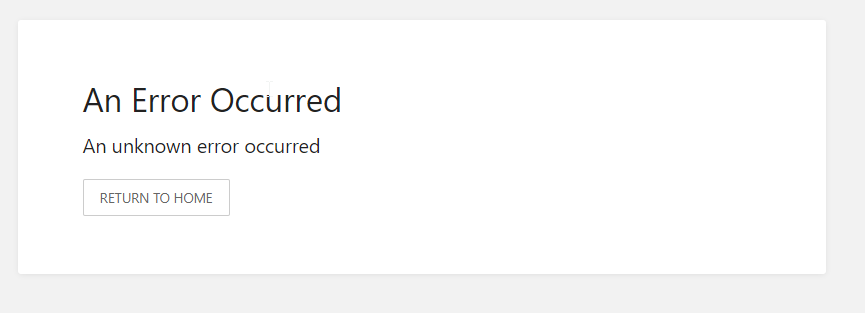
chrome_zMSmOIIobV

Local login does work.
Another bookstack instance using the same google oauth application does work, so it seems to be something specific to this instance.

My Docker compose file (removed sensitive info)

version: "2"
services:
  bookstack:
    image: linuxserver/bookstack
    container_name: bookstack
    environment:
      - TZ=America/New_York
      # container rights
      - PUID=1000
      - PGID=1000
      
      - SESSION_LIFETIME=1440
      
      # hardcoded URL for the server, required for google integration
      - APP_URL=http://bookstack.fake.com:6875
      
      # Google integrations
      - GOOGLE_APP_ID=<snip>
      - GOOGLE_APP_SECRET=<snip>
      - GOOGLE_SELECT_ACCOUNT=true
      - GOOGLE_AUTO_REGISTER=true
      - GOOGLE_AUTO_CONFIRM_EMAIL=true
      
      # DB settings
      - DB_HOST=bookstack_db
      - DB_USER=bookstack
      - DB_PASS=<snip>
      - DB_DATABASE=bookstackapp
      
      # Mail settings
      - MAIL_DRIVER=smtp
      - MAIL_FROM=<snip>
      - MAIL_FROM_NAME=<snip>
      - MAIL_HOST=<snip>
      - MAIL_PORT=<snip>
      - MAIL_USERNAME=<snip>
      - MAIL_PASSWORD=<snip>
      - MAIL_ENCRYPTION=tls
    volumes:
      - /srv/config/bookstack:/config
    ports:
      - 6875:80
    restart: unless-stopped
    depends_on:
      - bookstack_db
  bookstack_db:
    image: linuxserver/mariadb
    container_name: bookstack_db
    environment:
      - PUID=1000
      - PGID=1000
      - MYSQL_ROOT_PASSWORD=<snip>
      - TZ=America/New_York
      - MYSQL_DATABASE=<snip>
      - MYSQL_USER=<snip>
      - MYSQL_PASSWORD=<snip>
    volumes:
      - /srv/config/bookstack/DB:/config
    restart: unless-stopped

Steps to Reproduce

  1. Log in using google account using a google account,

Expected Behaviour

Login should succeed

Screenshots or Additional Context

No response

Exact BookStack Version

v21.11

PHP Version

No response

Hosting Environment

Docker image linuxserver/bookstack

Originally created by @AvrumFeldman on GitHub (Dec 9, 2021). ### Describe the Bug I don't know when it started but got a notice from a user today that they cannot log into the bookstack instance, I tested and got the following error "An error has occurred" ![chrome_zMSmOIIobV](https://user-images.githubusercontent.com/42219106/145451843-861aa2c5-f561-49e5-baf3-88b5a5714bed.png) Local login does work. Another bookstack instance using the same google oauth application does work, so it seems to be something specific to this instance. My Docker compose file (removed sensitive info) ``` version: "2" services: bookstack: image: linuxserver/bookstack container_name: bookstack environment: - TZ=America/New_York # container rights - PUID=1000 - PGID=1000 - SESSION_LIFETIME=1440 # hardcoded URL for the server, required for google integration - APP_URL=http://bookstack.fake.com:6875 # Google integrations - GOOGLE_APP_ID=<snip> - GOOGLE_APP_SECRET=<snip> - GOOGLE_SELECT_ACCOUNT=true - GOOGLE_AUTO_REGISTER=true - GOOGLE_AUTO_CONFIRM_EMAIL=true # DB settings - DB_HOST=bookstack_db - DB_USER=bookstack - DB_PASS=<snip> - DB_DATABASE=bookstackapp # Mail settings - MAIL_DRIVER=smtp - MAIL_FROM=<snip> - MAIL_FROM_NAME=<snip> - MAIL_HOST=<snip> - MAIL_PORT=<snip> - MAIL_USERNAME=<snip> - MAIL_PASSWORD=<snip> - MAIL_ENCRYPTION=tls volumes: - /srv/config/bookstack:/config ports: - 6875:80 restart: unless-stopped depends_on: - bookstack_db bookstack_db: image: linuxserver/mariadb container_name: bookstack_db environment: - PUID=1000 - PGID=1000 - MYSQL_ROOT_PASSWORD=<snip> - TZ=America/New_York - MYSQL_DATABASE=<snip> - MYSQL_USER=<snip> - MYSQL_PASSWORD=<snip> volumes: - /srv/config/bookstack/DB:/config restart: unless-stopped ``` ### Steps to Reproduce 1. Log in using google account using a google account, ### Expected Behaviour Login should succeed ### Screenshots or Additional Context _No response_ ### Exact BookStack Version v21.11 ### PHP Version _No response_ ### Hosting Environment Docker image linuxserver/bookstack
OVERLORD added the 🐛 Bug label 2026-02-05 04:24:30 +03:00
Author
Owner

@AvrumFeldman commented on GitHub (Dec 9, 2021):

Update: Starting working by itself (without me doing anything).

Question is, can we figure out what it was and if it happens in the future how to resolve it?

If you feel it's not worth your time, please feel free to close this issue.

@AvrumFeldman commented on GitHub (Dec 9, 2021): Update: Starting working by itself (without me doing anything). Question is, can we figure out what it was and if it happens in the future how to resolve it? If you feel it's not worth your time, please feel free to close this issue.
Author
Owner

@ssddanbrown commented on GitHub (Dec 10, 2021):

Hi @AvrumFeldman,
Upon that error screen, any errors will be logged to the log file. More detail can be found in our docs here:
https://www.bookstackapp.com/docs/admin/debugging/

I'm fairly certain that the linuxserver.io include the bookstack log file within the mounted /config volume you have so shouldn't need to hack into the container or anything to inspect log files.

@ssddanbrown commented on GitHub (Dec 10, 2021): Hi @AvrumFeldman, Upon that error screen, any errors will be logged to the log file. More detail can be found in our docs here: https://www.bookstackapp.com/docs/admin/debugging/ I'm fairly certain that the linuxserver.io include the bookstack log file within the mounted `/config` volume you have so shouldn't need to hack into the container or anything to inspect log files.
Author
Owner

@AvrumFeldman commented on GitHub (Dec 10, 2021):

The only error I found in the error log is the following

2021/12/09 12:58:21 [error] 406#406: *1 connect() failed (111: Connection refused) while connecting to upstream, client: My.Seconderyinternet.IP, server: _, request: "GET /login HTTP/1.1", upstream: "fastcgi://127.0.0.1:9000", host: "MyDomain.com:6875"

Only thing I can think is that this was somehow utilizing my failover internet, which is possible, but I don't understand what the application was trying to do so it's hard for me to figure out why it got a connection refused and from where.

edit: Looking at the regular logs now I see that there is a lot of utilization of my secondary ISP IP address, so I guess my loopback rule does that, but the working logs are full with that IP, so it doesn't seem like my firewall was causing the trouble.

@AvrumFeldman commented on GitHub (Dec 10, 2021): The only error I found in the error log is the following > 2021/12/09 12:58:21 [error] 406#406: *1 connect() failed (111: Connection refused) while connecting to upstream, client: *My.Seconderyinternet.IP*, server: _, request: "GET /login HTTP/1.1", upstream: "fastcgi://127.0.0.1:9000", host: "*MyDomain.com*:6875" Only thing I can think is that this was somehow utilizing my failover internet, which is possible, but I don't understand what the application was trying to do so it's hard for me to figure out why it got a connection refused and from where. edit: Looking at the regular logs now I see that there is a lot of utilization of my secondary ISP IP address, so I guess my loopback rule does that, but the working logs are full with that IP, so it doesn't seem like my firewall was causing the trouble.
Author
Owner

@ssddanbrown commented on GitHub (Dec 10, 2021):

@AvrumFeldman The provided log looks to be from a webserver log, not from BookStack.
I think that with linuxserver.io the app log, for your docker-compose above, would be at /srv/config/bookstack/www/laravel.log.

@ssddanbrown commented on GitHub (Dec 10, 2021): @AvrumFeldman The provided log looks to be from a webserver log, not from BookStack. I think that with linuxserver.io the app log, for your docker-compose above, would be at `/srv/config/bookstack/www/laravel.log`.
Author
Owner

@AvrumFeldman commented on GitHub (Dec 10, 2021):

@ssddanbrown Thanks for the pointer. So it seems it was a local network issue. DNS was failing in the container, which makes sense I was experiencing DNS issues in the morning.

For record this is the error [2021-12-09 17:55:06] production.ERROR: cURL error 6: Could not resolve host: www.googleapis.com

Thanks for your help.

@AvrumFeldman commented on GitHub (Dec 10, 2021): @ssddanbrown Thanks for the pointer. So it seems it was a local network issue. DNS was failing in the container, which makes sense I was experiencing DNS issues in the morning. For record this is the error ```[2021-12-09 17:55:06] production.ERROR: cURL error 6: Could not resolve host: www.googleapis.com``` Thanks for your help.
Sign in to join this conversation.
1 Participants
Notifications
Due Date
No due date set.
Dependencies

No dependencies set.

Reference: starred/BookStack#2521