mirror of
https://github.com/BookStackApp/BookStack.git
synced 2026-07-16 05:33:49 +03:00
Since v21.04.3 (maybe sooner) uploading images doesn't work if using S3 storage #2239

Reference in New Issue
Block a user
Delete Branch "%!s()"
Deleting a branch is permanent. Although the deleted branch may continue to exist for a short time before it actually gets removed, it CANNOT be undone in most cases. Continue?
Originally created by @diegopau on GitHub (May 10, 2021).
Describe the bug
We have been using Amazon S3 storage without issues up to version v21.04, last Friday I upgraded to v21.04.3 and we are unable to upload pictures if we use the "Insert an image" option in the editor. Attachments do work if we upload the same image from the Attachments panel. The error is "File path /updates/images/gallery/{image_name} could nto be uploaded to. Ensure it is writable to the server". The same error happens with v21.04.4
Steps To Reproduce
Steps to reproduce the behavior:
Expected behavior
It should upload to Amazon S3
Screenshots
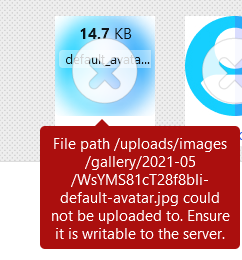
Your Configuration (please complete the following information):
Additional context
Our Amazon S3 bucket is set to public, and also we didn't touch the permissions in a while. I also didn't touch the .env file in a while.
@ssddanbrown commented on GitHub (May 10, 2021):
Hi @diegopau,
Just double checked things against my test AWS S3 bucket and all appeared to work on image upload, using BookStack v21.04.4.
composer installstep definitely complete without issues on your system? Just ensuring you've definitely got the latest AWS files.@diegopau commented on GitHub (May 10, 2021):
@ssddanbrown thanks for checking this so quickly.
I can't say for sure what was the output for compose install when upgrading to 21.04.3 but for 21.04.4 I still had it in my terminal:
I am using AWS S3 (not a compatible service).
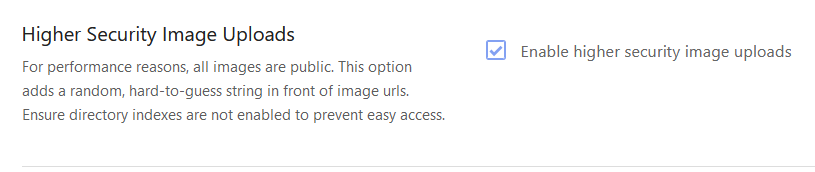
I have this option enabled:
The policy for accessing the bucket is:
so it doesn't distinguish from one folder or the other and however attachments ("files" folder) do upload correctly, images not.
It seems that the issue is on my side (since it works for you, probably for others that didn't report any issues) so I will surely investigate this a bit more on my end and report.
@ssddanbrown commented on GitHub (May 10, 2021):
@diegopau Looks like the composer install all went okay.
I did change the image upload for AWS-style storage to be upload+set-public ACL in a single action instead of doing those as two separate operations, Might have affected things but not sure why.
I did add better logging of these kind of errors when doing changes, Check your
storage/logs/laravel.logfile, Searching for lines starting withError when attempting image upload:for more details.@diegopau commented on GitHub (May 10, 2021):
@ssddanbrown
Yes, there are indeed many errors related with image upload, they all look like this:
there are also these error but probably unrelated:
@diegopau commented on GitHub (May 12, 2021):
@ssddanbrown I rolled back to 21.04.2 and it is working now. So it seems to be introduced in 21.04.3
@ssddanbrown commented on GitHub (May 13, 2021):
Okay, Looks like my presumption of (PUT Request with ACLs) being the same as (PUT Request then ACL request) was wrong. From the AWS docs:
So looks like providing the IAM policy for the connected BookStack account with
PutObjectAclpermission would work. This may break other instances though.Gets tricky, I made this change to simplify things to work better with S3-like systems that were breaking the old way. Might need to do some config sniffing and treat S3 differently to S3-like here.
@diegopau commented on GitHub (May 13, 2021):
Alright @ssddanbrown thank you for the update, this explains the 403 Forbidden responses. For now I will stay on 21.04.2 and keep an eye on this issue in case there is a change on the AWS S3 implementation.
@ssddanbrown commented on GitHub (May 15, 2021):
@diegopau I've just released v21.04.5 with a patch to change the behaviour back to that of 21.04.2 for AWS S3 usage, but with some tweaks to avoid issues for those using non-AWS S3 services.I'll therefore close this off but just shout if you still have any issues after upgrading to v21.04.5.
@diegopau commented on GitHub (May 17, 2021):
Thanks, I can confirm that all is working after upgrading to 21.04.5
@ssddanbrown commented on GitHub (May 17, 2021):
@diegopau Awesome, Thanks for confirming!
@sherpya commented on GitHub (May 19, 2021):
I suspect
c1f070a136broke local storage ffile permissions, now they are 640 instead of 644@ssddanbrown commented on GitHub (May 19, 2021):
Did yours break @sherpya? I'd have thought that in the vast majority of cases these files will be uploaded with an owner and/or group matching the server process that would be serving static files.
@sherpya commented on GitHub (May 20, 2021):
yes I use php-fpm with a dedicated user for bookstack, static files are server by nginx that runs as different user
@ssddanbrown commented on GitHub (May 21, 2021):
🤦 Thanks @sherpya for confirming and my apologies. Have opened #2758, assigned to the next patch, to cover this.