Markdown Preview Empty in v0.30.0 #1869

Closed
opened 2026-02-05 02:05:39 +03:00 by OVERLORD · 2 comments
Owner

Originally created by @MaxG-Git on GitHub (Sep 26, 2020).

Describe the bug
I have just posted an issue found here about bookstack's frontpage. Before I posted the issue I wanted to see if this was because of a bug in my current version so I decided to upgrade to BookStack v0.30.0. After my upgrade the problem still persited so I went ahead and made an issue. I have now noticed a secondary issue that has arised only after I updated to BookStack v0.30.0.

What is happening is when I go to edit the page the markdown preview is completley empty. The conent only appears if I refresh the page in the editor. I have found this is inncosistent and I cannot decipher what is causing the issue/why the issue sometimes doesn't appear. (I'd say is happening with 3/4 of the time that I edit a page)

Steps To Reproduce
Steps to reproduce the behavior:

  1. Update to BookStack v0.30.0
  2. Click on edit
  3. Preview is not loaded (sometimes)

Expected behavior
Content loads on preview page when editor is open

Screenshots
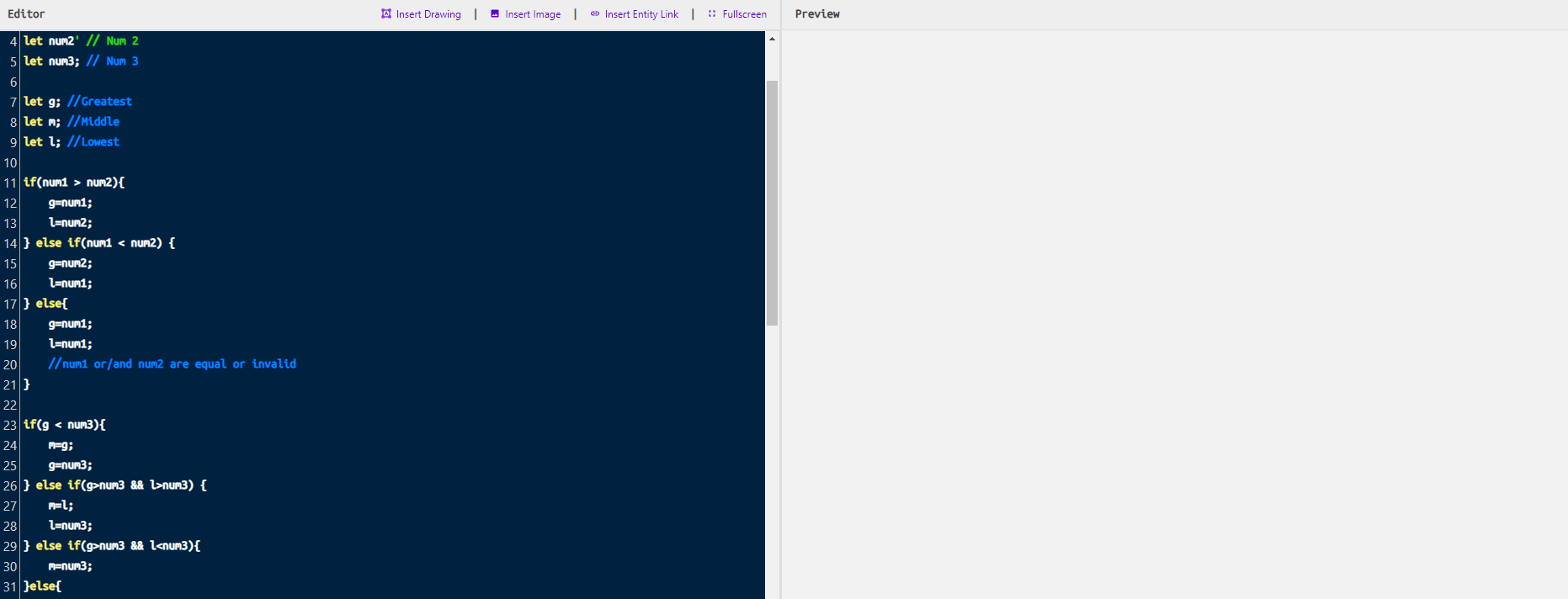
Before Refresh button (on browser) is hit:
Screenshot 2020-09-25 174247

After Refresh button (on browser) is hit:
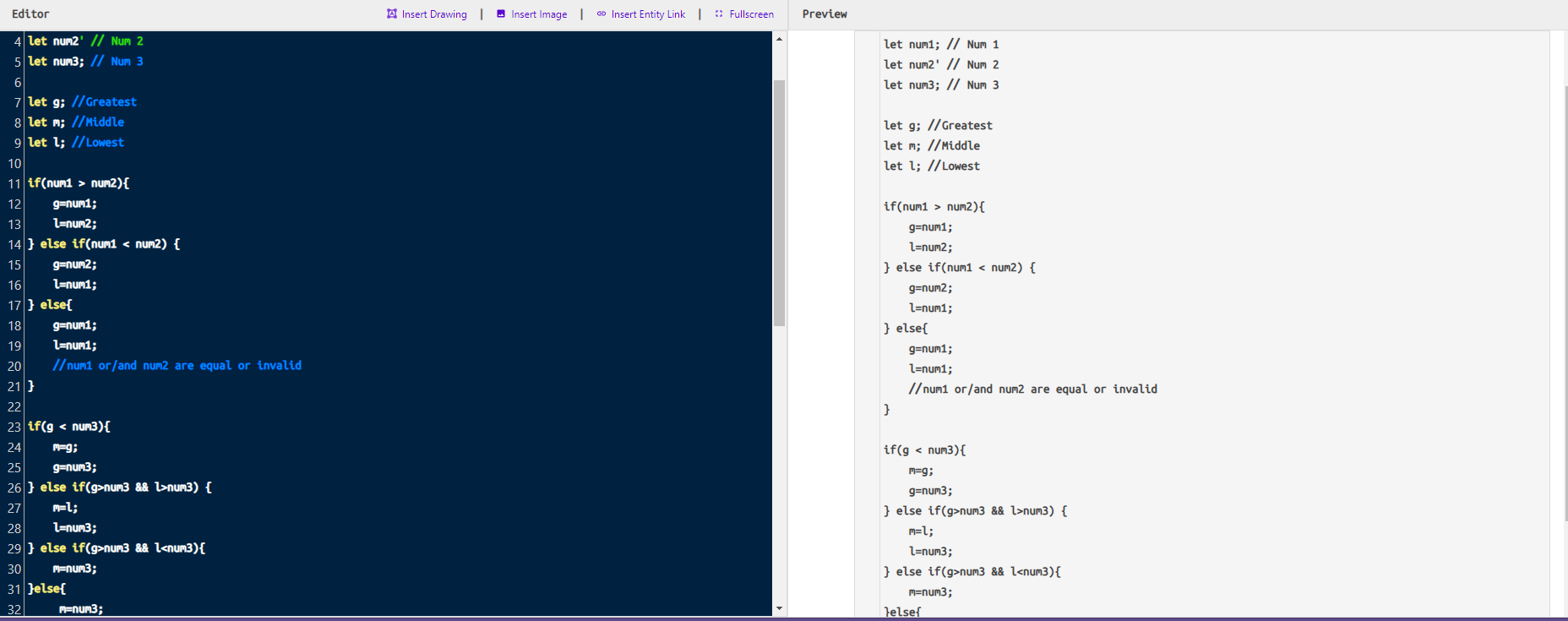
Screenshot 2020-09-25 174316
Ignore my messy example code in screenshot, just needed some content to show

Your Configuration (please complete the following information):

  • Exact BookStack Version (Found in settings): v0.30.0
  • PHP Version: 7.3.22 (cli)
  • Hosting Method (Nginx/Apache/Docker): Docker
  • Editor: Markdown
Originally created by @MaxG-Git on GitHub (Sep 26, 2020). **Describe the bug** I have just posted an issue [found here](https://github.com/BookStackApp/BookStack/issues/2279) about bookstack's frontpage. Before I posted the issue I wanted to see if this was because of a bug in my current version so I decided to upgrade to BookStack v0.30.0. After my upgrade the problem still persited so I went ahead and made an issue. I have now noticed a secondary issue that has arised only after I updated to BookStack v0.30.0. What is happening is when I go to edit the page the markdown preview is completley empty. The conent only appears if I refresh the page in the editor. I have found this is inncosistent and I cannot decipher what is causing the issue/why the issue sometimes doesn't appear. (I'd say is happening with 3/4 of the time that I edit a page) **Steps To Reproduce** Steps to reproduce the behavior: 1. Update to BookStack v0.30.0 2. Click on edit 3. Preview is not loaded (sometimes) **Expected behavior** Content loads on preview page when editor is open **Screenshots** Before Refresh button (on browser) is hit: ![Screenshot 2020-09-25 174247](https://user-images.githubusercontent.com/35358779/94318617-ec99e380-ff56-11ea-9bfd-bd3aa2f689d3.png) After Refresh button (on browser) is hit: ![Screenshot 2020-09-25 174316](https://user-images.githubusercontent.com/35358779/94318645-fb809600-ff56-11ea-96c3-0b889a9e5ab2.png) *Ignore my messy example code in screenshot, just needed some content to show* **Your Configuration (please complete the following information):** - Exact BookStack Version (Found in settings): v0.30.0 - PHP Version: 7.3.22 (cli) - Hosting Method (Nginx/Apache/Docker): Docker - Editor: Markdown
OVERLORD added the 🐛 Bug💻 Front-End labels 2026-02-05 02:05:39 +03:00
Author
Owner

@ssddanbrown commented on GitHub (Sep 26, 2020):

Thanks for reporting @MaxG-Git,
Can confirm, seems common on chrome, Could not replicate on FireFox.

@ssddanbrown commented on GitHub (Sep 26, 2020): Thanks for reporting @MaxG-Git, Can confirm, seems common on chrome, Could not replicate on FireFox.
Author
Owner

@ssddanbrown commented on GitHub (Sep 26, 2020):

Pretty sure this is now fixed in 08fbd39fcb after my testing, Will be in the next patch release.

Seemed to be a timing thing, where the iframe would actually load/reload after initial markdown display setup.
Likely exacerbated in the latest release with the removal of Vue.JS, since that would have delayed, or re-triggered, rendering. Using a src="about:blank" instead of an empty srcdoc seems to allow faster rendering and better event handling.

Also saw the markdown display was mis-aligned to the right, Fixed that while I was there.

Thanks again for reporting.

@ssddanbrown commented on GitHub (Sep 26, 2020): Pretty sure this is now fixed in 08fbd39fcbc5d6b9bdac0a119a630de13be8af0a after my testing, Will be in the next patch release. Seemed to be a timing thing, where the iframe would actually load/reload after initial markdown display setup. Likely exacerbated in the latest release with the removal of Vue.JS, since that would have delayed, or re-triggered, rendering. Using a `src="about:blank"` instead of an empty `srcdoc` seems to allow faster rendering and better event handling. Also saw the markdown display was mis-aligned to the right, Fixed that while I was there. Thanks again for reporting.
Sign in to join this conversation.
1 Participants
Notifications
Due Date
No due date set.
Dependencies

No dependencies set.

Reference: starred/BookStack#1869