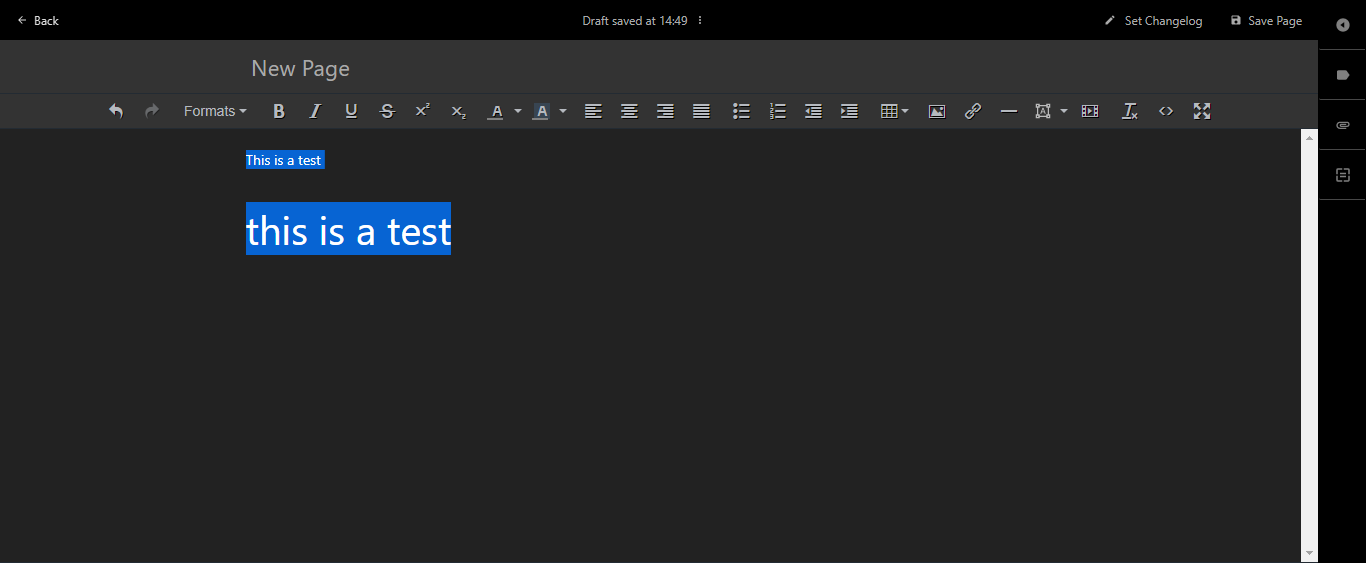
Using the WYSIWYG with dark mode enabled is impossible. #1836

Closed
opened 2026-02-05 02:01:02 +03:00 by OVERLORD · 2 comments
Owner

Originally created by @nickolasdeluca on GitHub (Aug 31, 2020).

Describe the bug
After I updated to v29, I have the dark mode option to be enabled, which I obviously did.

But when I enable dark mode, the WYSIWYG editor is useless.

Steps To Reproduce
Steps to reproduce the behavior:

  1. Enable dark mode.
  2. Set the editor to WYSIWYG.
  3. Create a page and try to use Headers and other formats, they don't show up properly.

Expected behavior
I believe that we should either disable dark mode for the WYSIWYG editor panel or adjust the dark mode to work better with WYSIWYG formats.

Screenshots
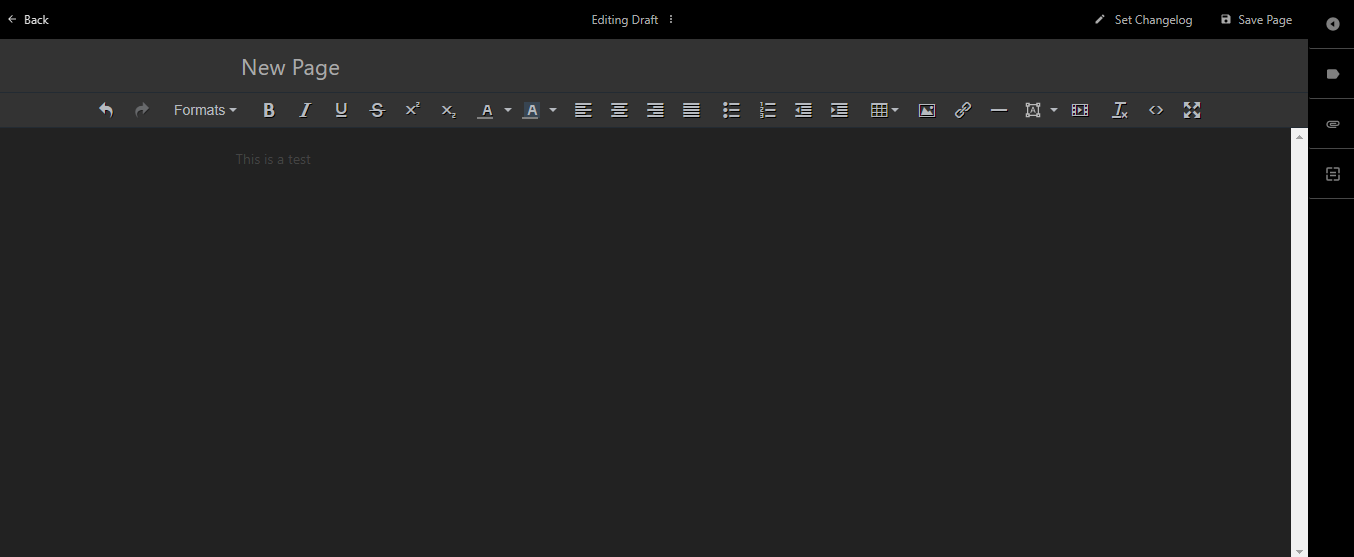
bug-01
bug-02
bug-03

Your Configuration (please complete the following information):

  • Exact BookStack Version (Found in settings):
    v0.29.3
  • PHP Version:
PHP 7.4.9 (cli) (built: Aug  7 2020 14:29:10) ( NTS )
Copyright (c) The PHP Group
Zend Engine v3.4.0, Copyright (c) Zend Technologies
    with Zend OPcache v7.4.9, Copyright (c), by Zend Technologies
  • Hosting Method (Nginx/Apache/Docker):
    Nginx
Originally created by @nickolasdeluca on GitHub (Aug 31, 2020). **Describe the bug** After I updated to v29, I have the dark mode option to be enabled, which I obviously did. But when I enable dark mode, the WYSIWYG editor is useless. **Steps To Reproduce** Steps to reproduce the behavior: 1. Enable dark mode. 2. Set the editor to WYSIWYG. 3. Create a page and try to use Headers and other formats, they don't show up properly. **Expected behavior** I believe that we should either disable dark mode for the WYSIWYG editor panel or adjust the dark mode to work better with WYSIWYG formats. **Screenshots** ![bug-01](https://user-images.githubusercontent.com/17858166/91750843-27983980-eb9a-11ea-832a-95ccf386a2d0.png) ![bug-02](https://user-images.githubusercontent.com/17858166/91750845-28c96680-eb9a-11ea-8a87-672488a622dd.png) ![bug-03](https://user-images.githubusercontent.com/17858166/91750848-28c96680-eb9a-11ea-82c3-35f9a7c3150d.png) **Your Configuration (please complete the following information):** - Exact BookStack Version (Found in settings): `v0.29.3` - PHP Version: ``` PHP 7.4.9 (cli) (built: Aug 7 2020 14:29:10) ( NTS ) Copyright (c) The PHP Group Zend Engine v3.4.0, Copyright (c) Zend Technologies with Zend OPcache v7.4.9, Copyright (c), by Zend Technologies ``` - Hosting Method (Nginx/Apache/Docker): `Nginx`
OVERLORD added the 🐕 Support label 2026-02-05 02:01:02 +03:00
Author
Owner

@ssddanbrown commented on GitHub (Sep 5, 2020):

Hi @nickolasdeluca,
This would usually indicate an issue with your instance. Dark mode should be usable in editor.
You can use the demo instance as an example of how it should look: https://demo.bookstackapp.com/books/bookstack-user-guide/page/logging-in-to-the-demo-site

It'll probably be worth reading through this issue where a similar problem was encountered:
https://github.com/BookStackApp/BookStack/issues/2201

@ssddanbrown commented on GitHub (Sep 5, 2020): Hi @nickolasdeluca, This would usually indicate an issue with your instance. Dark mode should be usable in editor. You can use the demo instance as an example of how it should look: https://demo.bookstackapp.com/books/bookstack-user-guide/page/logging-in-to-the-demo-site It'll probably be worth reading through this issue where a similar problem was encountered: https://github.com/BookStackApp/BookStack/issues/2201
Author
Owner

@nickolasdeluca commented on GitHub (Sep 8, 2020):

Ok, somehow this fixed the issue...
But I'm curious since we don't use bookstack behind a proxy... is APP_URL always needed?
We've never set this env var before...

@nickolasdeluca commented on GitHub (Sep 8, 2020): Ok, somehow this fixed the issue... But I'm curious since we don't use bookstack behind a proxy... is `APP_URL` always needed? We've never set this env var before...
Sign in to join this conversation.
1 Participants
Notifications
Due Date
No due date set.
Dependencies

No dependencies set.

Reference: starred/BookStack#1836