help with LDAP Authentication after update Malformed UTF-8 #1588

Closed
opened 2026-02-05 01:20:48 +03:00 by OVERLORD · 7 comments
Owner

Originally created by @nitalr on GitHub (Mar 16, 2020).

after updating bookstack to 0.28.3 users are unable to connect with LDAP Authentication after some troubleshoot

when a user is login bookstack creates a new user with special character as bind
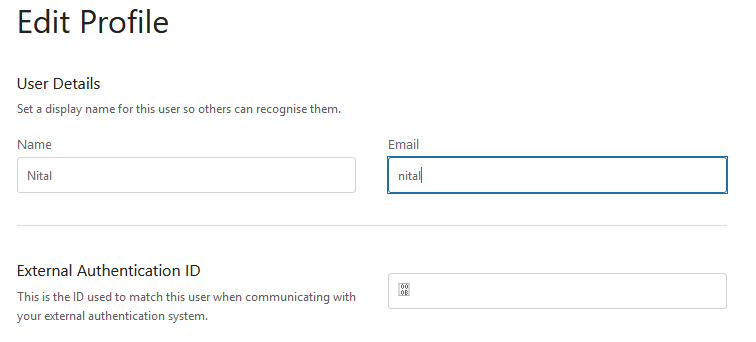
image

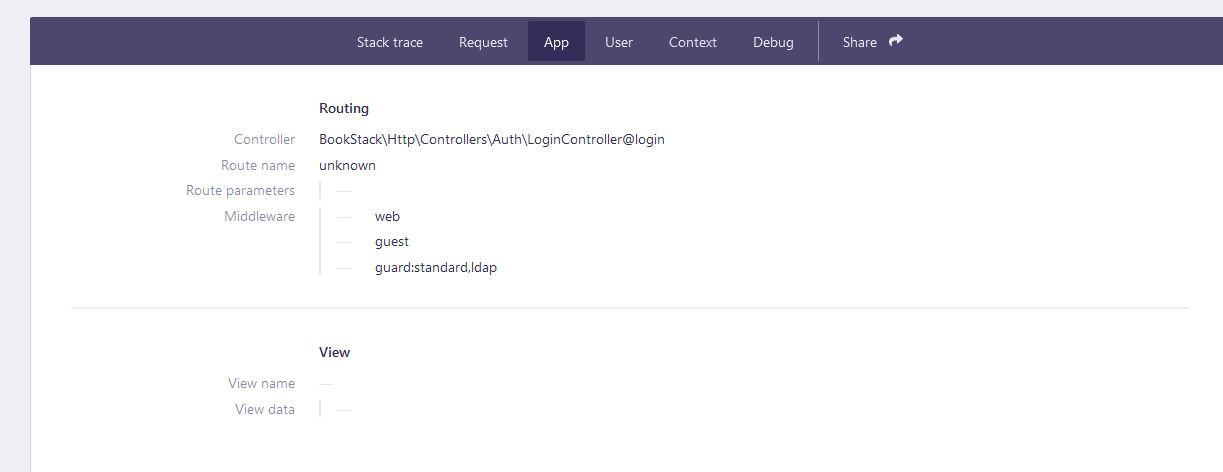
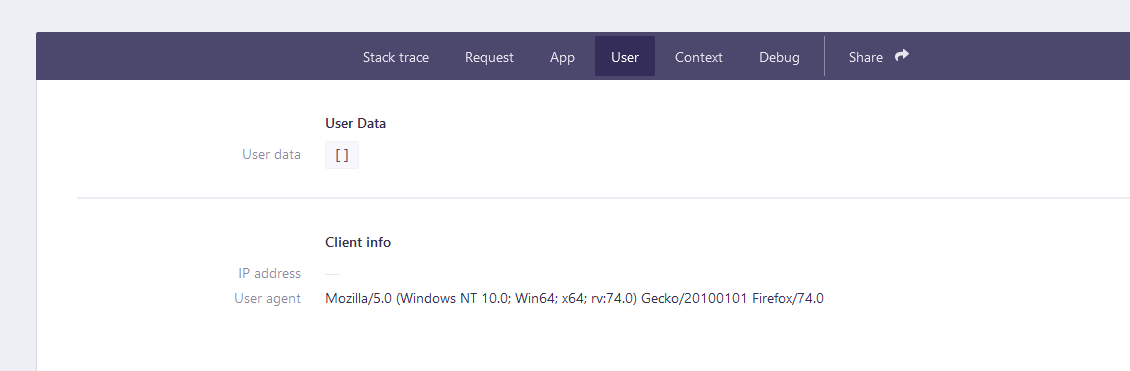
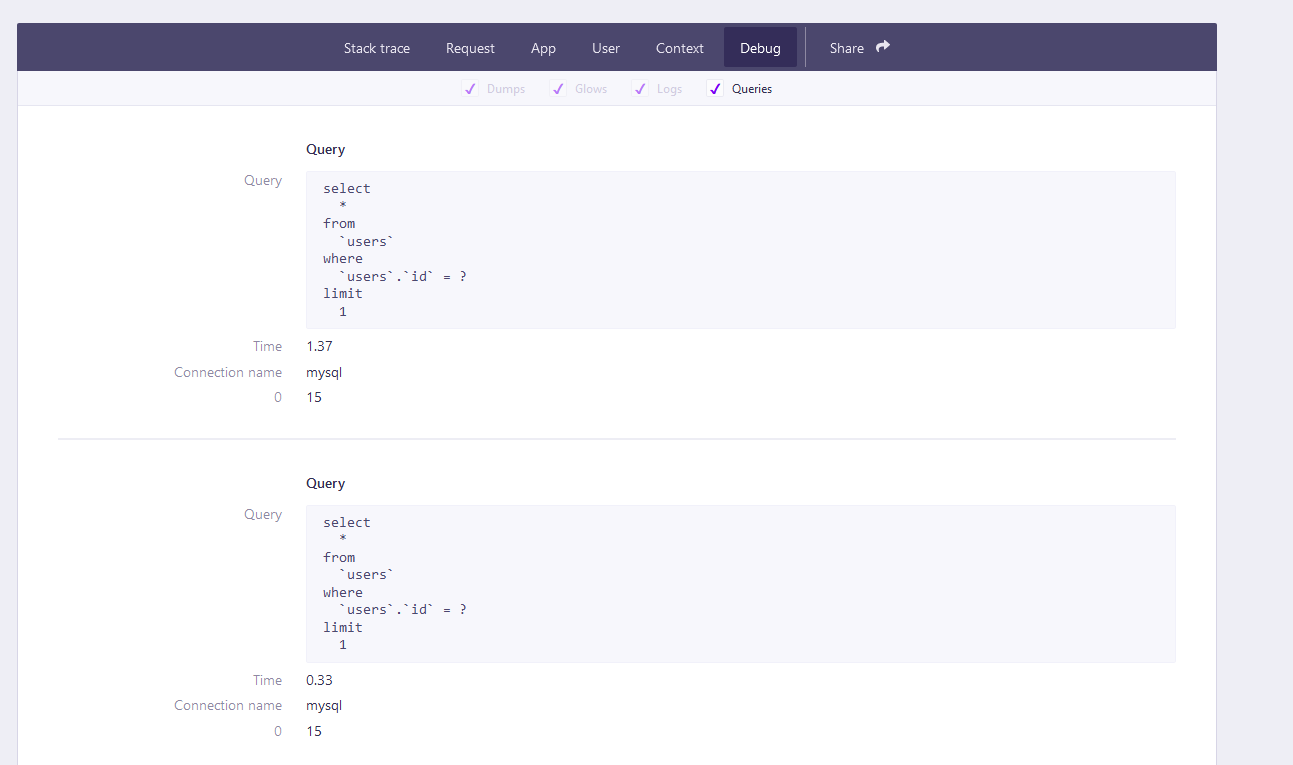
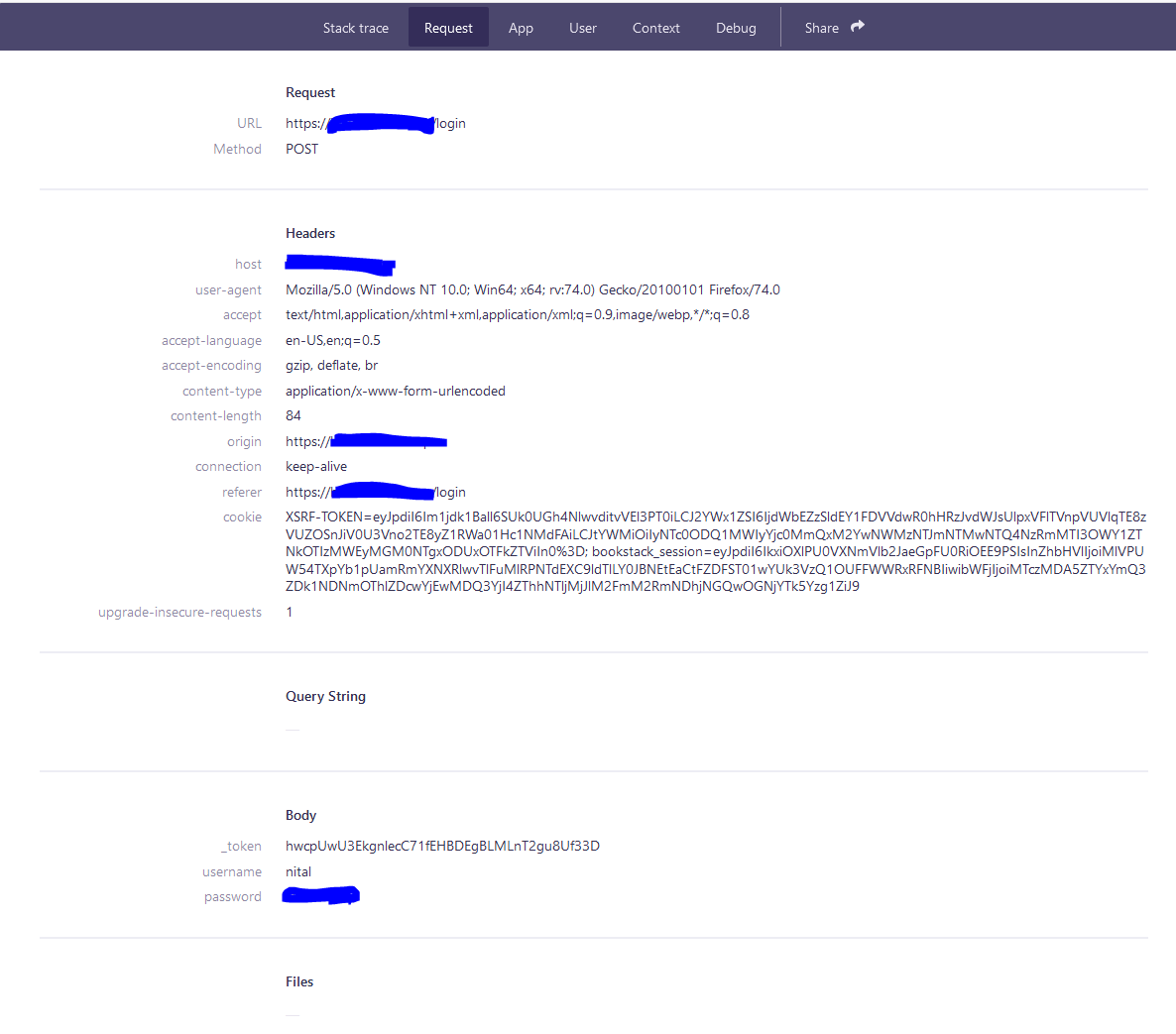
when i enable the debug (with debug enable and LDAP_DUMP_USER_DETAILS=true) i receive:
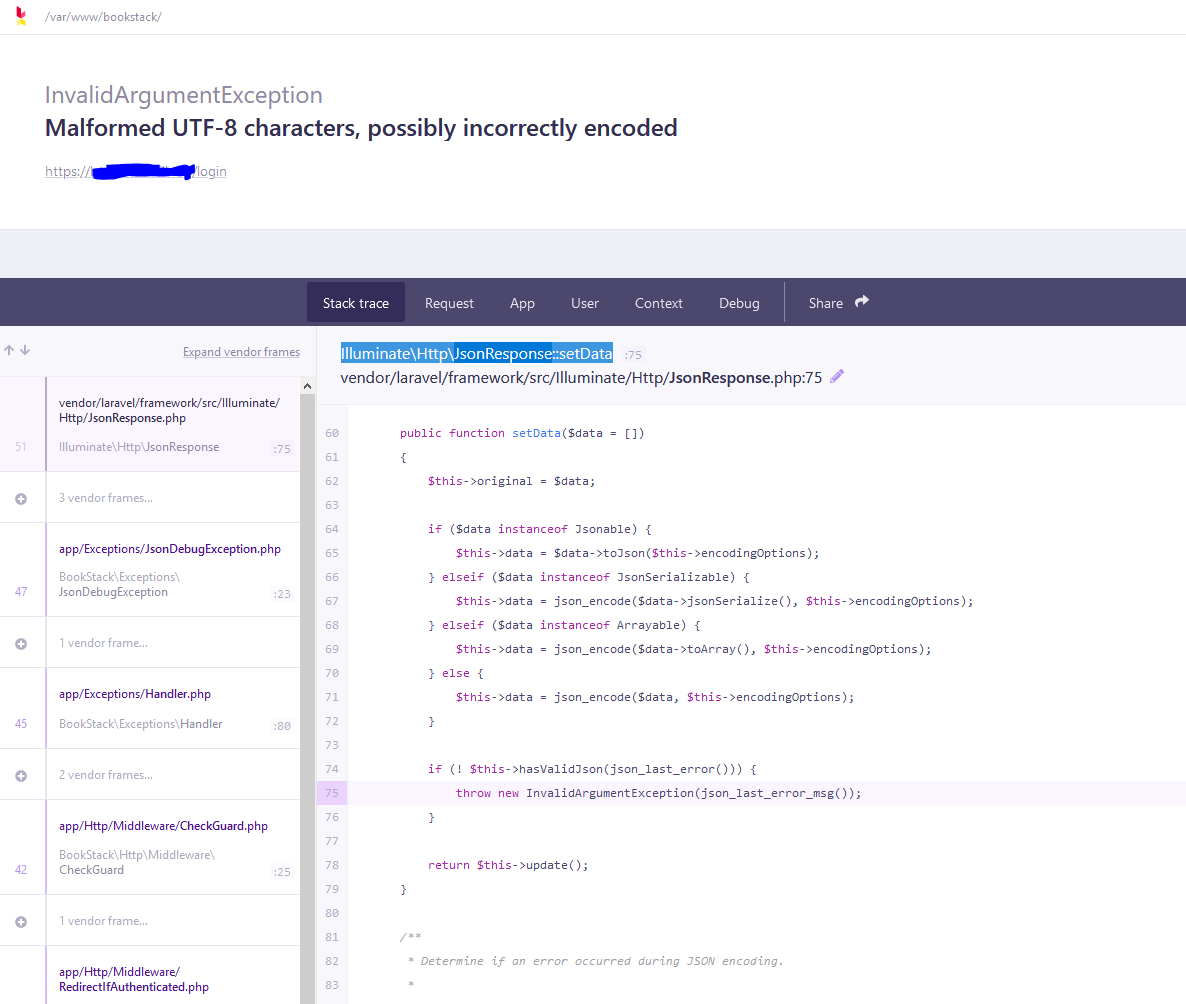
InvalidArgumentException
Malformed UTF-8 characters, possibly incorrectly encoded
image
image
image
image
image
image
the server is in a close network

if you need more information just tell me what to get...

  • Exact BookStack Version 0.28.3
  • PHP Version: 7.4
  • Hosting Method : Apache

it is important to note everything worked before with this config just in an old version

Originally created by @nitalr on GitHub (Mar 16, 2020). after updating bookstack to 0.28.3 users are unable to connect with LDAP Authentication after some troubleshoot when a user is login bookstack creates a new user with special character as bind ![image](https://user-images.githubusercontent.com/62211591/76739527-fc00ce80-6774-11ea-9583-fe645b467925.png) when i enable the debug (with debug enable and LDAP_DUMP_USER_DETAILS=true) i receive: InvalidArgumentException Malformed UTF-8 characters, possibly incorrectly encoded ![image](https://user-images.githubusercontent.com/62211591/76739899-9d882000-6775-11ea-9ed9-d261f79dc063.png) ![image](https://user-images.githubusercontent.com/62211591/76739990-c7d9dd80-6775-11ea-92a9-d530e89f0837.png) ![image](https://user-images.githubusercontent.com/62211591/76740027-db854400-6775-11ea-931e-634ed869b814.png) ![image](https://user-images.githubusercontent.com/62211591/76740052-e7710600-6775-11ea-9ce1-5e5595462ec5.png) ![image](https://user-images.githubusercontent.com/62211591/76740078-f35cc800-6775-11ea-88cf-70bf8694372f.png) ![image](https://user-images.githubusercontent.com/62211591/76740098-fbb50300-6775-11ea-91da-e53e4f83a50a.png) the server is in a close network if you need more information just tell me what to get... - Exact BookStack Version 0.28.3 - PHP Version: 7.4 - Hosting Method : Apache it is important to note everything worked before with this config just in an old version
Author
Owner

@ssddanbrown commented on GitHub (Mar 16, 2020):

Hi @nitalr,
Apologies that you are experiencing issues. Do you know what version you were on before?

Could you try setting:

LDAP_VERSION=3

in your .env file? To see if that solves the issue?

@ssddanbrown commented on GitHub (Mar 16, 2020): Hi @nitalr, Apologies that you are experiencing issues. Do you know what version you were on before? Could you try setting: ```bash LDAP_VERSION=3 ``` in your `.env` file? To see if that solves the issue?
Author
Owner

@nitalr commented on GitHub (Mar 16, 2020):

Hi
the version was 0.26.4
and the LDAP Config is already have LDAP_VERSION=3 setting
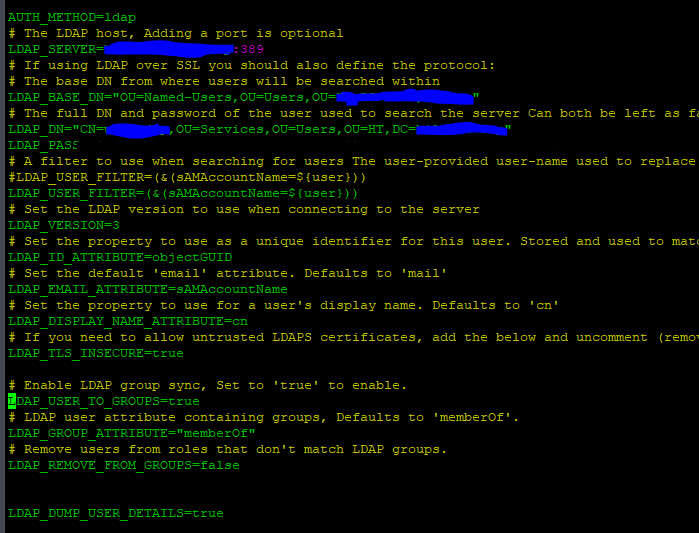
i am attaching the configuration of LDAP in .env file
image

@nitalr commented on GitHub (Mar 16, 2020): Hi the version was 0.26.4 and the LDAP Config is already have LDAP_VERSION=3 setting i am attaching the configuration of LDAP in .env file ![image](https://user-images.githubusercontent.com/62211591/76771559-346dd000-67a8-11ea-8982-069d81581193.png)
Author
Owner

@ssddanbrown commented on GitHub (Mar 17, 2020):

@nitalr Hmm, Was the addition of the LDAP_ID_ATTRIBUTE option recent? As far as I can remember, That has only been supported since v0.28.0. I'm assuming you're using AD?

AD provides this attribute in binary format, which can cause issues when stored.
We added support for decoding these to hex in v0.28.1/v0.28.2, So you can define the option like so:

LDAP_ID_ATTRIBUTE=BIN;objectGUID

Note, a change in the id attribute can cause existing matched users to become mis-matched. You'd need to update the External Authentication ID field for all existing users that have logged in with AD before, to allow them to continue use of their old accounts.

@ssddanbrown commented on GitHub (Mar 17, 2020): @nitalr Hmm, Was the addition of the `LDAP_ID_ATTRIBUTE` option recent? As far as I can remember, That has only been supported since v0.28.0. I'm assuming you're using AD? AD provides this attribute in binary format, which can cause issues when stored. We added support for decoding these to hex in v0.28.1/v0.28.2, So you can define the option like so: ```shell LDAP_ID_ATTRIBUTE=BIN;objectGUID ``` Note, a change in the id attribute can cause existing matched users to become mis-matched. You'd need to update the `External Authentication ID` field for all existing users that have logged in with AD before, to allow them to continue use of their old accounts.
Author
Owner

@nitalr commented on GitHub (Mar 17, 2020):

the LDAP integration in very recent (2 months) and based on the tutorial in the site so it is possible that the config file had more then what is needed
LDAP_ID_ATTRIBUTE=BIN;objectGUID
fix the problem of decoding and it did change the format of External Authentication ID

thanks !

@nitalr commented on GitHub (Mar 17, 2020): the LDAP integration in very recent (2 months) and based on the tutorial in the site so it is possible that the config file had more then what is needed `LDAP_ID_ATTRIBUTE=BIN;objectGUID` fix the problem of decoding and it did change the format of External Authentication ID thanks !
Author
Owner

@rocnetBinarian commented on GitHub (Mar 26, 2020):

I also have this problem on a fresh install (using the ubuntu script) of Bookstack version v0.28.3. However, in my case, I already had LDAP_ID_ATTRIBUTE=BIN;objectGUID.

Here's the relevant part of the .env (heavily edited for security's sake):

AUTH_METHOD=ldap

LDAP_SERVER=192.168.50.5:389
LDAP_BASE_DN=ou=users,dc=example,dc=com
LDAP_DN=test@example.com
LDAP_PASS='test one test two'

LDAP_USER_FILTER=(&(sAMAccountName=${user}))
LDAP_VERSION=3

LDAP_ID_ATTRIBUTE=BIN;objectGUID
LDAP_EMAIL_ATTRIBUTE=mail
LDAP_DISPLAY_NAME_ATTRIBUTE=cn

LDAP_USER_TO_GROUPS=true
LDAP_GROUP_ATTRIBUTE="memberOf"
LDAP_REMOVE_FROM_GROUPS=false

LDAP_DUMP_USER_DETAILS=true

The error thrown is the same as described above, and happens when logging in from the main login prompt. The user logging in did not have a previous account.

One possible hint: the AD server in use is...old. Is it possible LDAP_VERSION needs to be something other than 3?

@rocnetBinarian commented on GitHub (Mar 26, 2020): I also have this problem on a fresh install (using the ubuntu script) of Bookstack version v0.28.3. However, in my case, I _already_ had `LDAP_ID_ATTRIBUTE=BIN;objectGUID`. Here's the relevant part of the .env (heavily edited for security's sake): ``` AUTH_METHOD=ldap LDAP_SERVER=192.168.50.5:389 LDAP_BASE_DN=ou=users,dc=example,dc=com LDAP_DN=test@example.com LDAP_PASS='test one test two' LDAP_USER_FILTER=(&(sAMAccountName=${user})) LDAP_VERSION=3 LDAP_ID_ATTRIBUTE=BIN;objectGUID LDAP_EMAIL_ATTRIBUTE=mail LDAP_DISPLAY_NAME_ATTRIBUTE=cn LDAP_USER_TO_GROUPS=true LDAP_GROUP_ATTRIBUTE="memberOf" LDAP_REMOVE_FROM_GROUPS=false LDAP_DUMP_USER_DETAILS=true ``` The error thrown is the same as described above, and happens when logging in from the main login prompt. The user logging in did not have a previous account. One possible hint: the AD server in use is...old. Is it possible LDAP_VERSION needs to be something other than 3?
Author
Owner

@ssddanbrown commented on GitHub (Mar 27, 2020):

Hi @rocnetBinarian,
Please could you let me know what happens when you set LDAP_DUMP_USER_DETAILS=false in your .env file?

Also, It'll probably be worth opening a new issue here on GitHub, specific to your case since this one is closed.

@ssddanbrown commented on GitHub (Mar 27, 2020): Hi @rocnetBinarian, Please could you let me know what happens when you set `LDAP_DUMP_USER_DETAILS=false` in your `.env` file? Also, It'll probably be worth opening a new issue here on GitHub, specific to your case since this one is closed.
Author
Owner

@labratm commented on GitHub (Jan 14, 2022):

I had this problem and it was because i had LDAP_DUMP_USER_DETAILS=true
commenting that out fixed it. thanks

@labratm commented on GitHub (Jan 14, 2022): I had this problem and it was because i had LDAP_DUMP_USER_DETAILS=true commenting that out fixed it. thanks
Sign in to join this conversation.
1 Participants
Notifications
Due Date
No due date set.
Dependencies

No dependencies set.

Reference: starred/BookStack#1588