Changing permissions of a shelf, book etc to public #1323

Closed
opened 2026-02-05 00:36:40 +03:00 by OVERLORD · 3 comments
Owner

Originally created by @hahmed09 on GitHub (Aug 28, 2019).

Hey! Great app!

I wanted to see if below use case can implemented in the app currently.

  1. Users use the app as their personal wiki, they can create any content but its not viewable to anybody
  2. They will need to collect feedback from other users from time to time. For this they will need to share their shelf, book, page etc with them. These other users are also on the bookstack platform, doing use case 1.
  3. Some items can allow comments, some not.

Are the above 3 use cases possible? if yes, how?

From what I understand, and pardon my lack of depth!

  • 1 can be done by creating a role with the below privileges
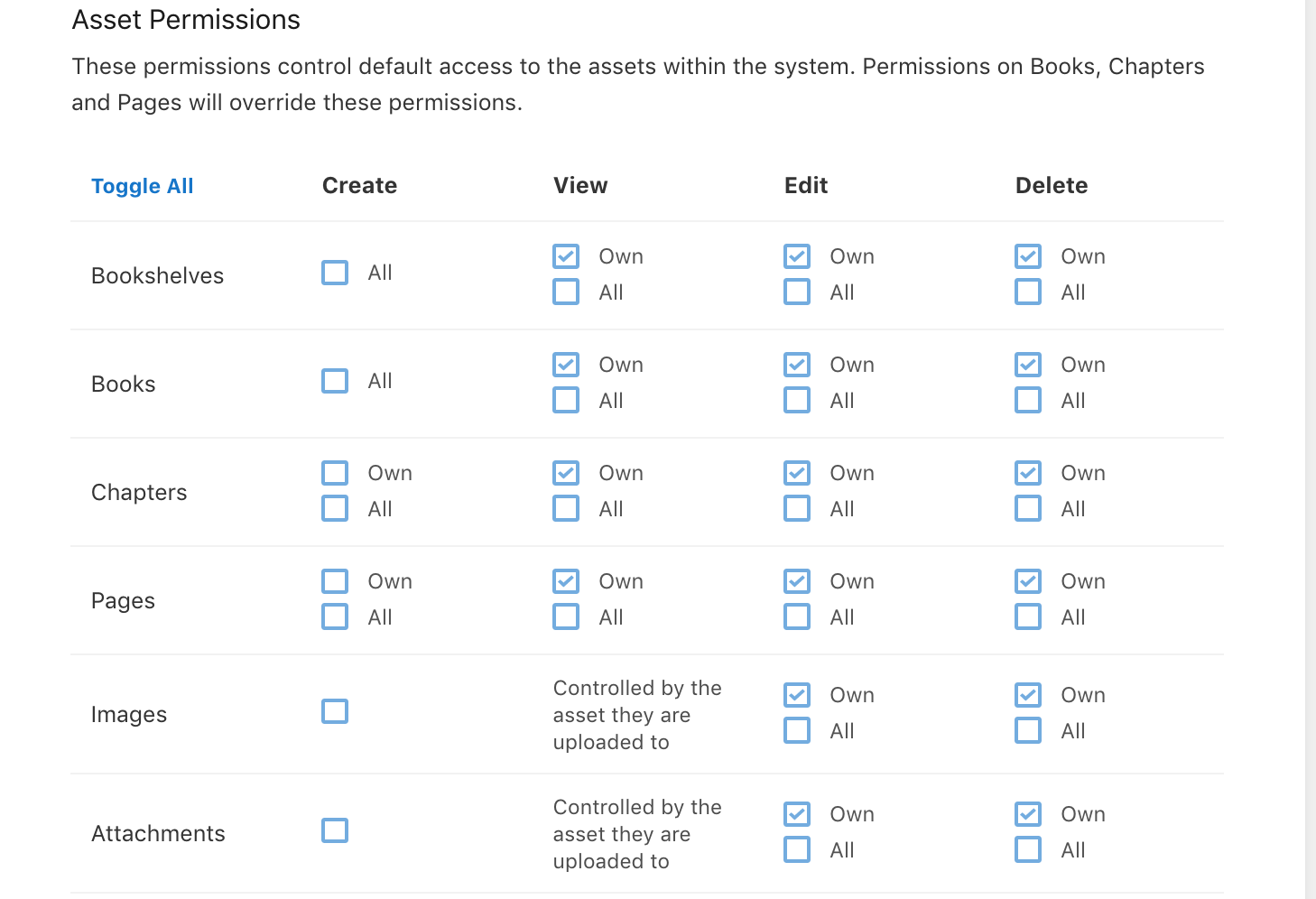
    Screen Shot 2019-08-28 at 20 05 52

  • 2 can be done by changing the permissions for role: Public to 'View'. By doing so the user can share the url with anybody and they will be to see it. Question: How will they see the content? will it start showing up amongst their shelves, book etc.. or it will be an entirely separate thing? Plus, if they make a shelf open for public view, then all content under it adapts the same properties or they need to do one by one?

Thanks a lot for the help!

Originally created by @hahmed09 on GitHub (Aug 28, 2019). Hey! Great app! I wanted to see if below use case can implemented in the app currently. 1. Users use the app as their personal wiki, they can create any content but its not viewable to anybody 2. They will need to collect feedback from other users from time to time. For this they will need to share their shelf, book, page etc with them. These other users are also on the bookstack platform, doing use case 1. 3. Some items can allow comments, some not. Are the above 3 use cases possible? if yes, how? From what I understand, and pardon my lack of depth! - 1 can be done by creating a role with the below privileges <img width="729" alt="Screen Shot 2019-08-28 at 20 05 52" src="https://user-images.githubusercontent.com/49093500/63872782-661b7700-c9cf-11e9-8918-f3ca3db49661.png"> - 2 can be done by changing the permissions for role: Public to 'View'. By doing so the user can share the url with anybody and they will be to see it. Question: How will they see the content? will it start showing up amongst their shelves, book etc.. or it will be an entirely separate thing? Plus, if they make a shelf open for public view, then all content under it adapts the same properties or they need to do one by one? Thanks a lot for the help!
Author
Owner

@mmteyrek commented on GitHub (Aug 30, 2019):

Hello,
I asked for the same feature #1610.

@mmteyrek commented on GitHub (Aug 30, 2019): Hello, I asked for the same feature #1610.
Author
Owner

@ssddanbrown commented on GitHub (Sep 1, 2019):

Hi @hahmed09,

In regards to comments, These can only be controlled globally or at a role-based level, Not per-item.

In regards to how permissions affect child items:

  • Shelve permissions do not affect child books, Although there is an action available to copy the shelve permissions to all books within.
  • Book permission also apply to all chapters and pages within UNLESS those chapters or pages have their own permissions, in which case the chapter/page permissions take priority.
  • Chapter permissions apply to all pages within UNLESS those pages have their own permissions.

Content made visible via permissions will show up normal as per any other item in the system, There is no 'shared' list or anything like that. Note that in some cases, such as when a page is visible but the parent book is not, discoverability may be effected for that item.

@ssddanbrown commented on GitHub (Sep 1, 2019): Hi @hahmed09, In regards to comments, These can only be controlled globally or at a role-based level, Not per-item. In regards to how permissions affect child items: * Shelve permissions do not affect child books, Although there is an action available to copy the shelve permissions to all books within. * Book permission also apply to all chapters and pages within UNLESS those chapters or pages have their own permissions, in which case the chapter/page permissions take priority. * Chapter permissions apply to all pages within UNLESS those pages have their own permissions. Content made visible via permissions will show up normal as per any other item in the system, There is no 'shared' list or anything like that. Note that in some cases, such as when a page is visible but the parent book is not, discoverability may be effected for that item.
Author
Owner

@hahmed09 commented on GitHub (Sep 21, 2019):

Thanks man, very helpful

@hahmed09 commented on GitHub (Sep 21, 2019): Thanks man, very helpful
Sign in to join this conversation.
1 Participants
Notifications
Due Date
No due date set.
Dependencies

No dependencies set.

Reference: starred/BookStack#1323