Fresh Install - Display Issue #1221

Closed
opened 2026-02-05 00:17:33 +03:00 by OVERLORD · 5 comments
Owner

Originally created by @zSolo on GitHub (Jun 7, 2019).

Fresh install of the product ( Installed twice over just incase) Cant seem to get the website to display correctly.

Running on IIS 8 / PHP 7 Locally / DB on AWS

Error

Any help is appreciated

Edit: This is what i get in Dev Mode on Chrome:

Error2

Originally created by @zSolo on GitHub (Jun 7, 2019). Fresh install of the product ( Installed twice over just incase) Cant seem to get the website to display correctly. Running on IIS 8 / PHP 7 Locally / DB on AWS ![Error](https://user-images.githubusercontent.com/23033460/59124607-2abc5f80-892e-11e9-864f-fb96d7fc8f12.jpg) Any help is appreciated Edit: This is what i get in Dev Mode on Chrome: ![Error2](https://user-images.githubusercontent.com/23033460/59133611-95799500-8946-11e9-9fc6-e43ed48bde06.png)
Author
Owner

@ghost commented on GitHub (Jun 10, 2019):

Same picture here. But the cause is different. Bookstack is running behind Traefik SSL reverse proxy. Chrome says:

Mixed Content: The page at 'https://XXX.com/login' was loaded over HTTPS, but requested an insecure stylesheet 'http://XXX.com/dist/styles.css?version=v0.26.2'. This request has been blocked; the content must be served over HTTPS.

@ghost commented on GitHub (Jun 10, 2019): Same picture here. But the cause is different. Bookstack is running behind Traefik SSL reverse proxy. Chrome says: `Mixed Content: The page at 'https://XXX.com/login' was loaded over HTTPS, but requested an insecure stylesheet 'http://XXX.com/dist/styles.css?version=v0.26.2'. This request has been blocked; the content must be served over HTTPS.`
Author
Owner

@zSolo commented on GitHub (Jun 10, 2019):

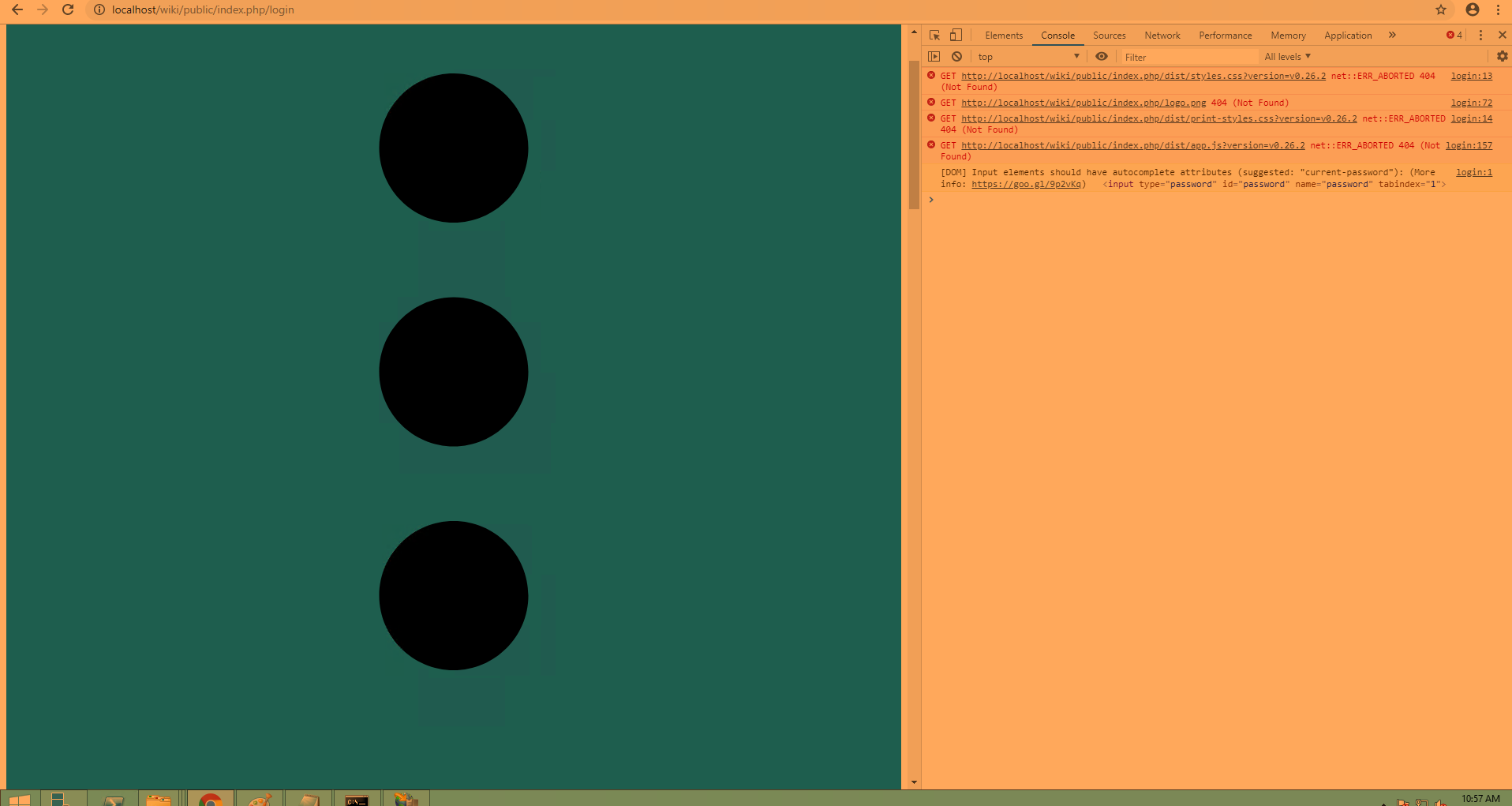
Yes i upgraded to 26.2 and got something similar
image

@zSolo commented on GitHub (Jun 10, 2019): Yes i upgraded to 26.2 and got something similar ![image](https://user-images.githubusercontent.com/23033460/59204544-d94ee300-8b6e-11e9-9ca7-7a0dc1af3ea3.png)
Author
Owner

@ssddanbrown commented on GitHub (Jun 10, 2019):

@kmerapp Have you set the APP_URL parameter in the .env file?

@zSolo Unfortunately I'm not really knowledgeable at all in IIS which will make it hard for me to help. This will likely be just to URL resolution. The fact that your BookStack instance is being served with public/index.php in the URL indicates the current setup is likely insecure. It might be worth searching for "Laravel IIS guides". BookStack is based on the Laravel framework so any install/config guides will hopefully be very similar for BookStack.

@ssddanbrown commented on GitHub (Jun 10, 2019): @kmerapp Have you set the APP_URL parameter in the `.env` file? @zSolo Unfortunately I'm not really knowledgeable at all in IIS which will make it hard for me to help. This will likely be just to URL resolution. The fact that your BookStack instance is being served with `public/index.php` in the URL indicates the current setup is likely insecure. It might be worth searching for "Laravel IIS guides". BookStack is based on the Laravel framework so any install/config guides will hopefully be very similar for BookStack.
Author
Owner

@zSolo commented on GitHub (Jun 10, 2019):

@ssddanbrown Well that was an extremely helpful tip. Got it working on my end.

Needed to make the physical path to the public folder along with adding a web.config

<system.webServer>
    <defaultDocument>
        <files>
            <clear />
            <add value="index.php" />
            <add value="default.aspx" />
            <add value="Default.htm" />
            <add value="Default.asp" />
            <add value="index.htm" />
            <add value="index.html" />
        </files>
    </defaultDocument>
    <rewrite>
        <rules>
            <rule name="Imported Rule 1" stopProcessing="true">
                <match url="^(.*)/$" ignoreCase="false" />
                <conditions>
                    <add input="{REQUEST_FILENAME}" matchType="IsDirectory" ignoreCase="false" negate="true" />
                </conditions>
                <action type="Redirect" redirectType="Permanent" url="/{R:1}" />
            </rule>
            <rule name="Imported Rule 2" stopProcessing="true">
                <match url="^" ignoreCase="false" />
                <conditions>
                    <add input="{REQUEST_FILENAME}" matchType="IsDirectory" ignoreCase="false" negate="true" />
                    <add input="{REQUEST_FILENAME}" matchType="IsFile" ignoreCase="false" negate="true" />
                </conditions>
                <action type="Rewrite" url="index.php" />
            </rule>
        </rules>
    </rewrite>
    <httpErrors errorMode="Detailed" />
</system.webServer>
@zSolo commented on GitHub (Jun 10, 2019): @ssddanbrown Well that was an extremely helpful tip. Got it working on my end. Needed to make the physical path to the public folder along with adding a web.config > <configuration> <system.webServer> <defaultDocument> <files> <clear /> <add value="index.php" /> <add value="default.aspx" /> <add value="Default.htm" /> <add value="Default.asp" /> <add value="index.htm" /> <add value="index.html" /> </files> </defaultDocument> <rewrite> <rules> <rule name="Imported Rule 1" stopProcessing="true"> <match url="^(.*)/$" ignoreCase="false" /> <conditions> <add input="{REQUEST_FILENAME}" matchType="IsDirectory" ignoreCase="false" negate="true" /> </conditions> <action type="Redirect" redirectType="Permanent" url="/{R:1}" /> </rule> <rule name="Imported Rule 2" stopProcessing="true"> <match url="^" ignoreCase="false" /> <conditions> <add input="{REQUEST_FILENAME}" matchType="IsDirectory" ignoreCase="false" negate="true" /> <add input="{REQUEST_FILENAME}" matchType="IsFile" ignoreCase="false" negate="true" /> </conditions> <action type="Rewrite" url="index.php" /> </rule> </rules> </rewrite> <httpErrors errorMode="Detailed" /> </system.webServer> </configuration> >
Author
Owner

@ssddanbrown commented on GitHub (Jun 10, 2019):

@zSolo Ah, fantastic, happy to hear you got things working! I'll close this now then.

@kmerapp As said above, ensuring the APP_ENV option is set correctly should solve your issue. If it doesn't feel free to open a new issue specific to your setup.

@ssddanbrown commented on GitHub (Jun 10, 2019): @zSolo Ah, fantastic, happy to hear you got things working! I'll close this now then. @kmerapp As said above, ensuring the APP_ENV option is set correctly should solve your issue. If it doesn't feel free to open a new issue specific to your setup.
Sign in to join this conversation.
1 Participants
Notifications
Due Date
No due date set.
Dependencies

No dependencies set.

Reference: starred/BookStack#1221