mirror of
https://github.com/BookStackApp/BookStack.git
synced 2026-07-16 05:33:49 +03:00
Date on Exported PDF is in UTC #1157

Reference in New Issue
Block a user
Delete Branch "%!s()"
Deleting a branch is permanent. Although the deleted branch may continue to exist for a short time before it actually gets removed, it CANNOT be undone in most cases. Continue?
Originally created by @sorvani on GitHub (Apr 25, 2019).
When I export a PDF, the revision date and time are showing in UTC.
The system itself set to the correct timezone.
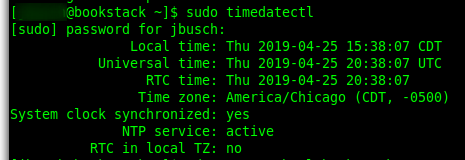
I do not see any setting for controlling the timezone in the application itself.
Possibly related to the original request #83
@ssddanbrown commented on GitHub (Dec 17, 2020):
Thanks for reporting @sorvani.
It looks like we added an option to set the app core timezone in v0.26 but I never tagged this issue for that release or came back and responded to this.
This option can be seen here:
00308ad4ab/.env.example.complete (L35-L38)I'll therefore close this off, but if there's any trouble in using this option feel free to open a new issue.