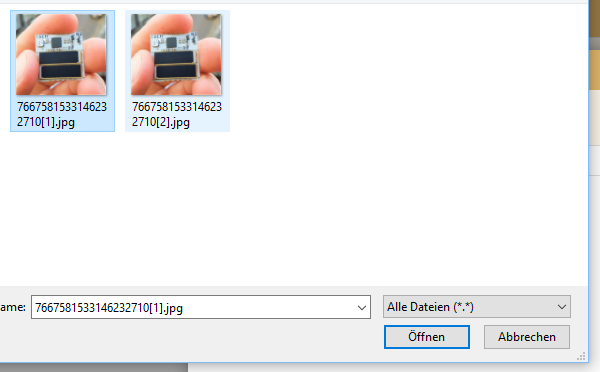
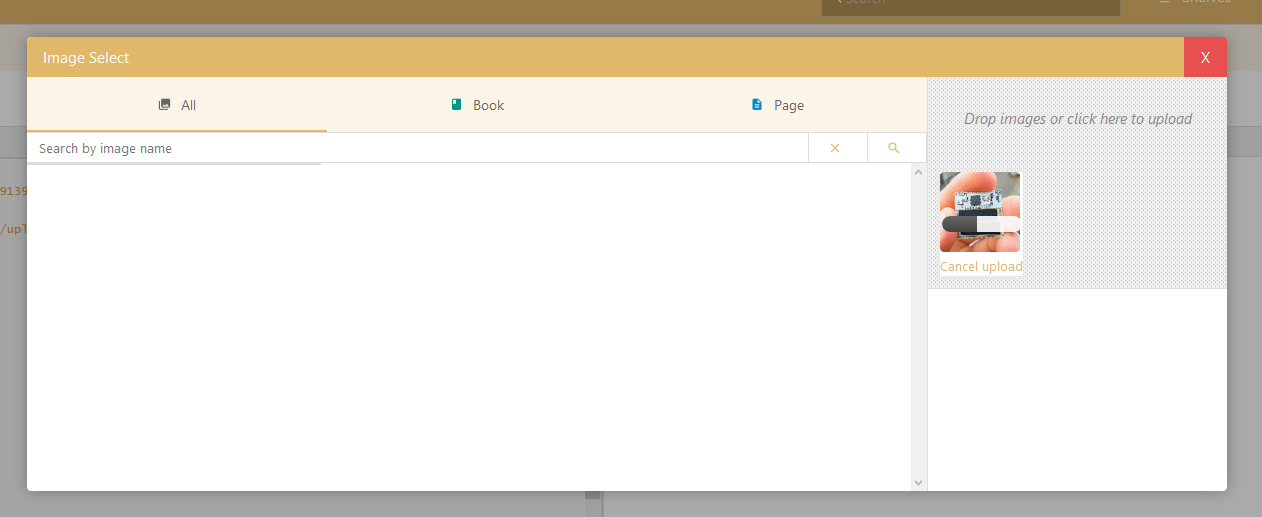
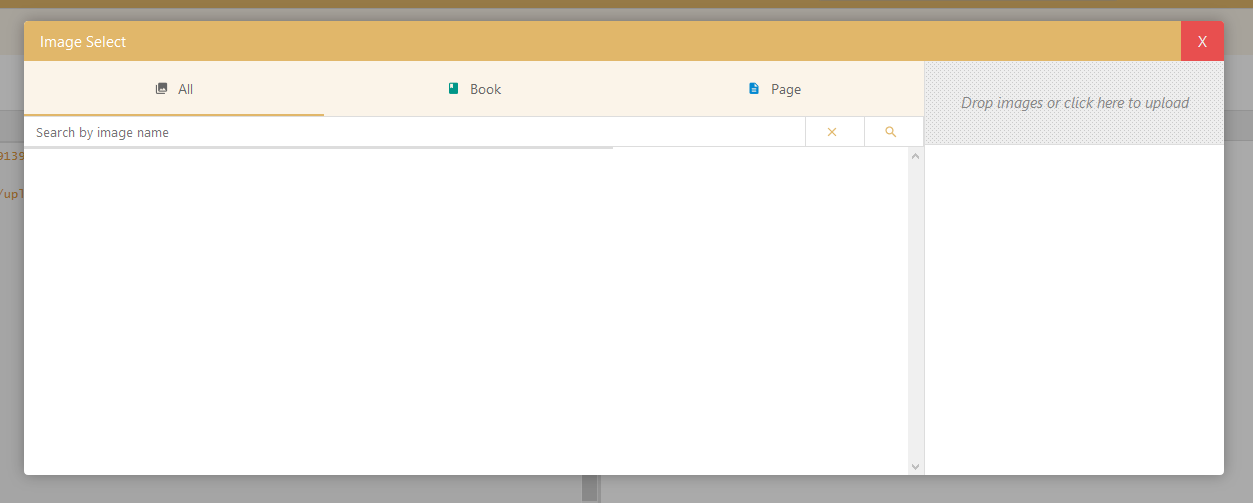
Image Insert into page not possible #1127

Closed
opened 2026-02-04 23:52:50 +03:00 by OVERLORD · 3 comments
Owner

Originally created by @effem on GitHub (Apr 5, 2019).

Describe the bug
On a page i try to upload an image. After the upload is complete the image disappears on the right side and does not appear on the left side.

Steps To Reproduce
Steps to reproduce the behavior:

  1. Go to page
  2. Click on Insert Image
  3. Selecte image
  4. Click on "open"
  5. Watch image beeing uploaded
  6. Get "Image upload successful notification
  7. No image appears in the gallery

Expected behavior
The image is beeing shown in the gallery or directly inserted into the page

Screenshots
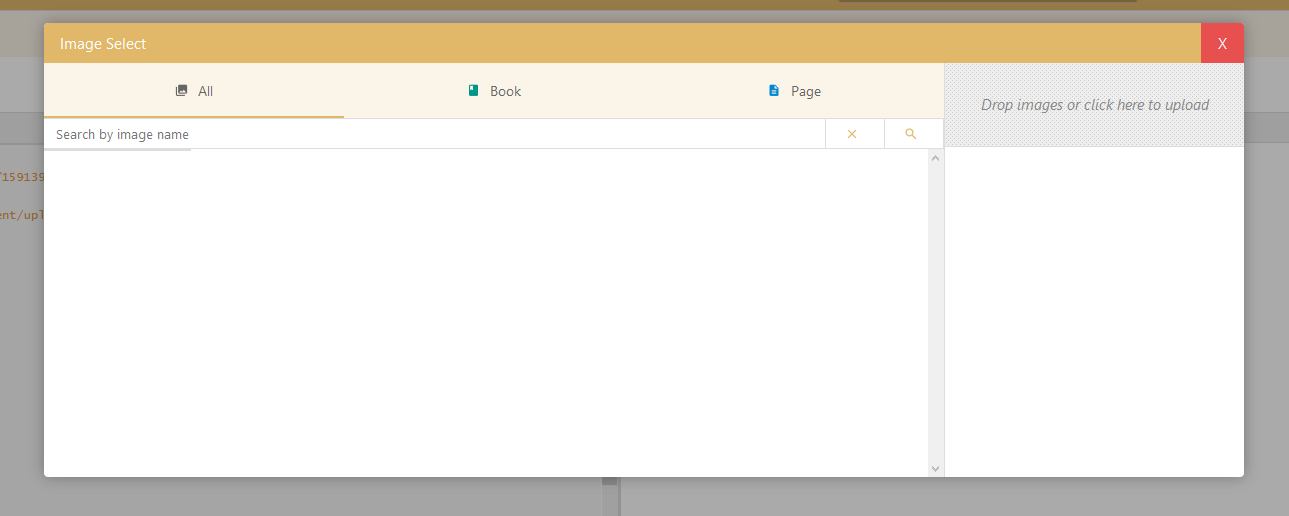
1
2
3
grafik

Your Configuration (please complete the following information):

  • Version: v0.25.5
  • PHP Version: 7.3
  • Hosting Method (Nginx/Apache/Docker): Root Server with apache

Additional context
I would guess that there is a problem with the thumbnail generation and therfore the images cannot be displayed in the gallery (see the null values in the thumbs key)

This is the response to the image gallery request (/images/gallery/all/0?page_id=5):

{
  "images": [
    {
      "id": 13,
      "name": "Gmf7667581533146232710[1].jpg",
      "url": "https://domain.com/uploads/images/gallery/2019-04-Apr/Gmf7667581533146232710[1].jpg",
      "created_at": "2019-04-05 09:31:50",
      "updated_at": "2019-04-05 09:31:50",
      "created_by": 1,
      "updated_by": 1,
      "path": "/uploads/images/gallery/2019-04-Apr/Gmf7667581533146232710[1].jpg",
      "type": "gallery",
      "uploaded_to": 5,
      "thumbs": {
        "gallery": null,
        "display": null
      }
    },
    {
      "id": 12,
      "name": "7667581533146232710[2].jpg",
      "url": "https://domain.com/uploads/images/gallery/2019-04-Apr/7667581533146232710[2].jpg",
      "created_at": "2019-04-05 09:28:14",
      "updated_at": "2019-04-05 09:28:14",
      "created_by": 1,
      "updated_by": 1,
      "path": "/uploads/images/gallery/2019-04-Apr/7667581533146232710[2].jpg",
      "type": "gallery",
      "uploaded_to": 5,
      "thumbs": {
        "gallery": null,
        "display": null
      }
    },
    {
      "id": 11,
      "name": "OJ37667581533146232710[1].jpg",
      "url": "https://domain.com/uploads/images/gallery/2019-04-Apr/OJ37667581533146232710[1].jpg",
      "created_at": "2019-04-05 09:28:02",
      "updated_at": "2019-04-05 09:28:02",
      "created_by": 1,
      "updated_by": 1,
      "path": "/uploads/images/gallery/2019-04-Apr/OJ37667581533146232710[1].jpg",
      "type": "gallery",
      "uploaded_to": 5,
      "thumbs": {
        "gallery": null,
        "display": null
      }
    },
    {
      "id": 10,
      "name": "7667581533146232710[1].jpg",
      "url": "https://domain.com/uploads/images/gallery/2019-04-Apr/7667581533146232710[1].jpg",
      "created_at": "2019-04-05 09:13:10",
      "updated_at": "2019-04-05 09:13:10",
      "created_by": 1,
      "updated_by": 1,
      "path": "/uploads/images/gallery/2019-04-Apr/7667581533146232710[1].jpg",
      "type": "gallery",
      "uploaded_to": 5,
      "thumbs": {
        "gallery": null,
        "display": null
      }
    }
  ],
  "hasMore": false
}

There is no error on the javascript debug console and also no error in the laravel.log or the apache error log.

Are there any steps to help debugging this problem?

Originally created by @effem on GitHub (Apr 5, 2019). **Describe the bug** On a page i try to upload an image. After the upload is complete the image disappears on the right side and does not appear on the left side. **Steps To Reproduce** Steps to reproduce the behavior: 1. Go to page 2. Click on Insert Image 3. Selecte image 4. Click on "open" 5. Watch image beeing uploaded 6. Get "Image upload successful notification 7. No image appears in the gallery **Expected behavior** The image is beeing shown in the gallery or directly inserted into the page **Screenshots** ![1](https://user-images.githubusercontent.com/1073617/55618370-994a3900-5796-11e9-866f-53fba0dcc4b4.png) ![2](https://user-images.githubusercontent.com/1073617/55618371-99e2cf80-5796-11e9-88db-4865802973df.png) ![3](https://user-images.githubusercontent.com/1073617/55618372-99e2cf80-5796-11e9-8c23-5d740ac0fb6e.png) ![grafik](https://user-images.githubusercontent.com/1073617/55618682-681e3880-5797-11e9-9f72-4faa20cf2e1e.png) **Your Configuration (please complete the following information):** - Version: v0.25.5 - PHP Version: 7.3 - Hosting Method (Nginx/Apache/Docker): Root Server with apache **Additional context** I would guess that there is a problem with the thumbnail generation and therfore the images cannot be displayed in the gallery (see the `null` values in the thumbs key) This is the response to the image gallery request (`/images/gallery/all/0?page_id=5`): ``` { "images": [ { "id": 13, "name": "Gmf7667581533146232710[1].jpg", "url": "https://domain.com/uploads/images/gallery/2019-04-Apr/Gmf7667581533146232710[1].jpg", "created_at": "2019-04-05 09:31:50", "updated_at": "2019-04-05 09:31:50", "created_by": 1, "updated_by": 1, "path": "/uploads/images/gallery/2019-04-Apr/Gmf7667581533146232710[1].jpg", "type": "gallery", "uploaded_to": 5, "thumbs": { "gallery": null, "display": null } }, { "id": 12, "name": "7667581533146232710[2].jpg", "url": "https://domain.com/uploads/images/gallery/2019-04-Apr/7667581533146232710[2].jpg", "created_at": "2019-04-05 09:28:14", "updated_at": "2019-04-05 09:28:14", "created_by": 1, "updated_by": 1, "path": "/uploads/images/gallery/2019-04-Apr/7667581533146232710[2].jpg", "type": "gallery", "uploaded_to": 5, "thumbs": { "gallery": null, "display": null } }, { "id": 11, "name": "OJ37667581533146232710[1].jpg", "url": "https://domain.com/uploads/images/gallery/2019-04-Apr/OJ37667581533146232710[1].jpg", "created_at": "2019-04-05 09:28:02", "updated_at": "2019-04-05 09:28:02", "created_by": 1, "updated_by": 1, "path": "/uploads/images/gallery/2019-04-Apr/OJ37667581533146232710[1].jpg", "type": "gallery", "uploaded_to": 5, "thumbs": { "gallery": null, "display": null } }, { "id": 10, "name": "7667581533146232710[1].jpg", "url": "https://domain.com/uploads/images/gallery/2019-04-Apr/7667581533146232710[1].jpg", "created_at": "2019-04-05 09:13:10", "updated_at": "2019-04-05 09:13:10", "created_by": 1, "updated_by": 1, "path": "/uploads/images/gallery/2019-04-Apr/7667581533146232710[1].jpg", "type": "gallery", "uploaded_to": 5, "thumbs": { "gallery": null, "display": null } } ], "hasMore": false } ``` There is no error on the javascript debug console and also no error in the laravel.log or the apache error log. Are there any steps to help debugging this problem?
OVERLORD added the 🐕 Support label 2026-02-04 23:52:50 +03:00
Author
Owner

@ssddanbrown commented on GitHub (Apr 5, 2019):

Hi @effem,
Sorry to hear you are experiencing issues.

You could temporarily comment out this line:
495d18814a/app/Uploads/ImageRepo.php (L216)

And then check the log after experiencing the error to see if you get any further detail in your log.

@ssddanbrown commented on GitHub (Apr 5, 2019): Hi @effem, Sorry to hear you are experiencing issues. You could temporarily comment out this line: https://github.com/BookStackApp/BookStack/blob/495d18814a7e76cec5d8e54f7ee19ccbd47bb6c5/app/Uploads/ImageRepo.php#L216 And then check the log after experiencing the error to see if you get any further detail in your log.
Author
Owner

@effem commented on GitHub (Apr 5, 2019):

After analyzing the log output and further debugging on my server i fixed the problem.

There was a miss match between the version that apache was loading and the cli version that was showing up in the console. In the end it was a missing php-gd extension in the apache php version.

During the installation via composer the cli version of php is used and the required php-gd extension is present but the apache version was an older one that had not php-gd installed!

Thanks for your help!

@effem commented on GitHub (Apr 5, 2019): After analyzing the log output and further debugging on my server i fixed the problem. There was a miss match between the version that apache was loading and the cli version that was showing up in the console. In the end it was a missing php-gd extension in the apache php version. During the installation via composer the cli version of php is used and the required php-gd extension is present but the apache version was an older one that had not php-gd installed! Thanks for your help!
Author
Owner

@ssddanbrown commented on GitHub (Apr 5, 2019):

@effem Ah, Thanks for reporting your findings, Glad to hear you found the issue!

@ssddanbrown commented on GitHub (Apr 5, 2019): @effem Ah, Thanks for reporting your findings, Glad to hear you found the issue!
Sign in to join this conversation.
1 Participants
Notifications
Due Date
No due date set.
Dependencies

No dependencies set.

Reference: starred/BookStack#1127