secure image storage not working: images are not where expected #1051

Closed
opened 2026-02-04 23:35:20 +03:00 by OVERLORD · 9 comments
Owner

Originally created by @abossert on GitHub (Feb 20, 2019).

Describe the bug
I have turned on the secure image storage (STORAGE_TYPE=local_secure) and copied all of the contents of the $root/public/uploads/images to $root/storage/uploads/images as shown in the security instructions followed by a restart of the php-fpm service. I tried this once before with a "move" rather than a copy, but got the same results. When I copied the folder rather than moving it, I saw that existing images were still visible, but uploading new ones show no errors (I see a success message for the upload in the UI and also a successful POST in the Nginx access log, but there is a broken image link in the UI and an error as follows:

2019/02/19 21:17:55 [error] 12835#0: *2634 open() "/var/www/BookStack/public/uploads/images/gallery/2019-02-Feb/thumbs-150-150/Py3Aje8XCxDX4SYW-roadrunner.png" failed (2: No such file or directory), client: 173.73.10.19, server: wikity.littlemac.punchcyber.com, request: "GET /uploads/images/gallery/2019-02-Feb/thumbs-150-150/Py3Aje8XCxDX4SYW-roadrunner.png HTTP/2.0", host: "wikity.littlemac.punchcyber.com", referrer: "https://mysite.com/books/my-rd-cluster/page/my-ldap-server/edit"

the end result is that with secure image storage, I am unable to access any images that have been uploaded...the errors seem to relate specifically to thumbnails (note the "thumbs-150-150" subdirectory), here is the SQL query that is supposedly inserting the image...from my browser developer console:

insert into `images` (`name`, `path`, `url`, `type`, `uploaded_to`, `created_by`, `updated_by`, `updated_at`, `created_at`) values ('roadrunner.png', '/uploads/images/gallery/2019-02-Feb/PFub3voKXvUQtwCR-roadrunner.png', 'https://mysite.com/uploads/images/gallery/2019-02-Feb/PFub3voKXvUQtwCR-roadrunner.png', 'gallery', '2', 3, 3, '2019-02-20 01:44:23', '2019-02-20 01:44:23')

but the error message I am seeing in the logs shows:

/var/www/BookStack/public/uploads/images/gallery/2019-02-Feb/PFub3voKXvUQtwCR-roadrunner.png

When I do a filesystem search, I see that the file is where I would expect it to be (based on the secure storage setting) here:

 locate PFub3voKXvUQtwCR-roadrunner.png
/var/www/BookStack/storage/uploads/images/gallery/2019-02-Feb/PFub3voKXvUQtwCR-roadrunner.png
/var/www/BookStack/storage/uploads/images/gallery/2019-02-Feb/scaled-840-0/PFub3voKXvUQtwCR-roadrunner.png
/var/www/BookStack/storage/uploads/images/gallery/2019-02-Feb/thumbs-150-150/PFub3voKXvUQtwCR-roadrunner.png

So, what am I missing?...it seems like the application is still looking for the images in the orginal location rather than the new one.

For good measure, here is my .env file:

# Application environment
# Can be 'production', 'development', 'testing' or 'demo'
APP_ENV=production

# Enable debug mode
# Shows advanced debug information and errors.
# CAN EXPOSE OTHER VARIABLES, LEAVE DISABLED
APP_DEBUG=true

# Application key
# Used for encryption where needed.
# Run `php artisan key:generate` to generate a valid key.
APP_KEY=mykey

# Application URL
# Remove the hash below and set a URL if using BookStack behind
# a proxy, if using a third-party authentication option.
# This must be the root URL that you want to host BookStack on.
# All URL's in BookStack will be generated using this value.
APP_URL=https://mysite.com

# Database details
DB_HOST=localhost
DB_DATABASE=bookstackdb
DB_USERNAME=bookstackuser
DB_PASSWORD=mypassword

# Mail system to use
# Can be 'smtp', 'mail' or 'sendmail'
MAIL_DRIVER=smtp

# SMTP mail options
MAIL_HOST=localhost
MAIL_PORT=1025
MAIL_USERNAME=null
MAIL_PASSWORD=null
MAIL_ENCRYPTION=null

# LDAP authentication configuration
# Refer to https://www.bookstackapp.com/docs/admin/ldap-auth/
AUTH_METHOD=ldap
LDAP_SERVER=my.ldap.com
LDAP_BASE_DN=cn=mysearchbase
LDAP_DN=uid=mybinduser
LDAP_PASS=my password
LDAP_USER_FILTER=(uid=${user})
LDAP_VERSION=false
LDAP_EMAIL_ATTRIBUTE=mail
LDAP_FOLLOW_REFERRALS=true

# LDAP group sync configuration
# Refer to https://www.bookstackapp.com/docs/admin/ldap-auth/
LDAP_USER_TO_GROUPS=true
LDAP_GROUP_ATTRIBUTE="memberOf"
LDAP_REMOVE_FROM_GROUPS=false

# Only send cookies over a HTTPS connection.
# Ensure you have BookStack served over HTTPS before enabling.
# Defaults to 'false'
SESSION_SECURE_COOKIE=true

# Set the name of the cookie used by BookStack to track sessions.
# Defaults to 'bookstack_session'
SESSION_COOKIE_NAME=my_wiki_session_cookie

# Set both the cache and session to use memcached
CACHE_DRIVER=memcached
SESSION_DRIVER=memcached

# Example of using a single local memcached server
MEMCACHED_SERVERS= 0.0.0.0:10101:100

ALLOW_ROBOTS=false

STORAGE_TYPE=local_secure

Steps To Reproduce
Steps to reproduce the behavior:

  1. turn on secure image storage with "STORAGE_TYPE=local_secure" in the .env file
  2. restart php and nginx
  3. log into UI
  4. upload any image

Expected behavior
I expect images uploaded to be accessible just as before when secure image storage was not turned on.

Screenshots
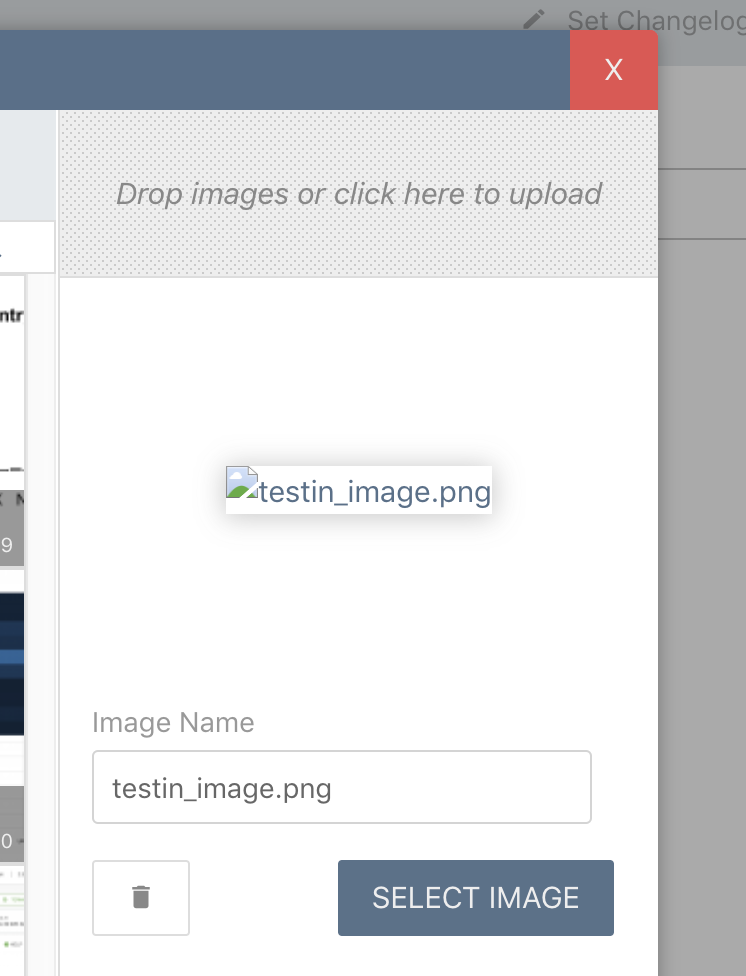
Here is a screeshot...just in case my description is not as clear as I think it is.
image

Your Configuration (please complete the following information):

  • bookstack 0.25.1
  • Centos 7.5
  • Nginx 1.12.2
  • mariadb 10.2
  • PHP 7.2
Originally created by @abossert on GitHub (Feb 20, 2019). **Describe the bug** I have turned on the secure image storage (STORAGE_TYPE=local_secure) and copied all of the contents of the $root/public/uploads/images to $root/storage/uploads/images as shown in the security instructions followed by a restart of the php-fpm service. I tried this once before with a "move" rather than a copy, but got the same results. When I copied the folder rather than moving it, I saw that existing images were still visible, but uploading new ones show no errors (I see a success message for the upload in the UI and also a successful POST in the Nginx access log, but there is a broken image link in the UI and an error as follows: ``` 2019/02/19 21:17:55 [error] 12835#0: *2634 open() "/var/www/BookStack/public/uploads/images/gallery/2019-02-Feb/thumbs-150-150/Py3Aje8XCxDX4SYW-roadrunner.png" failed (2: No such file or directory), client: 173.73.10.19, server: wikity.littlemac.punchcyber.com, request: "GET /uploads/images/gallery/2019-02-Feb/thumbs-150-150/Py3Aje8XCxDX4SYW-roadrunner.png HTTP/2.0", host: "wikity.littlemac.punchcyber.com", referrer: "https://mysite.com/books/my-rd-cluster/page/my-ldap-server/edit" ``` the end result is that with secure image storage, I am unable to access any images that have been uploaded...the errors seem to relate specifically to thumbnails (note the "thumbs-150-150" subdirectory), here is the SQL query that is supposedly inserting the image...from my browser developer console: ```SQL insert into `images` (`name`, `path`, `url`, `type`, `uploaded_to`, `created_by`, `updated_by`, `updated_at`, `created_at`) values ('roadrunner.png', '/uploads/images/gallery/2019-02-Feb/PFub3voKXvUQtwCR-roadrunner.png', 'https://mysite.com/uploads/images/gallery/2019-02-Feb/PFub3voKXvUQtwCR-roadrunner.png', 'gallery', '2', 3, 3, '2019-02-20 01:44:23', '2019-02-20 01:44:23') ``` but the error message I am seeing in the logs shows: ```bash /var/www/BookStack/public/uploads/images/gallery/2019-02-Feb/PFub3voKXvUQtwCR-roadrunner.png ``` When I do a filesystem search, I see that the file is where I would expect it to be (based on the secure storage setting) here: ```bash locate PFub3voKXvUQtwCR-roadrunner.png /var/www/BookStack/storage/uploads/images/gallery/2019-02-Feb/PFub3voKXvUQtwCR-roadrunner.png /var/www/BookStack/storage/uploads/images/gallery/2019-02-Feb/scaled-840-0/PFub3voKXvUQtwCR-roadrunner.png /var/www/BookStack/storage/uploads/images/gallery/2019-02-Feb/thumbs-150-150/PFub3voKXvUQtwCR-roadrunner.png ``` So, what am I missing?...it seems like the application is still looking for the images in the orginal location rather than the new one. For good measure, here is my .env file: ``` # Application environment # Can be 'production', 'development', 'testing' or 'demo' APP_ENV=production # Enable debug mode # Shows advanced debug information and errors. # CAN EXPOSE OTHER VARIABLES, LEAVE DISABLED APP_DEBUG=true # Application key # Used for encryption where needed. # Run `php artisan key:generate` to generate a valid key. APP_KEY=mykey # Application URL # Remove the hash below and set a URL if using BookStack behind # a proxy, if using a third-party authentication option. # This must be the root URL that you want to host BookStack on. # All URL's in BookStack will be generated using this value. APP_URL=https://mysite.com # Database details DB_HOST=localhost DB_DATABASE=bookstackdb DB_USERNAME=bookstackuser DB_PASSWORD=mypassword # Mail system to use # Can be 'smtp', 'mail' or 'sendmail' MAIL_DRIVER=smtp # SMTP mail options MAIL_HOST=localhost MAIL_PORT=1025 MAIL_USERNAME=null MAIL_PASSWORD=null MAIL_ENCRYPTION=null # LDAP authentication configuration # Refer to https://www.bookstackapp.com/docs/admin/ldap-auth/ AUTH_METHOD=ldap LDAP_SERVER=my.ldap.com LDAP_BASE_DN=cn=mysearchbase LDAP_DN=uid=mybinduser LDAP_PASS=my password LDAP_USER_FILTER=(uid=${user}) LDAP_VERSION=false LDAP_EMAIL_ATTRIBUTE=mail LDAP_FOLLOW_REFERRALS=true # LDAP group sync configuration # Refer to https://www.bookstackapp.com/docs/admin/ldap-auth/ LDAP_USER_TO_GROUPS=true LDAP_GROUP_ATTRIBUTE="memberOf" LDAP_REMOVE_FROM_GROUPS=false # Only send cookies over a HTTPS connection. # Ensure you have BookStack served over HTTPS before enabling. # Defaults to 'false' SESSION_SECURE_COOKIE=true # Set the name of the cookie used by BookStack to track sessions. # Defaults to 'bookstack_session' SESSION_COOKIE_NAME=my_wiki_session_cookie # Set both the cache and session to use memcached CACHE_DRIVER=memcached SESSION_DRIVER=memcached # Example of using a single local memcached server MEMCACHED_SERVERS= 0.0.0.0:10101:100 ALLOW_ROBOTS=false STORAGE_TYPE=local_secure ``` **Steps To Reproduce** Steps to reproduce the behavior: 1. turn on secure image storage with "STORAGE_TYPE=local_secure" in the .env file 2. restart php and nginx 3. log into UI 4. upload any image **Expected behavior** I expect images uploaded to be accessible just as before when secure image storage was not turned on. **Screenshots** Here is a screeshot...just in case my description is not as clear as I think it is. ![image](https://user-images.githubusercontent.com/25932500/53061408-97991000-348b-11e9-9083-42ac50453a9f.png) **Your Configuration (please complete the following information):** - bookstack 0.25.1 - Centos 7.5 - Nginx 1.12.2 - mariadb 10.2 - PHP 7.2
OVERLORD added the 🐕 Support label 2026-02-04 23:35:20 +03:00
Author
Owner

@ssddanbrown commented on GitHub (Feb 20, 2019):

Hi @abossert, Sorry to hear you are experiencing issues.

but the error message I am seeing in the logs shows:

Are you seeing this in webserver logs or the application logs? Would you be able to provide the whole log message?

Just trying to get an idea of whether your currently requests are even hitting the application or if they're directly being served by nginx.

@ssddanbrown commented on GitHub (Feb 20, 2019): Hi @abossert, Sorry to hear you are experiencing issues. > but the error message I am seeing in the logs shows: Are you seeing this in webserver logs or the application logs? Would you be able to provide the whole log message? Just trying to get an idea of whether your currently requests are even hitting the application or if they're directly being served by nginx.
Author
Owner

@abossert commented on GitHub (Feb 20, 2019):

Those errors are in the nginx log...here is a full set of errors:

2019/02/20 01:40:23 [error] 12836#0: *2728 open() "/var/www/BookStack/public/uploads/images/cover/2019-02-Feb/thumbs-440-250/HTL2Zv0Tscr5ekJk-roadrunner.png" failed (2: No such file or directory), client: 173.73.10.19, server: wikity.littlemac.punchcyber.com, request: "GET /uploads/images/cover/2019-02-Feb/thumbs-440-250/HTL2Zv0Tscr5ekJk-roadrunner.png HTTP/2.0", host: "wikity.littlemac.punchcyber.com", referrer: "https://wikity.littlemac.punchcyber.com/books"
2019/02/20 01:44:07 [error] 12836#0: *2728 open() "/var/www/BookStack/public/uploads/images/gallery/2019-02-Feb/thumbs-150-150/l4asBusV1D7LE0gd-testin_image.png" failed (2: No such file or directory), client: 173.73.10.19, server: wikity.littlemac.punchcyber.com, request: "GET /uploads/images/gallery/2019-02-Feb/thumbs-150-150/l4asBusV1D7LE0gd-testin_image.png HTTP/2.0", host: "wikity.littlemac.punchcyber.com", referrer: "https://wikity.littlemac.punchcyber.com/books/punch-rd-cluster/page/punch-ldap-server/edit"
2019/02/20 01:44:24 [error] 12836#0: *2728 open() "/var/www/BookStack/public/uploads/images/gallery/2019-02-Feb/thumbs-150-150/PFub3voKXvUQtwCR-roadrunner.png" failed (2: No such file or directory), client: 173.73.10.19, server: wikity.littlemac.punchcyber.com, request: "GET /uploads/images/gallery/2019-02-Feb/thumbs-150-150/PFub3voKXvUQtwCR-roadrunner.png HTTP/2.0", host: "wikity.littlemac.punchcyber.com", referrer: "https://wikity.littlemac.punchcyber.com/books/punch-rd-cluster/page/punch-ldap-server/edit"
2019/02/20 01:44:24 [error] 12836#0: *2728 open() "/var/www/BookStack/public/uploads/images/gallery/2019-02-Feb/thumbs-150-150/l4asBusV1D7LE0gd-testin_image.png" failed (2: No such file or directory), client: 173.73.10.19, server: wikity.littlemac.punchcyber.com, request: "GET /uploads/images/gallery/2019-02-Feb/thumbs-150-150/l4asBusV1D7LE0gd-testin_image.png HTTP/2.0", host: "wikity.littlemac.punchcyber.com", referrer: "https://wikity.littlemac.punchcyber.com/books/punch-rd-cluster/page/punch-ldap-server/edit"
2019/02/20 01:58:17 [error] 12835#0: *2768 open() "/var/www/BookStack/public/uploads/images/gallery/2019-02-Feb/scaled-840-0/PFub3voKXvUQtwCR-roadrunner.png" failed (2: No such file or directory), client: 173.73.10.19, server: wikity.littlemac.punchcyber.com, request: "GET /uploads/images/gallery/2019-02-Feb/scaled-840-0/PFub3voKXvUQtwCR-roadrunner.png HTTP/2.0", host: "wikity.littlemac.punchcyber.com", referrer: "https://wikity.littlemac.punchcyber.com/books/punch-rd-cluster/page/punch-ldap-server/edit"
2019/02/20 01:59:37 [error] 12835#0: *2768 open() "/var/www/BookStack/public/uploads/images/gallery/2019-02-Feb/scaled-840-0/PFub3voKXvUQtwCR-roadrunner.png" failed (2: No such file or directory), client: 173.73.10.19, server: wikity.littlemac.punchcyber.com, request: "GET /uploads/images/gallery/2019-02-Feb/scaled-840-0/PFub3voKXvUQtwCR-roadrunner.png HTTP/2.0", host: "wikity.littlemac.punchcyber.com", referrer: "https://wikity.littlemac.punchcyber.com/books/punch-rd-cluster/page/punch-ldap-server/edit"
2019/02/20 02:00:49 [error] 12835#0: *2768 open() "/var/www/BookStack/public/uploads/images/gallery/2019-02-Feb/scaled-840-0/PFub3voKXvUQtwCR-roadrunner.png" failed (2: No such file or directory), client: 173.73.10.19, server: wikity.littlemac.punchcyber.com, request: "GET /uploads/images/gallery/2019-02-Feb/scaled-840-0/PFub3voKXvUQtwCR-roadrunner.png HTTP/2.0", host: "wikity.littlemac.punchcyber.com", referrer: "https://wikity.littlemac.punchcyber.com/books/punch-rd-cluster/page/punch-ldap-server/edit"
2019/02/20 02:00:51 [error] 12835#0: *2768 open() "/var/www/BookStack/public/uploads/images/gallery/2019-02-Feb/PFub3voKXvUQtwCR-roadrunner.png" failed (2: No such file or directory), client: 173.73.10.19, server: wikity.littlemac.punchcyber.com, request: "GET /uploads/images/gallery/2019-02-Feb/PFub3voKXvUQtwCR-roadrunner.png HTTP/2.0", host: "wikity.littlemac.punchcyber.com", referrer: "https://wikity.littlemac.punchcyber.com/books/punch-rd-cluster/page/punch-ldap-server/edit"
2019/02/20 02:04:05 [error] 19048#0: *2770 open() "/var/www/BookStack/public/uploads/images/gallery/2019-02-Feb/thumbs-150-150/PFub3voKXvUQtwCR-roadrunner.png" failed (2: No such file or directory), client: 173.73.10.19, server: wikity.littlemac.punchcyber.com, request: "GET /uploads/images/gallery/2019-02-Feb/thumbs-150-150/PFub3voKXvUQtwCR-roadrunner.png HTTP/2.0", host: "wikity.littlemac.punchcyber.com", referrer: "https://wikity.littlemac.punchcyber.com/books/punch-rd-cluster/page/punch-ldap-server/edit"
2019/02/20 02:04:05 [error] 19048#0: *2770 open() "/var/www/BookStack/public/uploads/images/gallery/2019-02-Feb/thumbs-150-150/l4asBusV1D7LE0gd-testin_image.png" failed (2: No such file or directory), client: 173.73.10.19, server: wikity.littlemac.punchcyber.com, request: "GET /uploads/images/gallery/2019-02-Feb/thumbs-150-150/l4asBusV1D7LE0gd-testin_image.png HTTP/2.0", host: "wikity.littlemac.punchcyber.com", referrer: "https://wikity.littlemac.punchcyber.com/books/punch-rd-cluster/page/punch-ldap-server/edit"
2019/02/20 02:04:08 [error] 19048#0: *2770 open() "/var/www/BookStack/public/uploads/images/gallery/2019-02-Feb/scaled-840-0/PFub3voKXvUQtwCR-roadrunner.png" failed (2: No such file or directory), client: 173.73.10.19, server: wikity.littlemac.punchcyber.com, request: "GET /uploads/images/gallery/2019-02-Feb/scaled-840-0/PFub3voKXvUQtwCR-roadrunner.png HTTP/2.0", host: "wikity.littlemac.punchcyber.com", referrer: "https://wikity.littlemac.punchcyber.com/books/punch-rd-cluster/page/punch-ldap-server/edit"
2019/02/20 02:04:11 [error] 19048#0: *2770 open() "/var/www/BookStack/public/uploads/images/gallery/2019-02-Feb/thumbs-150-150/l4asBusV1D7LE0gd-testin_image.png" failed (2: No such file or directory), client: 173.73.10.19, server: wikity.littlemac.punchcyber.com, request: "GET /uploads/images/gallery/2019-02-Feb/thumbs-150-150/l4asBusV1D7LE0gd-testin_image.png HTTP/2.0", host: "wikity.littlemac.punchcyber.com", referrer: "https://wikity.littlemac.punchcyber.com/books/punch-rd-cluster/page/punch-ldap-server/edit"
2019/02/20 02:04:13 [error] 19048#0: *2770 open() "/var/www/BookStack/public/uploads/images/gallery/2019-02-Feb/scaled-840-0/l4asBusV1D7LE0gd-testin_image.png" failed (2: No such file or directory), client: 173.73.10.19, server: wikity.littlemac.punchcyber.com, request: "GET /uploads/images/gallery/2019-02-Feb/scaled-840-0/l4asBusV1D7LE0gd-testin_image.png HTTP/2.0", host: "wikity.littlemac.punchcyber.com", referrer: "https://wikity.littlemac.punchcyber.com/books/punch-rd-cluster/page/punch-ldap-server/edit"
2019/02/20 02:04:30 [error] 19048#0: *2770 open() "/var/www/BookStack/public/uploads/images/gallery/2019-02-Feb/thumbs-150-150/5a5PzP7qB4hoBq4h-testin_image.png" failed (2: No such file or directory), client: 173.73.10.19, server: wikity.littlemac.punchcyber.com, request: "GET /uploads/images/gallery/2019-02-Feb/thumbs-150-150/5a5PzP7qB4hoBq4h-testin_image.png HTTP/2.0", host: "wikity.littlemac.punchcyber.com", referrer: "https://wikity.littlemac.punchcyber.com/books/punch-rd-cluster/page/punch-ldap-server/edit"
2019/02/20 02:04:36 [error] 19048#0: *2770 open() "/var/www/BookStack/public/uploads/images/gallery/2019-02-Feb/scaled-840-0/5a5PzP7qB4hoBq4h-testin_image.png" failed (2: No such file or directory), client: 173.73.10.19, server: wikity.littlemac.punchcyber.com, request: "GET /uploads/images/gallery/2019-02-Feb/scaled-840-0/5a5PzP7qB4hoBq4h-testin_image.png HTTP/2.0", host: "wikity.littlemac.punchcyber.com", referrer: "https://wikity.littlemac.punchcyber.com/books/punch-rd-cluster/page/punch-ldap-server/edit"

The application logs don't seem to have anything in them...

@abossert commented on GitHub (Feb 20, 2019): Those errors are in the nginx log...here is a full set of errors: ``` 2019/02/20 01:40:23 [error] 12836#0: *2728 open() "/var/www/BookStack/public/uploads/images/cover/2019-02-Feb/thumbs-440-250/HTL2Zv0Tscr5ekJk-roadrunner.png" failed (2: No such file or directory), client: 173.73.10.19, server: wikity.littlemac.punchcyber.com, request: "GET /uploads/images/cover/2019-02-Feb/thumbs-440-250/HTL2Zv0Tscr5ekJk-roadrunner.png HTTP/2.0", host: "wikity.littlemac.punchcyber.com", referrer: "https://wikity.littlemac.punchcyber.com/books" 2019/02/20 01:44:07 [error] 12836#0: *2728 open() "/var/www/BookStack/public/uploads/images/gallery/2019-02-Feb/thumbs-150-150/l4asBusV1D7LE0gd-testin_image.png" failed (2: No such file or directory), client: 173.73.10.19, server: wikity.littlemac.punchcyber.com, request: "GET /uploads/images/gallery/2019-02-Feb/thumbs-150-150/l4asBusV1D7LE0gd-testin_image.png HTTP/2.0", host: "wikity.littlemac.punchcyber.com", referrer: "https://wikity.littlemac.punchcyber.com/books/punch-rd-cluster/page/punch-ldap-server/edit" 2019/02/20 01:44:24 [error] 12836#0: *2728 open() "/var/www/BookStack/public/uploads/images/gallery/2019-02-Feb/thumbs-150-150/PFub3voKXvUQtwCR-roadrunner.png" failed (2: No such file or directory), client: 173.73.10.19, server: wikity.littlemac.punchcyber.com, request: "GET /uploads/images/gallery/2019-02-Feb/thumbs-150-150/PFub3voKXvUQtwCR-roadrunner.png HTTP/2.0", host: "wikity.littlemac.punchcyber.com", referrer: "https://wikity.littlemac.punchcyber.com/books/punch-rd-cluster/page/punch-ldap-server/edit" 2019/02/20 01:44:24 [error] 12836#0: *2728 open() "/var/www/BookStack/public/uploads/images/gallery/2019-02-Feb/thumbs-150-150/l4asBusV1D7LE0gd-testin_image.png" failed (2: No such file or directory), client: 173.73.10.19, server: wikity.littlemac.punchcyber.com, request: "GET /uploads/images/gallery/2019-02-Feb/thumbs-150-150/l4asBusV1D7LE0gd-testin_image.png HTTP/2.0", host: "wikity.littlemac.punchcyber.com", referrer: "https://wikity.littlemac.punchcyber.com/books/punch-rd-cluster/page/punch-ldap-server/edit" 2019/02/20 01:58:17 [error] 12835#0: *2768 open() "/var/www/BookStack/public/uploads/images/gallery/2019-02-Feb/scaled-840-0/PFub3voKXvUQtwCR-roadrunner.png" failed (2: No such file or directory), client: 173.73.10.19, server: wikity.littlemac.punchcyber.com, request: "GET /uploads/images/gallery/2019-02-Feb/scaled-840-0/PFub3voKXvUQtwCR-roadrunner.png HTTP/2.0", host: "wikity.littlemac.punchcyber.com", referrer: "https://wikity.littlemac.punchcyber.com/books/punch-rd-cluster/page/punch-ldap-server/edit" 2019/02/20 01:59:37 [error] 12835#0: *2768 open() "/var/www/BookStack/public/uploads/images/gallery/2019-02-Feb/scaled-840-0/PFub3voKXvUQtwCR-roadrunner.png" failed (2: No such file or directory), client: 173.73.10.19, server: wikity.littlemac.punchcyber.com, request: "GET /uploads/images/gallery/2019-02-Feb/scaled-840-0/PFub3voKXvUQtwCR-roadrunner.png HTTP/2.0", host: "wikity.littlemac.punchcyber.com", referrer: "https://wikity.littlemac.punchcyber.com/books/punch-rd-cluster/page/punch-ldap-server/edit" 2019/02/20 02:00:49 [error] 12835#0: *2768 open() "/var/www/BookStack/public/uploads/images/gallery/2019-02-Feb/scaled-840-0/PFub3voKXvUQtwCR-roadrunner.png" failed (2: No such file or directory), client: 173.73.10.19, server: wikity.littlemac.punchcyber.com, request: "GET /uploads/images/gallery/2019-02-Feb/scaled-840-0/PFub3voKXvUQtwCR-roadrunner.png HTTP/2.0", host: "wikity.littlemac.punchcyber.com", referrer: "https://wikity.littlemac.punchcyber.com/books/punch-rd-cluster/page/punch-ldap-server/edit" 2019/02/20 02:00:51 [error] 12835#0: *2768 open() "/var/www/BookStack/public/uploads/images/gallery/2019-02-Feb/PFub3voKXvUQtwCR-roadrunner.png" failed (2: No such file or directory), client: 173.73.10.19, server: wikity.littlemac.punchcyber.com, request: "GET /uploads/images/gallery/2019-02-Feb/PFub3voKXvUQtwCR-roadrunner.png HTTP/2.0", host: "wikity.littlemac.punchcyber.com", referrer: "https://wikity.littlemac.punchcyber.com/books/punch-rd-cluster/page/punch-ldap-server/edit" 2019/02/20 02:04:05 [error] 19048#0: *2770 open() "/var/www/BookStack/public/uploads/images/gallery/2019-02-Feb/thumbs-150-150/PFub3voKXvUQtwCR-roadrunner.png" failed (2: No such file or directory), client: 173.73.10.19, server: wikity.littlemac.punchcyber.com, request: "GET /uploads/images/gallery/2019-02-Feb/thumbs-150-150/PFub3voKXvUQtwCR-roadrunner.png HTTP/2.0", host: "wikity.littlemac.punchcyber.com", referrer: "https://wikity.littlemac.punchcyber.com/books/punch-rd-cluster/page/punch-ldap-server/edit" 2019/02/20 02:04:05 [error] 19048#0: *2770 open() "/var/www/BookStack/public/uploads/images/gallery/2019-02-Feb/thumbs-150-150/l4asBusV1D7LE0gd-testin_image.png" failed (2: No such file or directory), client: 173.73.10.19, server: wikity.littlemac.punchcyber.com, request: "GET /uploads/images/gallery/2019-02-Feb/thumbs-150-150/l4asBusV1D7LE0gd-testin_image.png HTTP/2.0", host: "wikity.littlemac.punchcyber.com", referrer: "https://wikity.littlemac.punchcyber.com/books/punch-rd-cluster/page/punch-ldap-server/edit" 2019/02/20 02:04:08 [error] 19048#0: *2770 open() "/var/www/BookStack/public/uploads/images/gallery/2019-02-Feb/scaled-840-0/PFub3voKXvUQtwCR-roadrunner.png" failed (2: No such file or directory), client: 173.73.10.19, server: wikity.littlemac.punchcyber.com, request: "GET /uploads/images/gallery/2019-02-Feb/scaled-840-0/PFub3voKXvUQtwCR-roadrunner.png HTTP/2.0", host: "wikity.littlemac.punchcyber.com", referrer: "https://wikity.littlemac.punchcyber.com/books/punch-rd-cluster/page/punch-ldap-server/edit" 2019/02/20 02:04:11 [error] 19048#0: *2770 open() "/var/www/BookStack/public/uploads/images/gallery/2019-02-Feb/thumbs-150-150/l4asBusV1D7LE0gd-testin_image.png" failed (2: No such file or directory), client: 173.73.10.19, server: wikity.littlemac.punchcyber.com, request: "GET /uploads/images/gallery/2019-02-Feb/thumbs-150-150/l4asBusV1D7LE0gd-testin_image.png HTTP/2.0", host: "wikity.littlemac.punchcyber.com", referrer: "https://wikity.littlemac.punchcyber.com/books/punch-rd-cluster/page/punch-ldap-server/edit" 2019/02/20 02:04:13 [error] 19048#0: *2770 open() "/var/www/BookStack/public/uploads/images/gallery/2019-02-Feb/scaled-840-0/l4asBusV1D7LE0gd-testin_image.png" failed (2: No such file or directory), client: 173.73.10.19, server: wikity.littlemac.punchcyber.com, request: "GET /uploads/images/gallery/2019-02-Feb/scaled-840-0/l4asBusV1D7LE0gd-testin_image.png HTTP/2.0", host: "wikity.littlemac.punchcyber.com", referrer: "https://wikity.littlemac.punchcyber.com/books/punch-rd-cluster/page/punch-ldap-server/edit" 2019/02/20 02:04:30 [error] 19048#0: *2770 open() "/var/www/BookStack/public/uploads/images/gallery/2019-02-Feb/thumbs-150-150/5a5PzP7qB4hoBq4h-testin_image.png" failed (2: No such file or directory), client: 173.73.10.19, server: wikity.littlemac.punchcyber.com, request: "GET /uploads/images/gallery/2019-02-Feb/thumbs-150-150/5a5PzP7qB4hoBq4h-testin_image.png HTTP/2.0", host: "wikity.littlemac.punchcyber.com", referrer: "https://wikity.littlemac.punchcyber.com/books/punch-rd-cluster/page/punch-ldap-server/edit" 2019/02/20 02:04:36 [error] 19048#0: *2770 open() "/var/www/BookStack/public/uploads/images/gallery/2019-02-Feb/scaled-840-0/5a5PzP7qB4hoBq4h-testin_image.png" failed (2: No such file or directory), client: 173.73.10.19, server: wikity.littlemac.punchcyber.com, request: "GET /uploads/images/gallery/2019-02-Feb/scaled-840-0/5a5PzP7qB4hoBq4h-testin_image.png HTTP/2.0", host: "wikity.littlemac.punchcyber.com", referrer: "https://wikity.littlemac.punchcyber.com/books/punch-rd-cluster/page/punch-ldap-server/edit" ``` The application logs don't seem to have anything in them...
Author
Owner

@ssddanbrown commented on GitHub (Feb 20, 2019):

@abossert Thanks, It possibly looks like nginx is fully handling the request, and the request is never hitting the app itself. Are you able to post your nginx config at all?

@ssddanbrown commented on GitHub (Feb 20, 2019): @abossert Thanks, It possibly looks like nginx is fully handling the request, and the request is never hitting the app itself. Are you able to post your nginx config at all?
Author
Owner

@abossert commented on GitHub (Feb 20, 2019):

Here is the nginx config:

[root@myserver ~]# more /etc/nginx/nginx.conf
user nginx;
worker_processes auto;
error_log /var/log/nginx/error.log;
pid /run/nginx.pid;

include /usr/share/nginx/modules/*.conf;

events {
    worker_connections 1024;
}

http {
    log_format  main  '$remote_addr - $remote_user [$time_local] "$request" '
                      '$status $body_bytes_sent "$http_referer" '
                      '"$http_user_agent" "$http_x_forwarded_for"';

    access_log  /var/log/nginx/access.log  main;

    sendfile            on;
    tcp_nopush          on;
    tcp_nodelay         on;
    keepalive_timeout   65;
    types_hash_max_size 2048;

    include             /etc/nginx/mime.types;
    default_type        application/octet-stream;

    include /etc/nginx/conf.d/*.conf;
}

and here is the bookstack portion:

[root@wikity ~]# more /etc/nginx/conf.d/bookstack.conf 
server {
listen 80;
listen 443 default ssl http2;
server_name wikity.littlemac.punchcyber.myserver.com;
root /var/www/BookStack/public;

ssl on;
ssl_certificate /etc/letsencrypt/live/myserver.com/fullchain.pem;
ssl_certificate_key /etc/letsencrypt/live/myserver.com/privkey.pem;
add_header Strict-Transport-Security "max-age=31536000; includeSubdomains";
add_header X-Content-Type-Options nosniff;
add_header X-Frame-Options DENY;

#rewrite ^ https://$server_name$request_uri? permanent;

access_log  /var/log/nginx/bookstack_access.log;
error_log  /var/log/nginx/bookstack_error.log;

client_max_body_size 1G;
fastcgi_buffers 64 4K;

index  index.php;

location / {
  try_files $uri $uri/ /index.php?$query_string;
}

location ~ ^/(?:\.htaccess|data|config|db_structure\.xml|README) {
  deny all;
}

location ~ \.php(?:$|/) {
  fastcgi_split_path_info ^(.+\.php)(/.+)$;
  include fastcgi_params;
  fastcgi_param SCRIPT_FILENAME $document_root$fastcgi_script_name;
  fastcgi_param PATH_INFO $fastcgi_path_info;
  fastcgi_pass unix:/var/run/php-fpm.sock;
}

location ~* \.(?:jpg|jpeg|gif|bmp|ico|png|css|js|swf)$ {
  expires 30d;
  access_log off;
}
}
@abossert commented on GitHub (Feb 20, 2019): Here is the nginx config: ``` [root@myserver ~]# more /etc/nginx/nginx.conf user nginx; worker_processes auto; error_log /var/log/nginx/error.log; pid /run/nginx.pid; include /usr/share/nginx/modules/*.conf; events { worker_connections 1024; } http { log_format main '$remote_addr - $remote_user [$time_local] "$request" ' '$status $body_bytes_sent "$http_referer" ' '"$http_user_agent" "$http_x_forwarded_for"'; access_log /var/log/nginx/access.log main; sendfile on; tcp_nopush on; tcp_nodelay on; keepalive_timeout 65; types_hash_max_size 2048; include /etc/nginx/mime.types; default_type application/octet-stream; include /etc/nginx/conf.d/*.conf; } ``` and here is the bookstack portion: ``` [root@wikity ~]# more /etc/nginx/conf.d/bookstack.conf server { listen 80; listen 443 default ssl http2; server_name wikity.littlemac.punchcyber.myserver.com; root /var/www/BookStack/public; ssl on; ssl_certificate /etc/letsencrypt/live/myserver.com/fullchain.pem; ssl_certificate_key /etc/letsencrypt/live/myserver.com/privkey.pem; add_header Strict-Transport-Security "max-age=31536000; includeSubdomains"; add_header X-Content-Type-Options nosniff; add_header X-Frame-Options DENY; #rewrite ^ https://$server_name$request_uri? permanent; access_log /var/log/nginx/bookstack_access.log; error_log /var/log/nginx/bookstack_error.log; client_max_body_size 1G; fastcgi_buffers 64 4K; index index.php; location / { try_files $uri $uri/ /index.php?$query_string; } location ~ ^/(?:\.htaccess|data|config|db_structure\.xml|README) { deny all; } location ~ \.php(?:$|/) { fastcgi_split_path_info ^(.+\.php)(/.+)$; include fastcgi_params; fastcgi_param SCRIPT_FILENAME $document_root$fastcgi_script_name; fastcgi_param PATH_INFO $fastcgi_path_info; fastcgi_pass unix:/var/run/php-fpm.sock; } location ~* \.(?:jpg|jpeg|gif|bmp|ico|png|css|js|swf)$ { expires 30d; access_log off; } } ```
Author
Owner

@ssddanbrown commented on GitHub (Feb 21, 2019):

@abossert The image requests may be getting caught by the last matching block:

location ~* \.(?:jpg|jpeg|gif|bmp|ico|png|css|js|swf)$ {
  expires 30d;
  access_log off;
}

Can you, at least temporarily, remove this block and see if that enables the images to work as expected?

@ssddanbrown commented on GitHub (Feb 21, 2019): @abossert The image requests may be getting caught by the last matching block: ``` location ~* \.(?:jpg|jpeg|gif|bmp|ico|png|css|js|swf)$ { expires 30d; access_log off; } ``` Can you, at least temporarily, remove this block and see if that enables the images to work as expected?
Author
Owner

@abossert commented on GitHub (Feb 21, 2019):

YES!!! That did it...So, the big question is: is that block really necessary?

@abossert commented on GitHub (Feb 21, 2019): YES!!! That did it...So, the big question is: is that block really necessary?
Author
Owner

@ssddanbrown commented on GitHub (Feb 21, 2019):

@abossert Awesome!

No, the block isn't strictly necessary but it does add caching to images which can benefit load performance and it prevents image requests filling up the access log.

Not tested this but you might be able to alter that block to the following to keep the benefits:

location ~* \.(?:jpg|jpeg|gif|bmp|ico|png|css|js|swf)$ {
  expires 30d;
  access_log off;
  try_files $uri $uri/ /index.php?$query_string;
}
@ssddanbrown commented on GitHub (Feb 21, 2019): @abossert Awesome! No, the block isn't strictly necessary but it does add caching to images which can benefit load performance and it prevents image requests filling up the access log. Not tested this but you might be able to alter that block to the following to keep the benefits: ```nginx location ~* \.(?:jpg|jpeg|gif|bmp|ico|png|css|js|swf)$ { expires 30d; access_log off; try_files $uri $uri/ /index.php?$query_string; } ```
Author
Owner

@abossert commented on GitHub (Feb 21, 2019):

That seems to work just fine...Thanks again!

@abossert commented on GitHub (Feb 21, 2019): That seems to work just fine...Thanks again!
Author
Owner

@ssddanbrown commented on GitHub (Feb 21, 2019):

Great, I'll close this off now since it seems to be resolved.

@ssddanbrown commented on GitHub (Feb 21, 2019): Great, I'll close this off now since it seems to be resolved.
Sign in to join this conversation.
1 Participants
Notifications
Due Date
No due date set.
Dependencies

No dependencies set.

Reference: starred/BookStack#1051