mirror of
https://github.com/OVERLORD7F/SVMU.git
synced 2026-07-16 05:53:50 +03:00

SpaceVM Utility (SVMU)
Utility for managing Virtual Machines in SpaceVM.
Written in python, uses SpaceVM API to collect and manage existing Virtual Machines in your SpaceVM cluster.

Note
This utility is focused on managing virtual disks
Works with SpaceVM 6.5.5 - 6.5.9
📁Repo Mirror Available Here📋
Requirements
- Fully setup SpaceVM cluster with VMs
- Your SpaceVM cluster should be reachable by Utility (e.g. in LAN)
- Obtain your API Key
Utility usage
Note
Tested on Linux / Windows 10
New Microsoft Terminal is highly recommended for Windows 10 (correct colors, menus, etc)
Linux
- Clone repository, run
main.pyusing python.
(This will require manual installation of all dependencies)
Windows
- Use precompiled .exe from Releases Tab
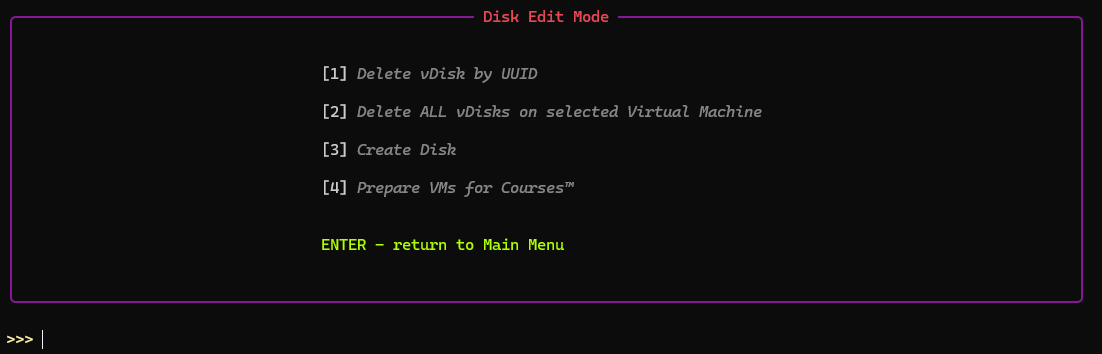
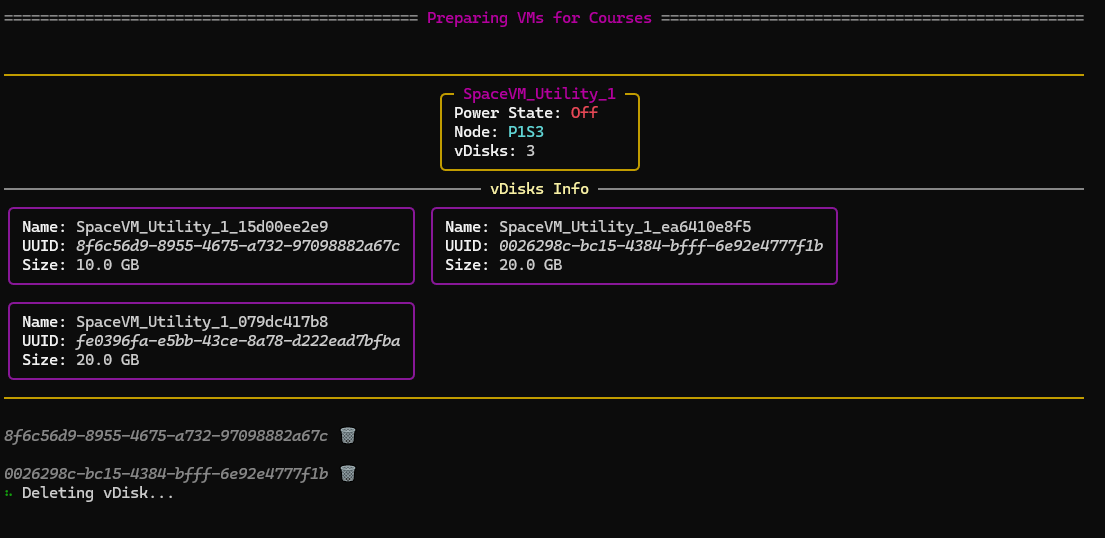
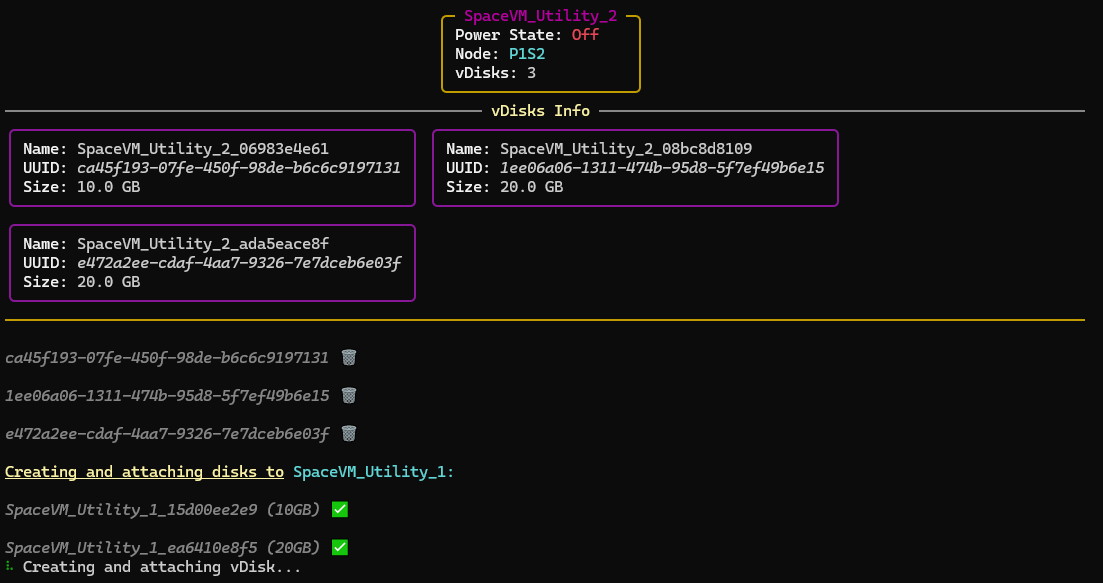


Config / Profiles
Directory ./profiles contains all configured profiles with necessary data for utility.
This directory will be placed in the same directory as Utility itself.
Tip
You can create profiles and change specific options within the Utility.

Profile example for reference:
[General]
#Master Controller IP of your cluster
#Has to be accessible for a machine, which will be executing this Utility
controller_ip = 10.20.30.44

#Integration API Key
(how to get your key - https://spacevm.ru/docs/latest/base/operator_guide/security/users/#_14 )
# do not specify JWT tag with your key!
api_key =

#skip start up splash screen (ASCII art)
skip_startup_splash = no

#loads this profile on utility startup by default
#only one profile could be loaded by default
load_by_default = false

[Data_Pool]
#Data pool which will be used for utility operations
#(Targeted storage for new vDisks)
data_pool_uuid =

[VM_Options]
#Select interface which will be used in virtual disk creation.
#Available options: virtio / ide / scsi / sata
disk_interface = virtio

#Select allocation type for virtual disks
#Available options: none / falloc / full / metadata
preallocation = falloc

#Specify uuid of iso you wish to automatically mount to Virtual Machines during operations (Courses)
#This step is skipped if "none" provided
iso_uuid = none

[Courses-Space-VM]
#Set vDisk size for "Prepare VMs for Courses" option
disk1 =
disk2 =
disk3 =

[VM_List]
#Selected VMs which will be used for utility operations
#How to find UUID:
#List all available VMs in Utility Main Menu (Option 6)
#Use https://spacevm.ru/docs/latest/cli/space/vm/info/ or copy UUID from web panel
uuid_1 =
uuid_2 =